

Documentation Index
Fetch the complete documentation index at: https://docs.nuwebgroup.com/llms.txt
Use this file to discover all available pages before exploring further.
Below you will find the summary notes for the 27th release of the Nuweb core platform.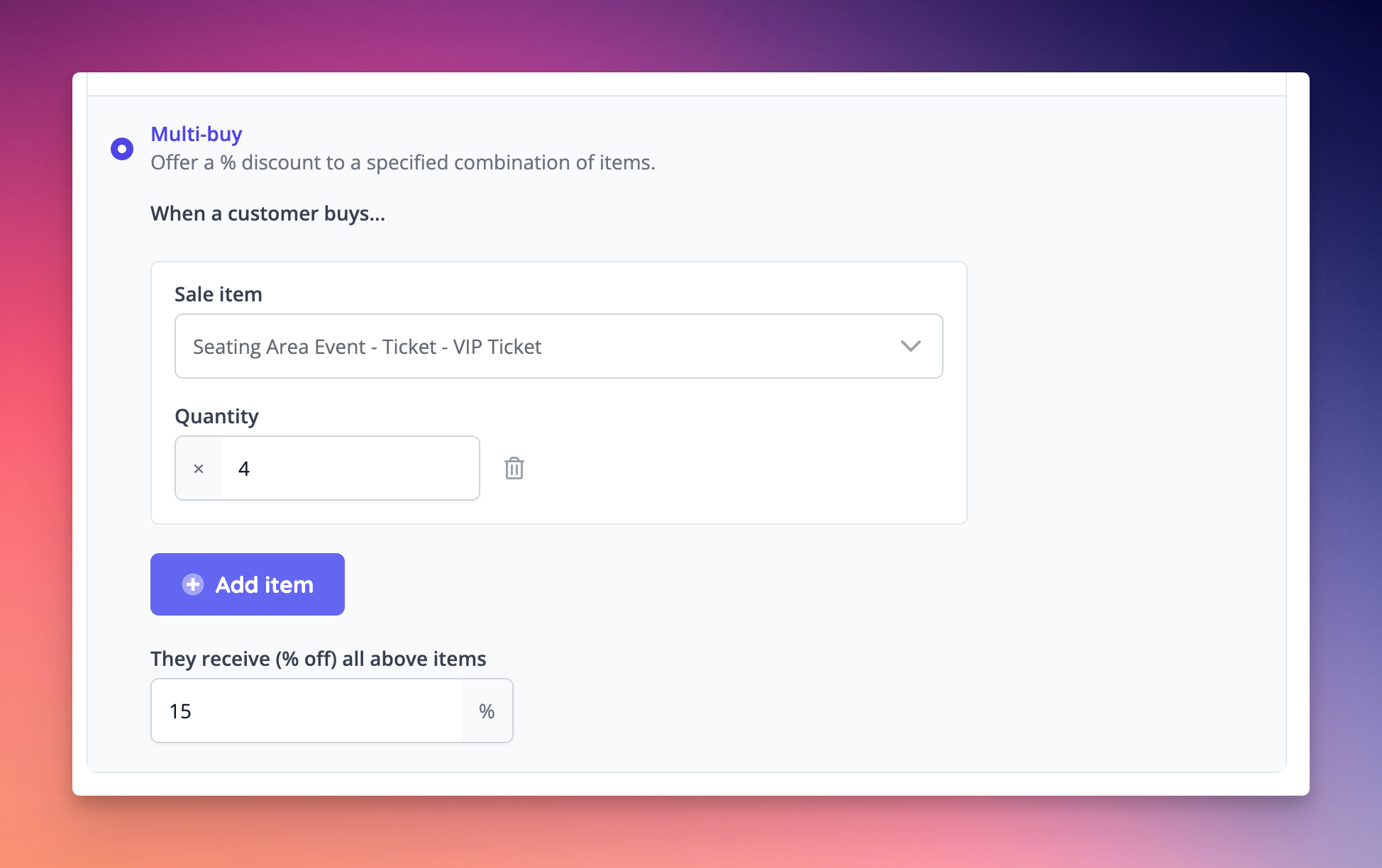
🚀 New Features
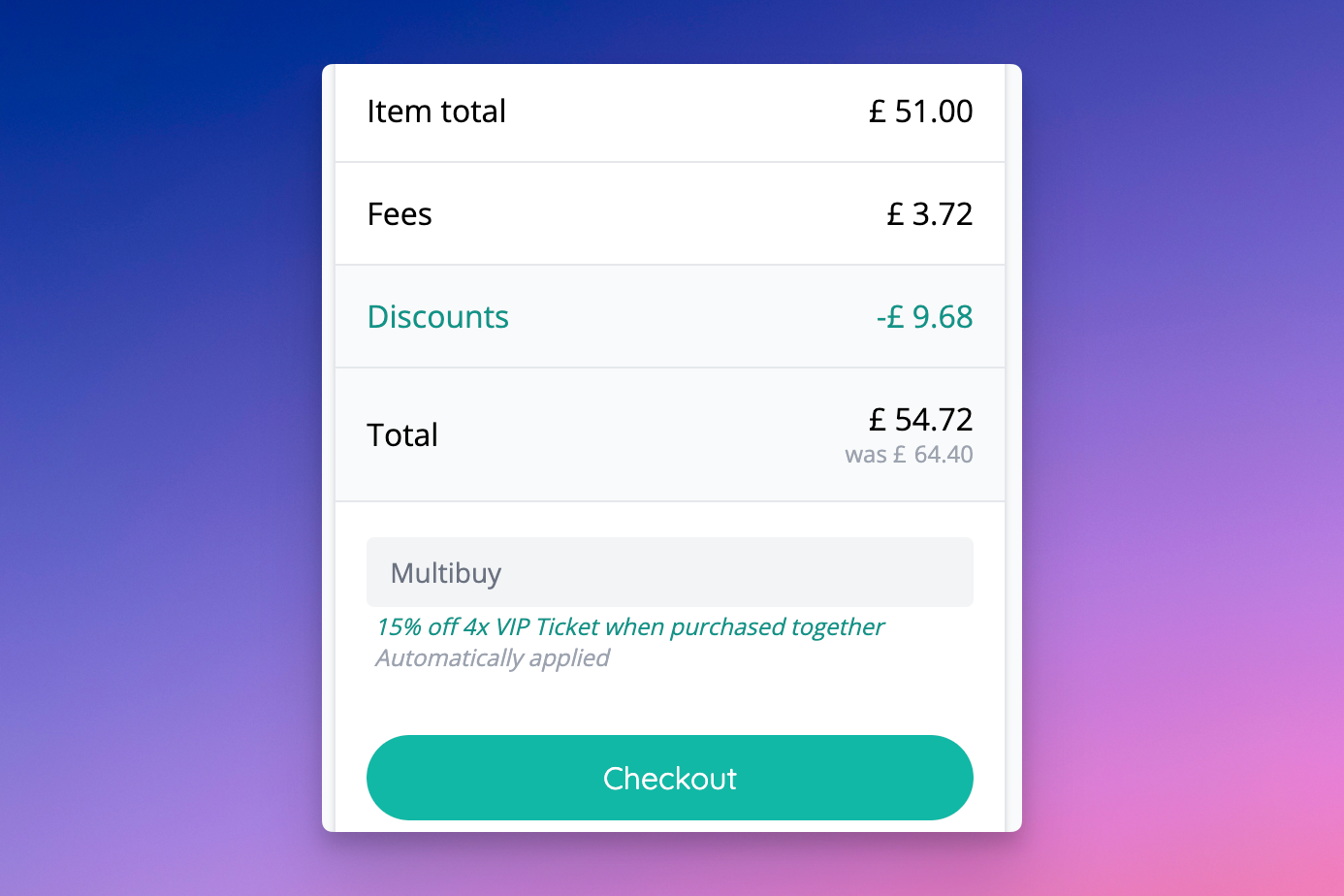
- New multi buy discount code type has been added, allowing a group of items to be discounted when given quantities are reached. [NG-4646] [NG-4714]
- New option added to discount codes to auto apply the discount to qualifying baskets [NG-4647]
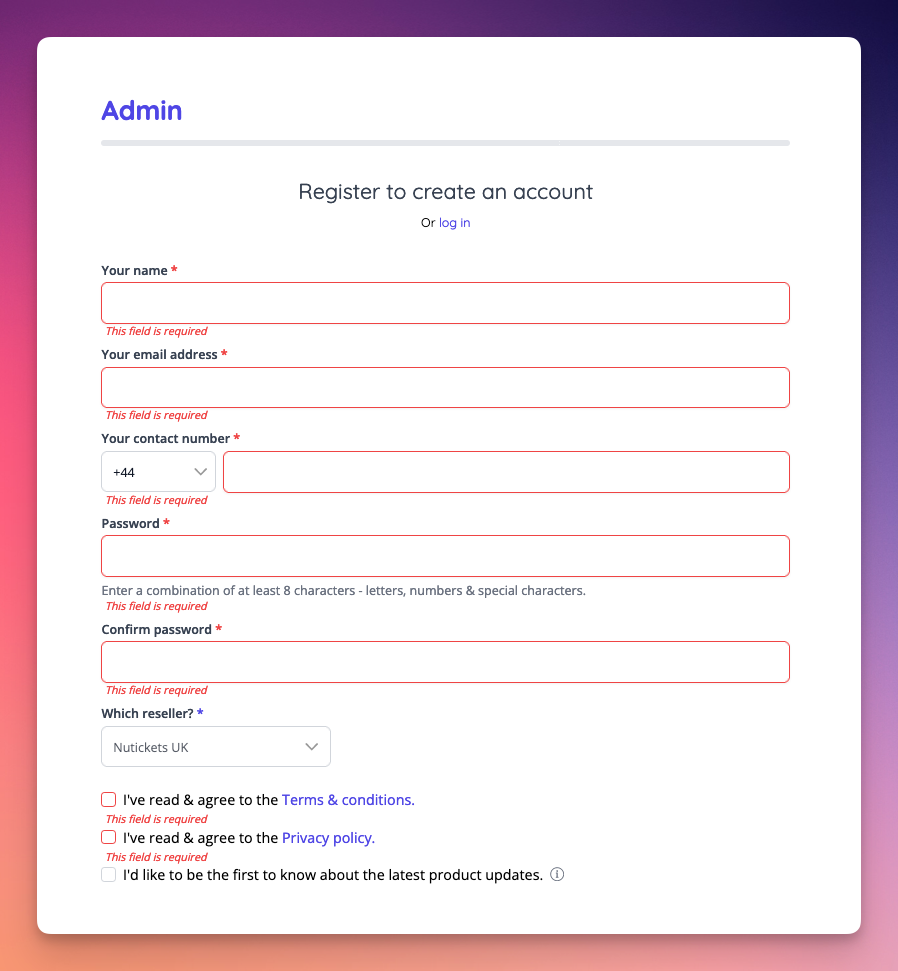
- Integrated with Azure Active Directory (B2C) for customer SSO [NG-2503]
- Added the ability to delete and restore event media and apple pass templates [NG-4634]
✨ Enhancements
- When viewing the list of orders within admin, incomplete instant access orders will now appear amongst completed orders, based on their creation date rather than always appearing at the end of the list [NG-4494]
- When resending confirmation emails on the event page, instant access orders will now be included in the list of recipients [NG-4496]
- The check payments status radio buttons will no longer be shown when completing an order if there is no gateway transaction for that order [NG-4495]
- Events where the only sale items that are available are fees will no longer show the “Buy Now” button on the shop. They will show the “Off Sale” button instead [NG-2873]
- When viewing discount codes that have already been used in admin, the add children button will now be disabled, with some information about how it isn’t possible to add children to a discount code that has been used [NG-4695]
- If a user’s locale is not valid for the current company, the locale will be updated automatically to the company fallback. In box office mode, when placing an order for a customer, if the customer’s locale is not valid, the company fallback will be used for the order instead [NG-4604]
- When viewing a payment method sales report on the hub, applying multiple payments methods to the payment method filter now works correctly, rather than only using the first payment method [NG-3540]
- Allow stock on inventory from child companies to be edited from the parent company [NG-4407]
- Seating plan & event media zoom scrolling now requirers user to press Cmd / Ctrl in addition [NG-4649]
- The created at date of order lines is now shown in the appropriate timezone for the current company [NG-4661]
🎨 User Interface (UI/UX)
- Added details of the token topup amounts a customer has received, on the order and order item detail pages [NG-4516]
- Reordered refundable items to show the bundled child items alongside their lead bundle item [NG-4316]
- Added timeslot info where applicable in individual and bulk refunds [NG-4493]
🧹 Housekeeping
- Forced ticket stock to default to unlimited, rather than 100 [NG-4654]
- Standardised the external_id fields on sale items, to avoid some offering (unused) multi-locale functionality [NG-4515]
- Fixed company acronyms sometimes appearing as ‘Undefined’ on hub company index page [NG-4600]
- The company from name will now be used as the from name on emails, whether the company from address is set or not [NG-4582]
- Fix a reporting issue where reserve to pay on-site reservations weren’t correctly displaying the relevant gateway [NG-4674]
- Added clearer messaging of how discounts have applied to a basket [NG-4723]
- Seating plan dragging icon now synced to mouse movement[NG-4617]
- iframe improvements for event submenu when site menu is displayed [NG-4607]
- Sale item descriptions now render HTML on event media [NG-4675]
- Fix a sales report issue where totals were not showing correctly for orders that had 100% discount applied [NG-3890]
- Apple pass settings now editable on event media settings [NG-4663]
- Event media editor now displays text in the correct font, and line break issues fixed in downloaded PDFs [NG-4469]
- Seating plan image export fixed for events with time slots[NG-4724]
- Seat customer data now can be visited from Event / Manage seating plan page [NG-4725]
- Resolved an issue when creating sale item groups that meant there were no sale items to select from to add to the group [NG-4739]
- Prevent incomplete seating plans from being displayed on the event’s attach seating plan screen [NG-4796]
- Sale items can now be assigned when creating a sale item group [NG-4739]
💻 Technical
- Upgraded to the new Stripe Payment Method Domains API which ensures Google Pay, Apple Pay and other wallet methods are future proofed in Stripe Connect [NG-4689] [NG-2909]
- Improve our internal logging mechanisms to minimise performance degradation during peak traffic [NG-3939]
🧑💻 API
Changes to the API have been documented in the changelog on the API documentation homepage.Below you will find the summary notes for the 26th release of the Nuweb core platform. ] ](https://nutickets-getoutline.s3.eu-west-1.amazonaws.com/uploads/517d4d80-777b-4e6a-a6b6-a861b117cc62/b9d81000-7c2f-4f68-875d-fa003c48cbfa/CleanShot%202023-10-30%20at%2012.39.08%402x.png?X-Amz-Algorithm=AWS4-HMAC-SHA256&X-Amz-Content-Sha256=UNSIGNED-PAYLOAD&X-Amz-Credential=AKIA5X5FBUSU4BCCMM4S%2F20260515%2Feu-west-1%2Fs3%2Faws4_request&X-Amz-Date=20260515T152713Z&X-Amz-Expires=3600&X-Amz-Signature=5760dee76cc0a4d1a98402576220f1a8b84ba2f90fff8074279144a4a8b920cd&X-Amz-SignedHeaders=host&x-amz-checksum-mode=ENABLED&x-id=GetObject)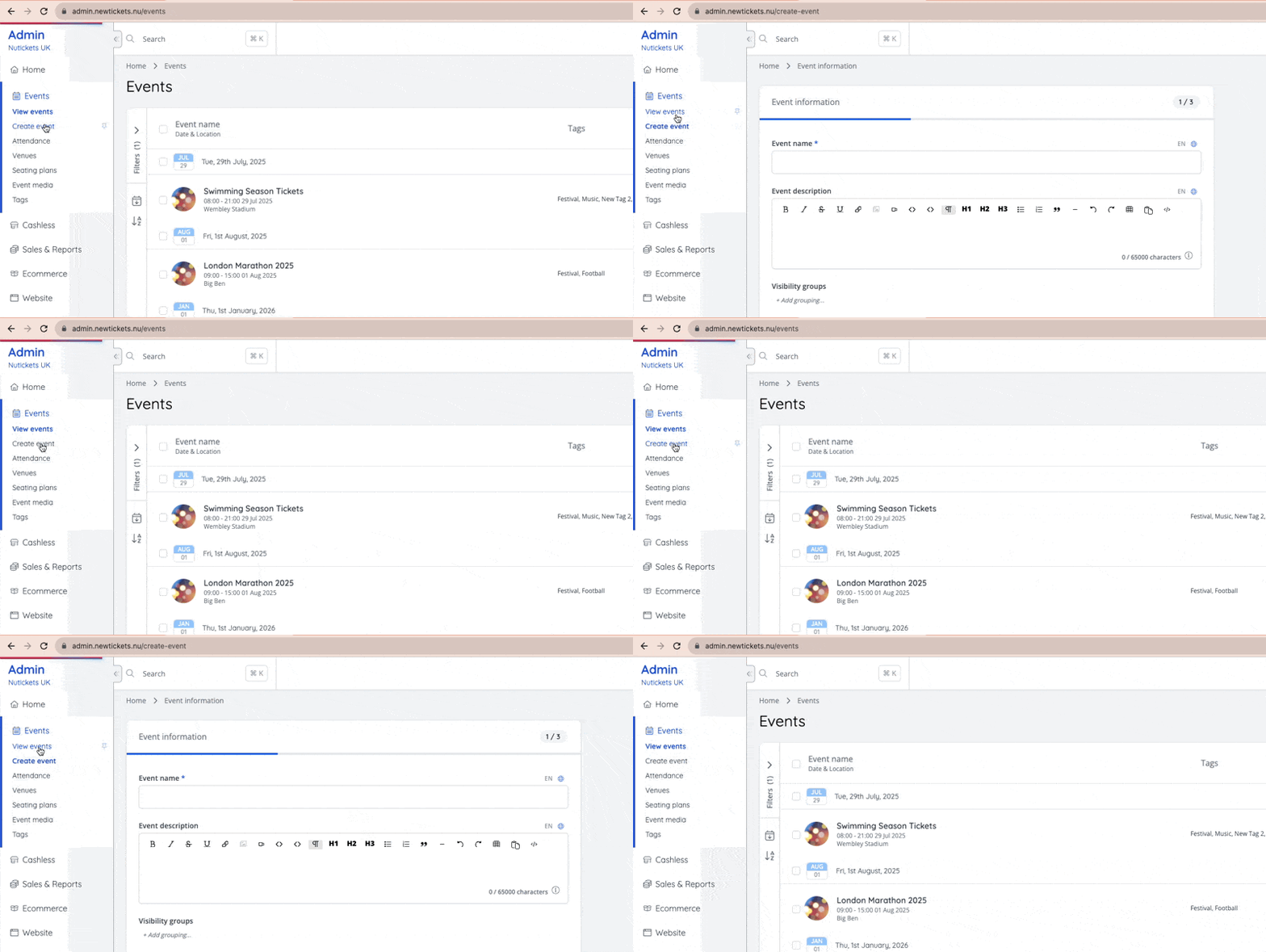
✨ Enhancements
- New ability to hide CMS header block images in mobile [NG-4220]
- Companies with Event Media enabled can now set default event media at the venue level [NG-4346 & NG-4347]
- Companies with Event Media enabled can now set default event media at the inventory item level [NG-4349 & NG-4350]
- Link targets added for link fields in CMS [NG-4219]
- Order information always honours the order currency when changing shop currency on order success page [NG-4141]
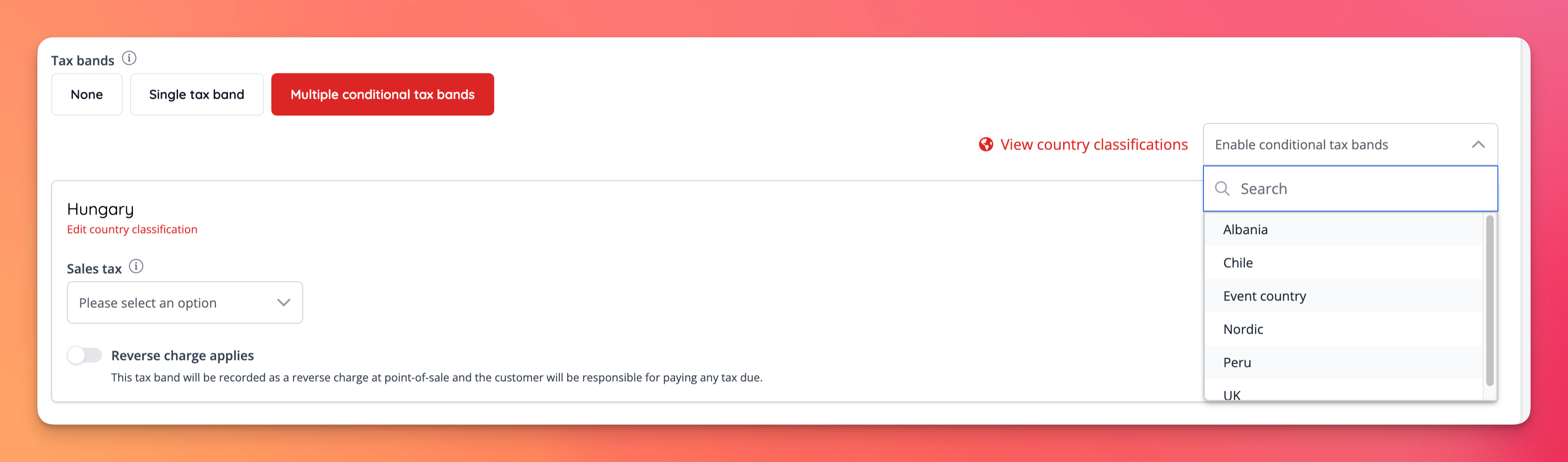
- Conditional tax bands have been improved to allow for a separate tax rate to be used for all other countries that don’t match one of the other country classifications, rather than always assuming the domestic tax rate [NG-4356]
- Surface
external_idfields for venues, events, inventory items, and sale items, across the admin UI displays + forms [NG-4487, NG-4353] - Added inputs for meta tag fields and images for mixed event schedules [NG-4183]
- Added ‘last API activity date’ header to the Admin Users report [NG-4390]
- Articles with images have received mobile usability updates that will improve the page’s SEO score [NG-4476]
- Added a new Paste tool to WYSIWYG fields, which helps pasting texts with formatting from rich text editor applications (such as MS Word) and other applications [NG-4396]
🎨 User Interface (UI/UX)
- Show ticket holder details on order overview page in admin & updated page UI [NG-4248]
- Ensured testimonial list blocks function when vertical padding is set to zero [NG-4227]
- Added pricing previews to Cashless Shop Products, including the appropriate fee and sales channel breakdowns [NG-2871]
- Added a new
Has Ticketsfilter to the event index page [NG-4467]- Expanded all
Has [Sale Item Type]filters on the event index page, to allow filtering by ‘Yes (Has)’, ‘No (Does not have)’, and “All (Both)”.
- Expanded all
- Added hints that downloading also saves custom reports [NG-4312]
- Ensured you can always see the full image settings modal when editing template bocks [NG-4433]
- Improved dragging to reorder items for touchscreen devices [NG-4412]
- Added new ‘negative bottom padding’ field to template block settings [NG-4222]
- Seating plans in box office will adjust their size, and will appear bigger [NG-4449]
- Best available seats UI has improved UI & added help texts [NG-4200]
- Admin Cashless pages will now use the new index page layouts [NG-4504]
🧹 Housekeeping
- Added the event name to the related sale items modal [NG-4094]
- Expanded list of frontend validated forms [NG-4088]
- Removed the requirement for a venue region when creating/editing a venue, in line with other address fields [NG-4247]
- Improved the filter options on event filters to allow for events with and without a particular sale item type [NG-4467]
- Removed ‘floating’ loading spinners [NG-4436]
- When adjusting single row position in seating plan, rotated positions are taken into consideration[NG-4450]
- Prevented an empty about content block being added to events that are created without a description [NG-4284]
- Ensure volunteers can put events on sale as long as they’re already published [NG-4285]
- Ensure baskets honour order pricing in case of sale item pricing updates during checkout [NG-4435]
- Removed unwanted dragging when customising article and event pages [NG-4596]
- Ensure no unwanted form submissions when adding embedded wysiwyg videos [NG-4594]
- Resolve an issue where notes couldn’t be edited if they originated from the parent company [NG-4626]
- Improved reliability of syncing gates in seating plans [NG-4622]
- Improved user flow when creating event fee for a specific sale item [NG-4633]
- Resolved an issue when creating a cashless product [NG-4481]
- Event page dashboard data editing issues fixed [NG-4277]
- Removed a one time page refresh, when the Attendance page was visited [NG-4416]
- iframe header alignments improved [NG-4035]
💻 Technical
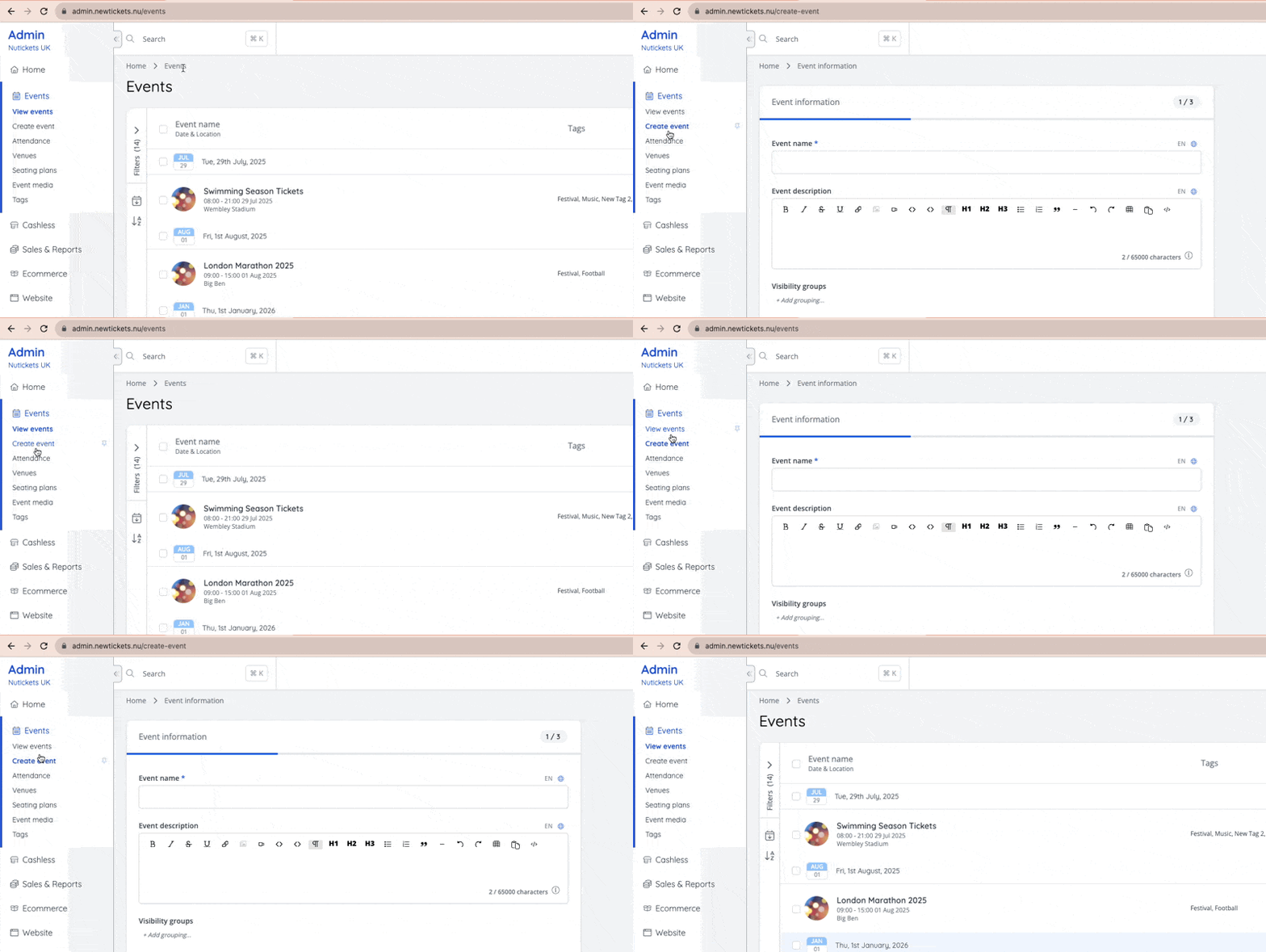
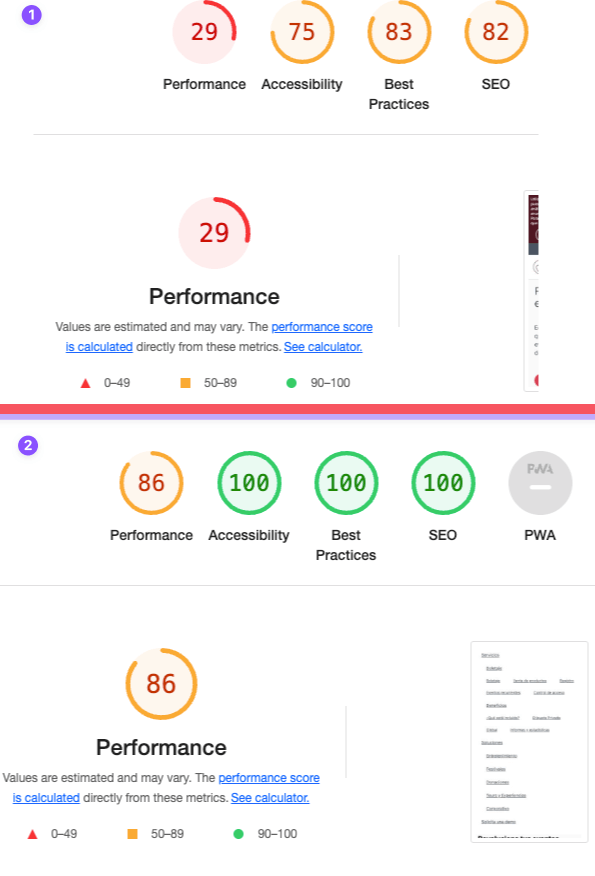
- Major system speed/performance improvements have been rolled out using a new in-house page acceleration technology amongst other optimisations [NG-4530] [NG-4514] [NG-4498] [NG-4419] [NG-4420] [NG-4424] [NG-4422]
- before
- after
- Prevented sale item price changes when using the browser back button [NG-4326]
- Completed backend framework upgrades across the platform [NG-4000]
- Further improvements to frontend form validations [NG-4440]
🧑💻 API
Changes to the API have been documented in the changelog on the API documentation homepage.Below you will find the summary notes for the 25th release of the Nuweb core platform.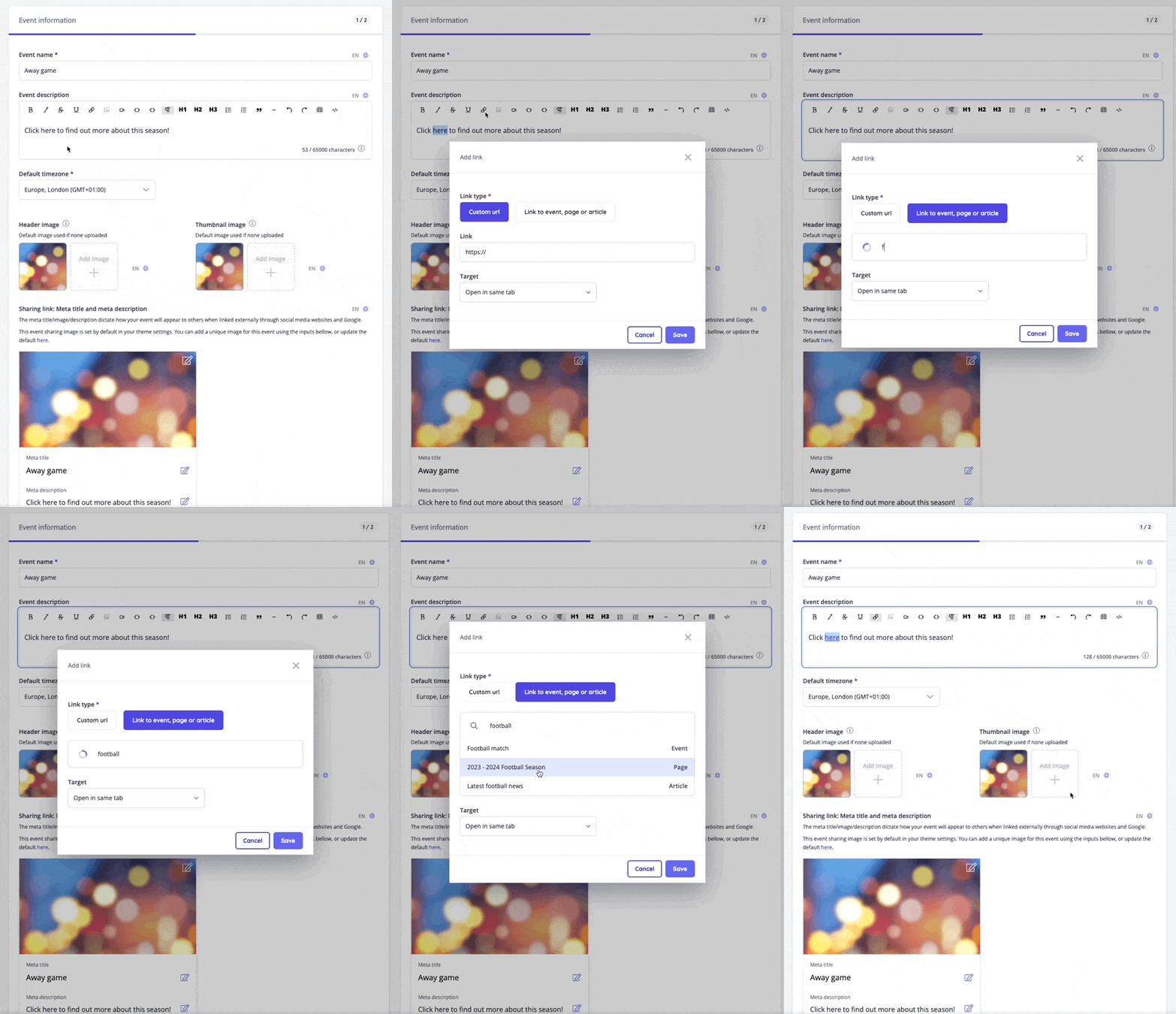
🚀 New Features
- Added the ability to add dynamic links to pages, articles and events in WYSIWYG editors for schema blocks and event descriptions [NG-3817]
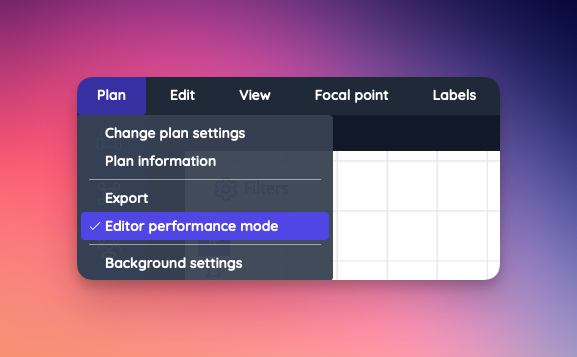
- Performance mode added to seating plan editor allowing for a much faster and enjoyable experience when working with large, complex, or detailed seating plans [NG-4093]
- Cashless mobile application now allows for top-ups to be created in NFC mode, using a Stripe card terminal (internet connection required) [NG-3936]
✨ Enhancements
- A wide variety of infrastructure, package, and software upgrades were performed this release, bolstering performance, and remaining up-to-date with latest technologies and security patches [NG-4213 & NG-4241]
- Updated the ‘Add ticket’ action in the new event notification to open the add tickets modal, rather than redirect to the new ticket creation form [NG-4163]
- Improved the notification display logic so that sidebar notifications only appear within relevant contexts (i.e. event related notifications only appear on the event dashboard) [NG-4075]
- Added new
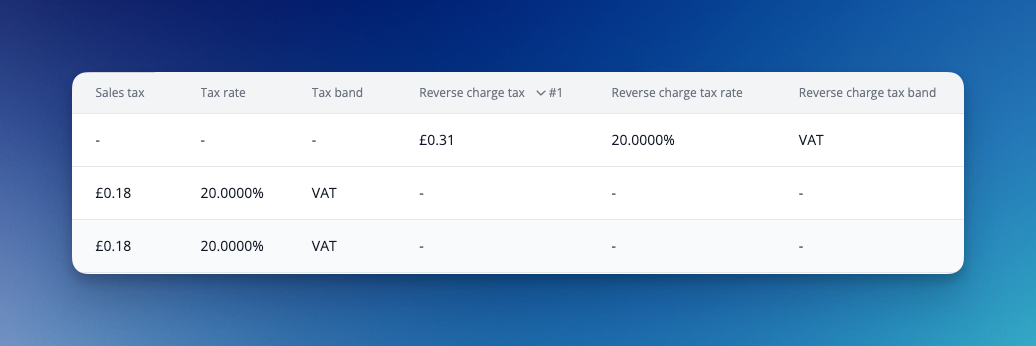
Sales Tax BandandSales Tax Rateto the attendance reports for better reporting of the applied tax at point of sale, on individual order items [NG-4086]. - Added reverse tax breakdown to the item attendance reports [NG-4086].
- API requests from mobile apps will now record the device manufacturer and model number, for better tracking of individual devices across a fleet [NG-4132].
- Added an
Event Statusfilter to the event reports, to allow better control over which events you wish to report on [NG-4009]. - Improved report column sorting for transaction total(s) so that the rows are ordered naturally according to the numerical values involved [NG-3972]
- Added support for the amended Ghanian Cedi currency, GHS [NG-4084]
- Max value of the price-input now depends on the currency, allowing currencies with fewer decimal places to have higher maximum values [NG-3719]
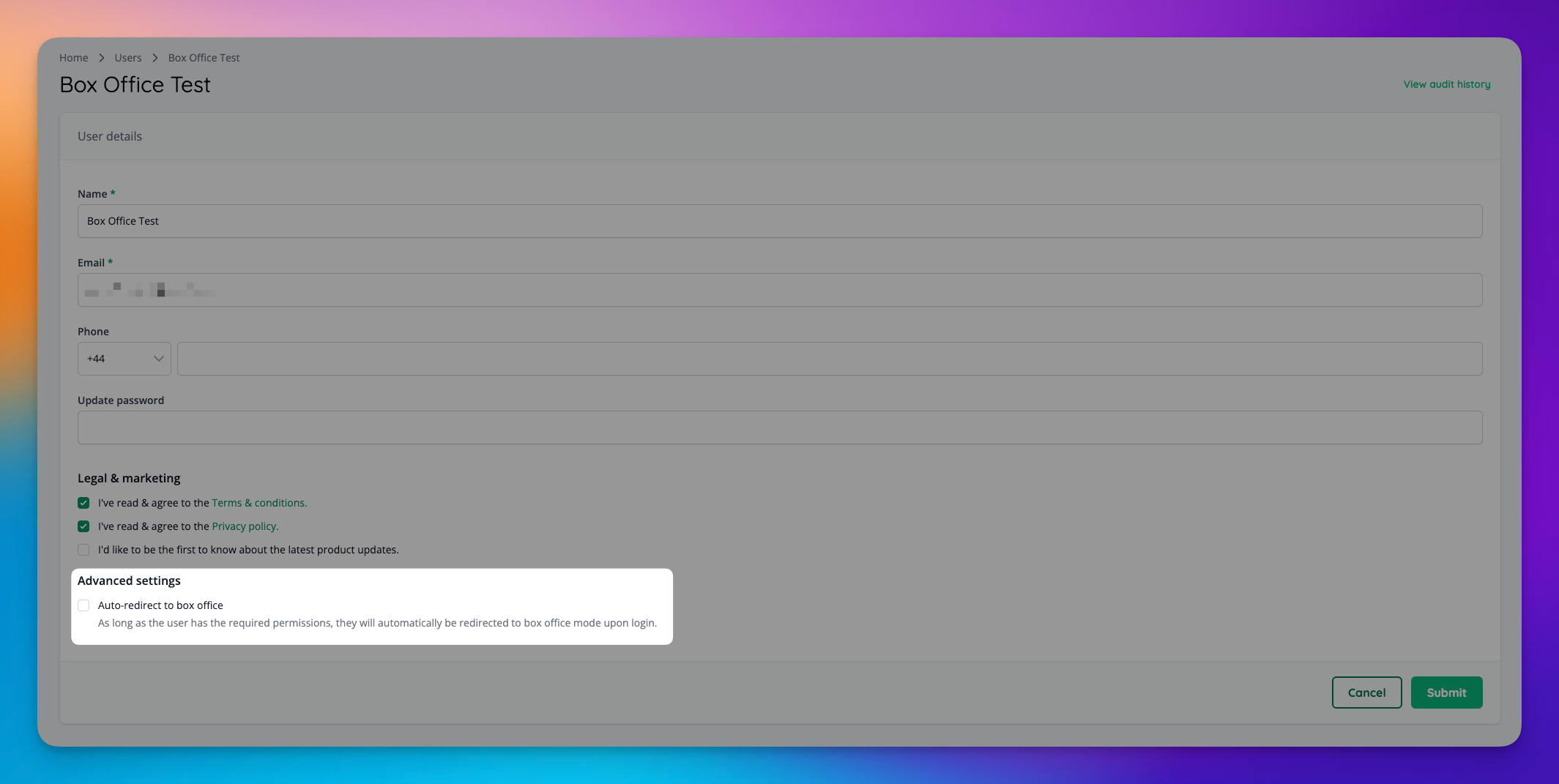
- Added a new toggle to admin users to indicate that they should be automatically redirected to box office mode on login, to avoid having to manually begin box office mode [NG-4005]
- Increased the input length of ‘long text’ data capture from 255 characters to a much higher limit [NG-4050]
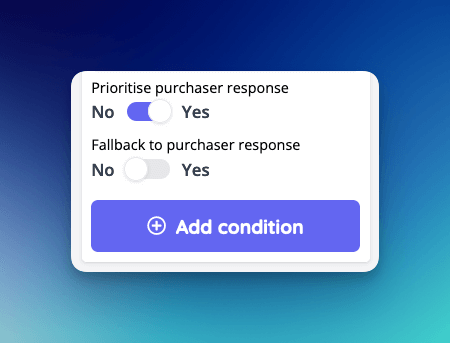
- Increased the visibility on data capture in the attendance report by allowing the ability to show purchaser responses as a fallback when the item holder hasn’t supplied their own responses [NG-4265]
- Added ‘last activity date’ to the default admin users report [NG-4063]
- Implemented an additional email notification to acknowledge a user’s request to publish an event (where event approvals are enabled/required) [NG-4008]
- Added the ability to resend individual order invoices on complete (or instantly accessible) orders [NG-4157]
- Improved the speed at which e-ticket downloads are generated for large orders that contain images [NG-4154]
- Token top-ups for cashless eWallets can now be refunded & deducted from eWallet balances [NG-3495]
- Added the ability to search for articles and pages in global admin search [NG-3817]
- Update sale item price preview when disabling / enabling currency [NG-4054]
- Improved the overall performance of seating plan rendering in both admin and ticket shop [NG-4093]
- Enriched the application of discount code “at least one of every event” logic to only require one item from an event, rather than one of every item sold at an event [NG-4179]
- Improved the grouping of bundled items in the basket to make it clearer which parent/lead item the bundled items belong to [NG-4380]
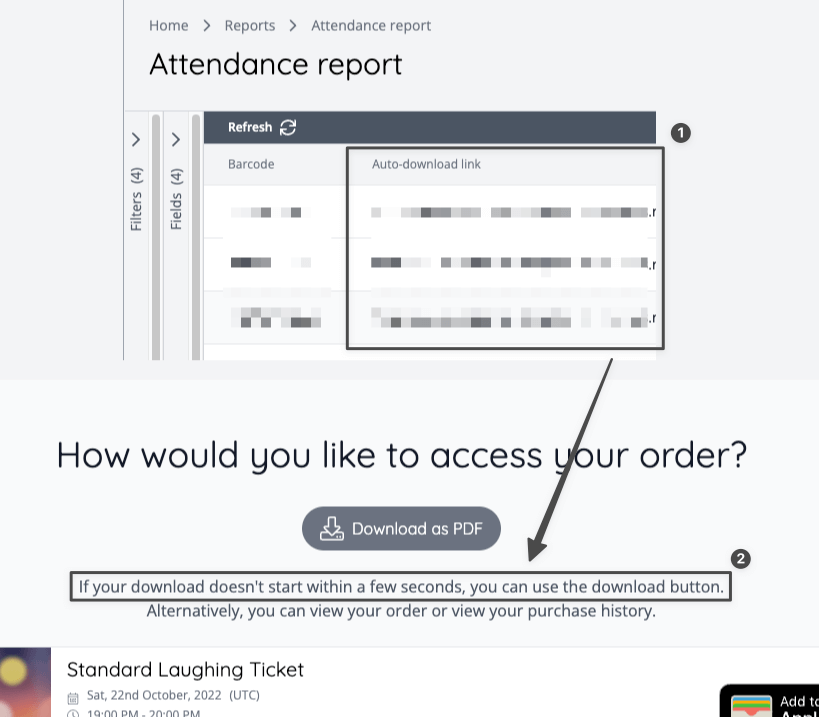
- Added a new “Auto download link” header to attendance reports which contains a link to the relevant ticket download page where the tickets begin downloading automatically [NG-4313]
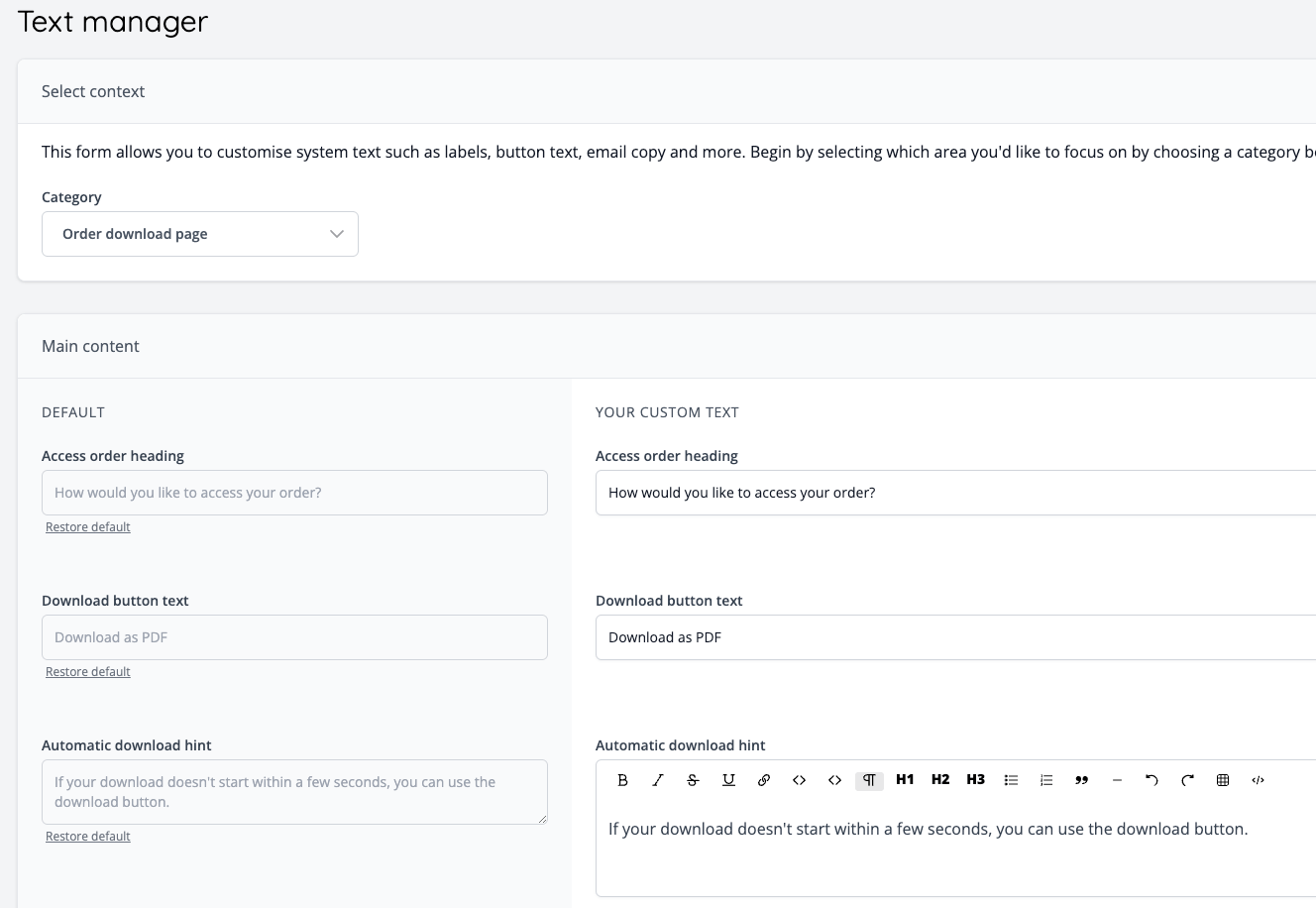
- Added the ability to customise the ticket download page text via the admin text manager [NG-4313]
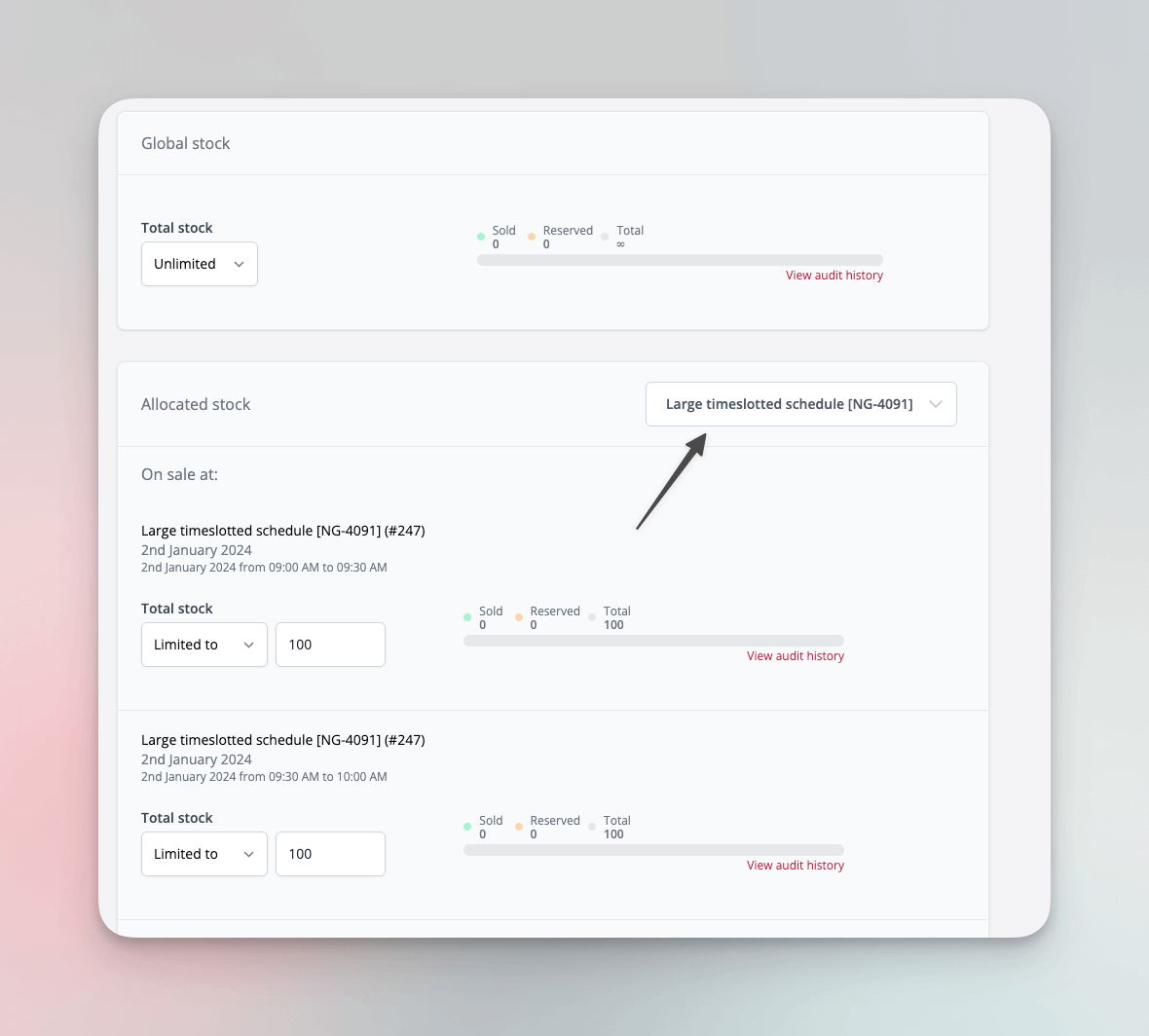
- Added the ability to filter sale items by their respective inventory (i.e. event/shop/etc.) when managing stock levels, especially useful for managing stock on busy timeslotted schedules [NG-3608]
- Admin events index page can now be filtered by events containing sale item groups and/or events that are part of a schedule [NG-4381]
🎨 User Interface (UI/UX)
- Added warning when assigning Super User role to a new user [NG-4267]
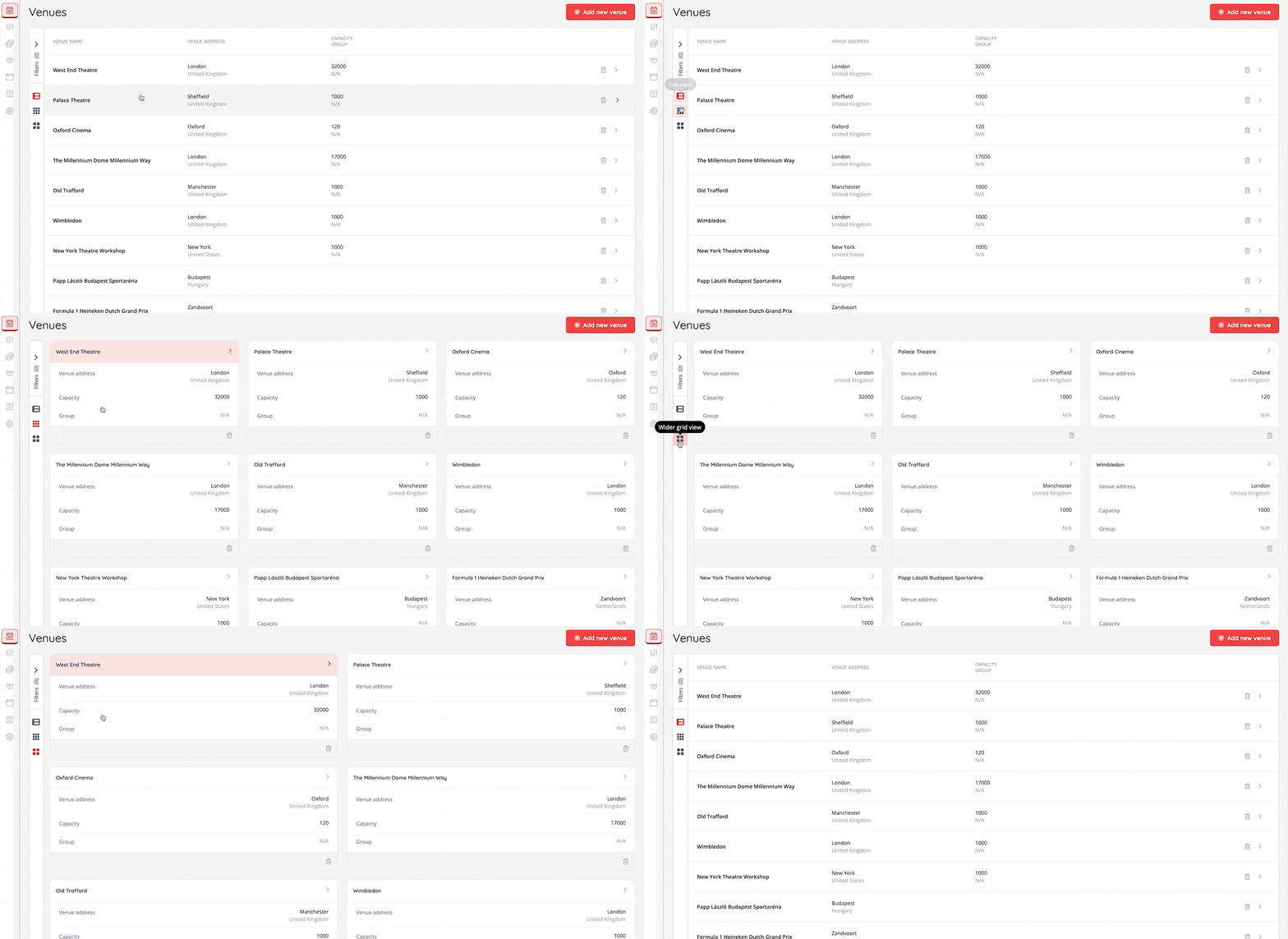
- Updated grid and list layout views, and alternative options available on some pages (Users, Customers, Orders, Reservations, Event Media, Seating plans, Companies, Resellers) [NG-4087]
🧹 Housekeeping
- Prevented users from attempting to sort reports by custom columns, as the sorting occurs before the calculation runs [NG-4080]
- Updated the ‘view event’ action on the admin dashboard to take users to the correct page [NG-3407]
- Improved the formatting of long data capture questions when presented on the final stage of checkout pNG-3407]
- The Shop main menu should now more accurately resize or collapse itself when a large number of menu items are added [NG-4208]
- Deployed a noticeable performance improvement to the entry API for speedier access control [NG-4296]
- When refunding cashless top-ups via the admin UI, a new ‘refundable from wallet’ field is displayed, highlighting how much is going to be refunded from the customer’s eWallet balance [NG-3495]
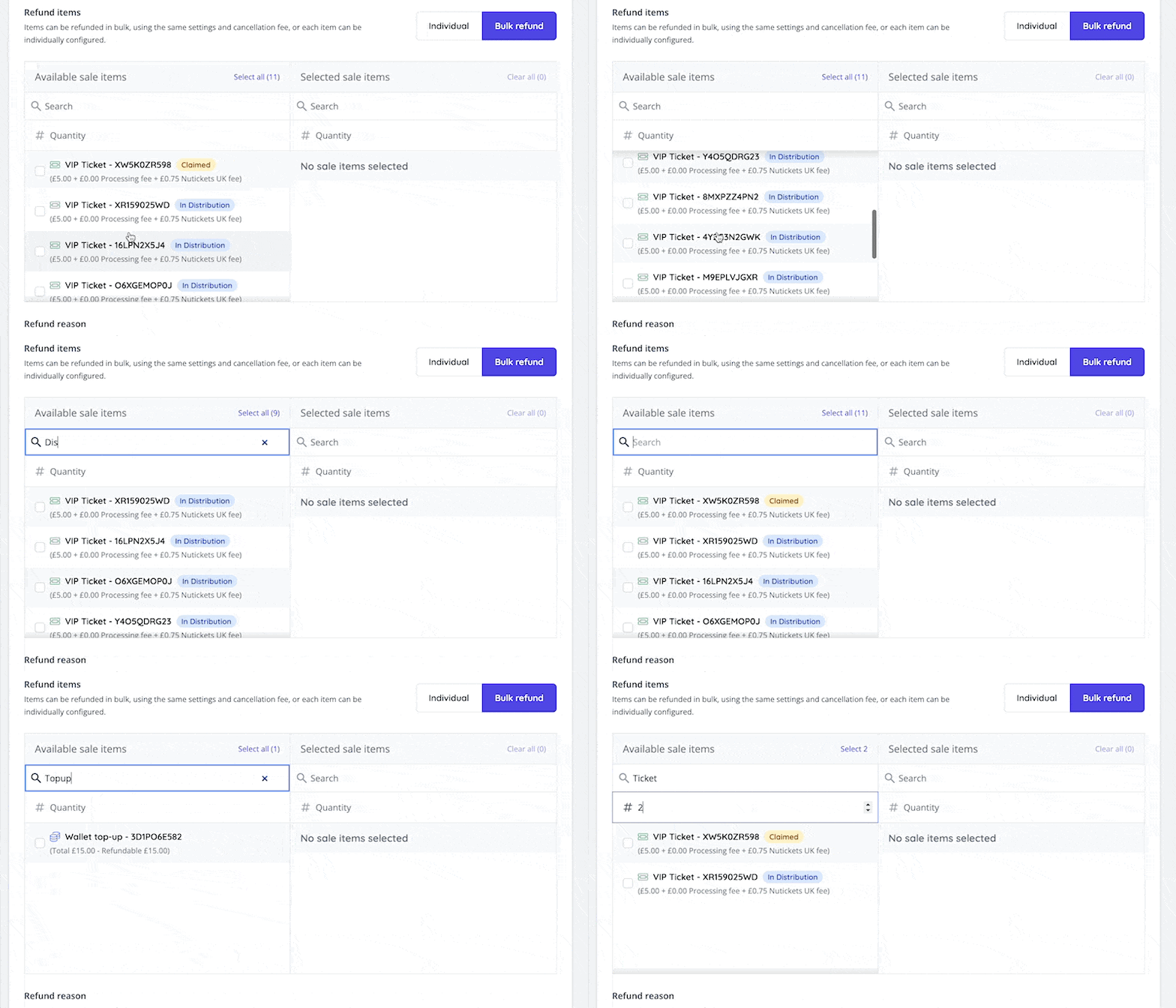
- When using the bulk refund tool on an order that contains bundled cashless top-ups, these are now displayed and selectable within the bulk refunder [NG-3495]
- Improved the bulk refund UI to show items that were identical inventory items, but different sale items (across different events) [NG-4257]
- Updated the bulk refund UI to auto select all checkboxes when selecting order items, offering a much more consistent/predictable experience [NG-4257]
- Improved timezone handling/offsets in the event calendar, providing a consistent experience regardless of positive or negative time offset [NG-4206]
- Updated text to Select donation amount in shop [NG-4014]
- Fixed an error that could be encountered by box office users if their user was suspended mid-session [NG-4369]
- Disabled erroneous “Complete your Account” emails that were sometimes forcefully sent to guest customers without user intervention/opt-in [NG-4013]
🧑💻 API
Changes to the API have been documented in the changelog on the API documentation homepage.Below you will find the summary notes for the 24th release of the Nuweb core platform.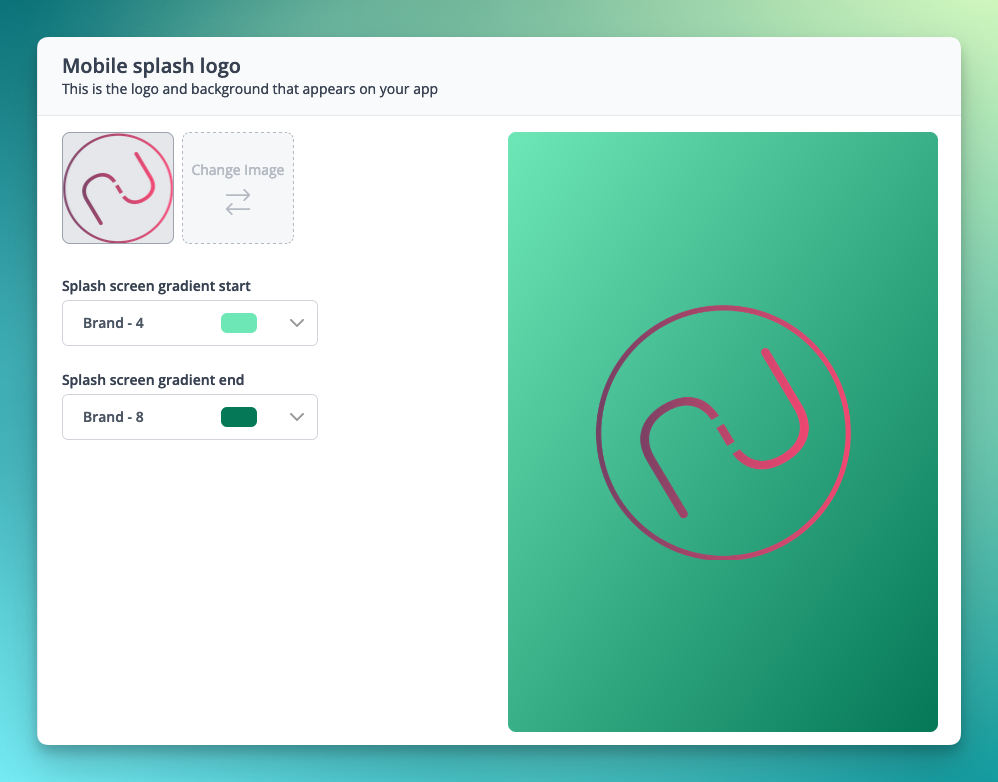
🚀 New Features
- Sitemaps are now generated by default for all ticket shops, providing search engines/crawlers with an increased chance of correctly indexing event pages, event listings, and articles [NG-3820]
- Any events that are unpublished marked ‘hidden’ are not shown
- Past events are not shown
- Sitemaps are cached for ~24 hours
- Custom domains will be used based on the locale preferences of those domains
- Where multiple languages are enabled, the sitemap will contain locale specific URLs to provide context of the locale specific URLs to surface in search results
- Event tracking has been implemented within the Shop to allow in-depth analysis of end-customer interactions [NG-3843]
- Feature tracking has been implemented within the Admin to allow in-depth analysis of feature engagement [NG-3841]
✨ Enhancements
- Reseller branding settings has been improved, with new options to control the mobile app splash page settings added [NG-3748 & NG-3749]
- Added full localisation & text customisable support to waiting rooms [NG-3874]
- A new permission has been added to control whether box office users have the ability to skip mandatory data capture fields [NG-3771]
- API login attempts using the Retrieve API Token endpoint are now logged similarly to login attempts made via the web login screens [NG-3804]
- Added a new limitation to companies (which can be enabled within settings) to force customers to login before being able to browse the ticket shop / view any pages[NG-3783]
- This feature is designed to work nicely alongside SSO for off-site authentication to the shop
- Added the
event_tagfield to event sales reports (when grouping byevent ID), and the events report [NG-3754] - Added the ability to configure content types to be disallowed in the shop via a new dynamic
robots.txtfile [NG-3819] - New previews for reseller and company logos [NG-3749]
- Implemented json+ld schema data across event and article pages to enrich search results [NG-3954]
- Added the ability to filter orders by access codes [NG-3728]
- Implemented concurrency improvements to the best available seat selection process [NG-3789]
- New methods in place for more rigorous frontend form validation [NG-4021]
- Added new option to embed settings to hide logout links in shop [NG-4051]
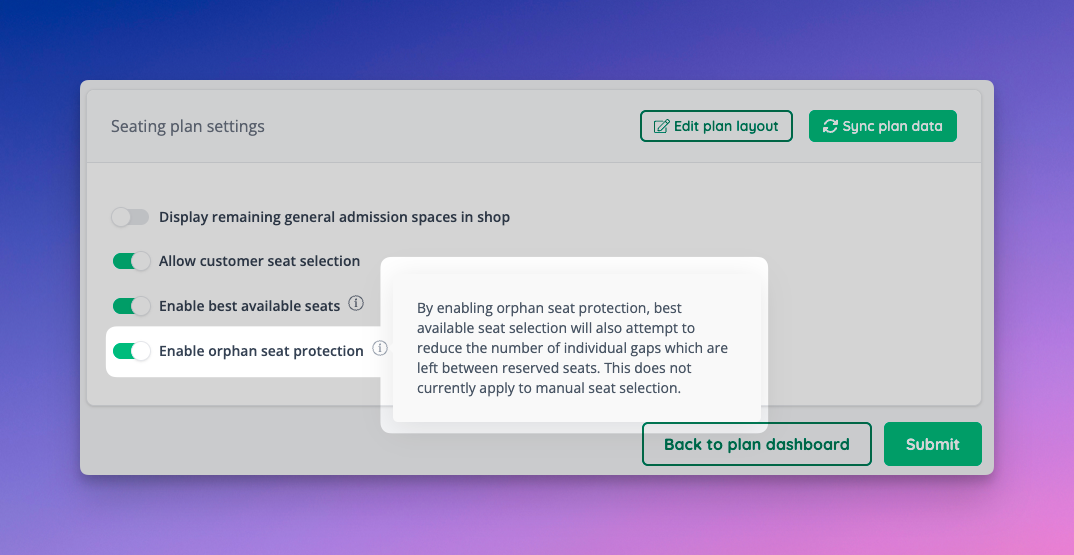
- Orphan seat prevention settings now extended to manual seat selections [NG-3813]
- Allow deleting newly added objects & seats on already synced seating plans [NG-3879]
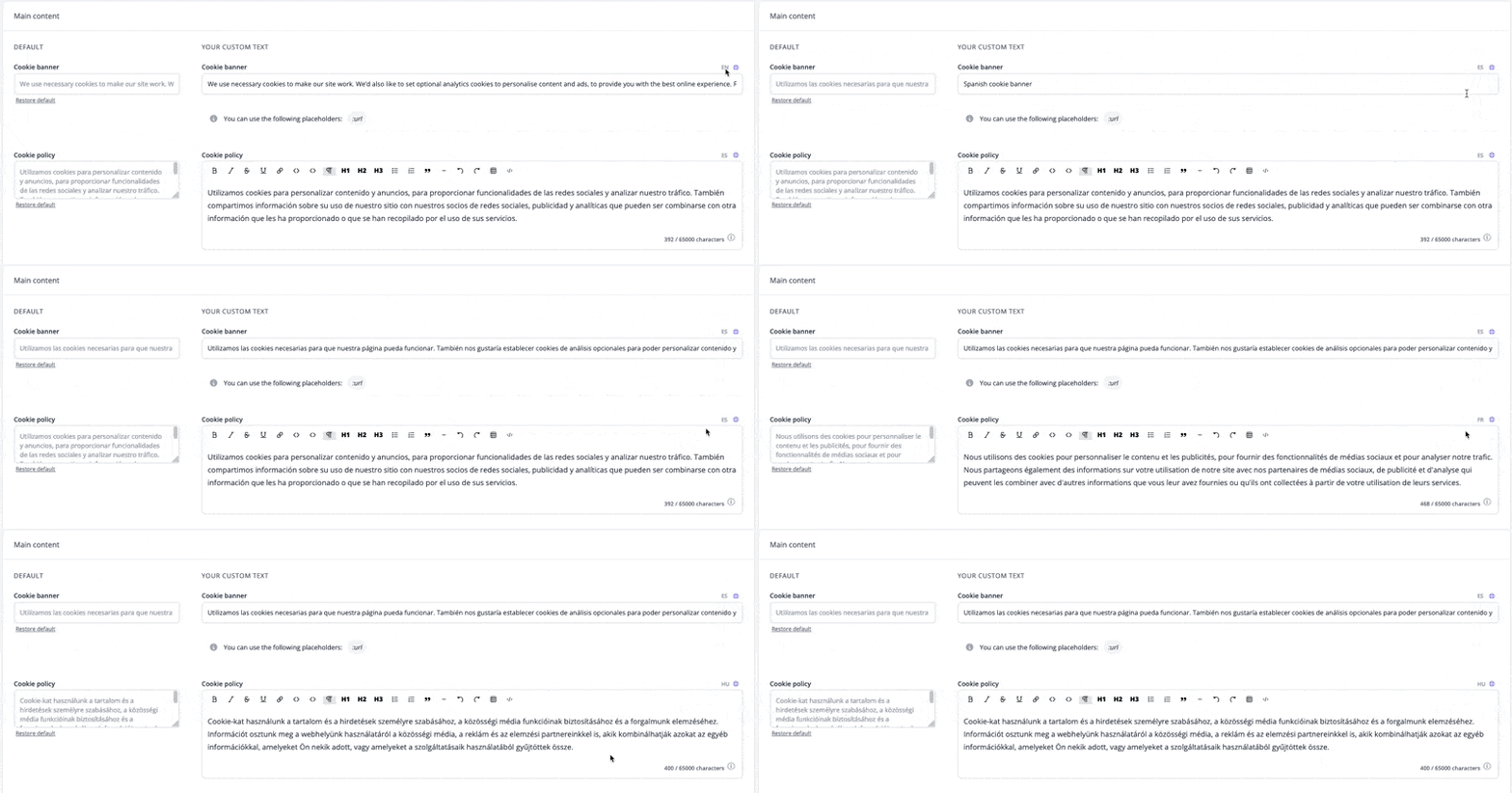
- Added multi-lingual support for Text Manager [NG-3880]
🔌 Integrations
- Integrated with M-PESA for accepting mobile money payments across Africa [NG-3810]
🎨 User Interface (UI/UX)
- Added more customisation options for article block descriptions as well as ability to remove ‘View All’ link from article and event blocks [NG-3743]
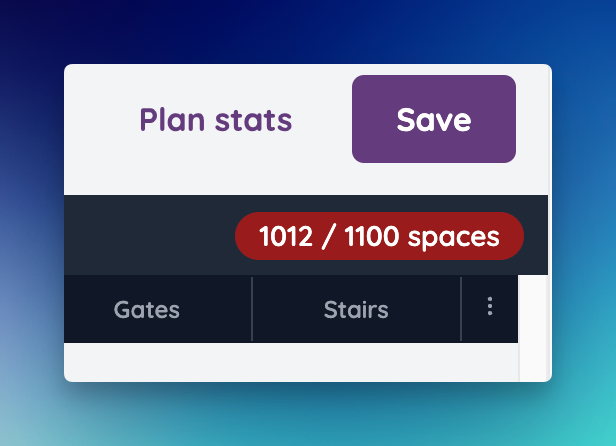
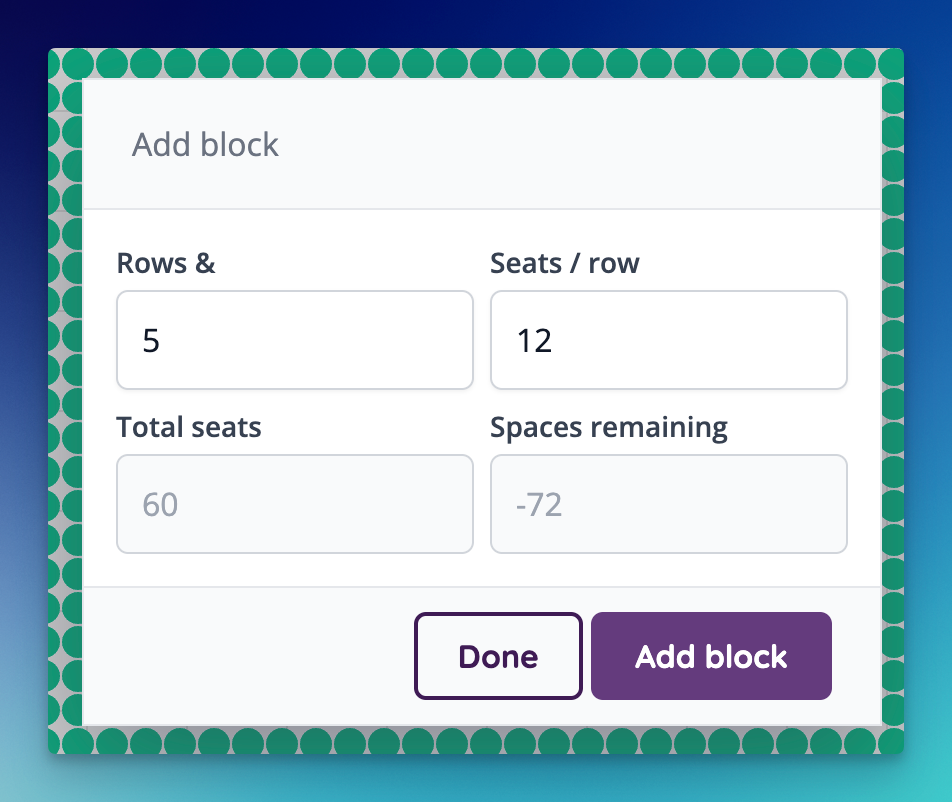
- Added maximum space limitations to seating plans to prevent overly large areas / plans [NG-3755]
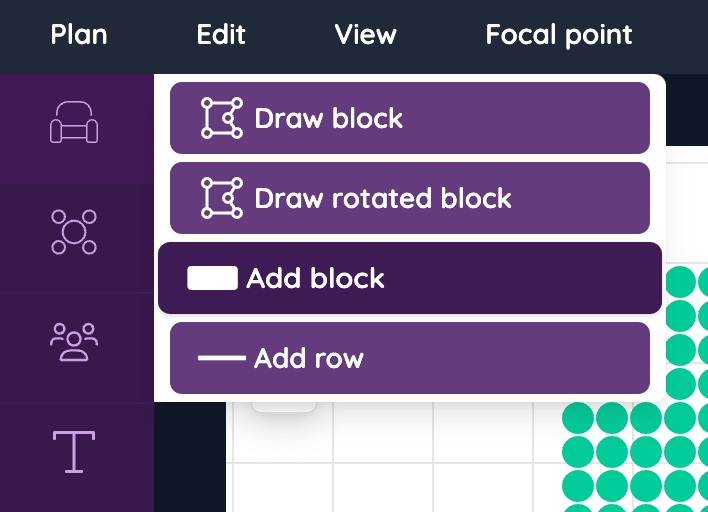
- Updated Seating / Event media object menu [NG-4069]
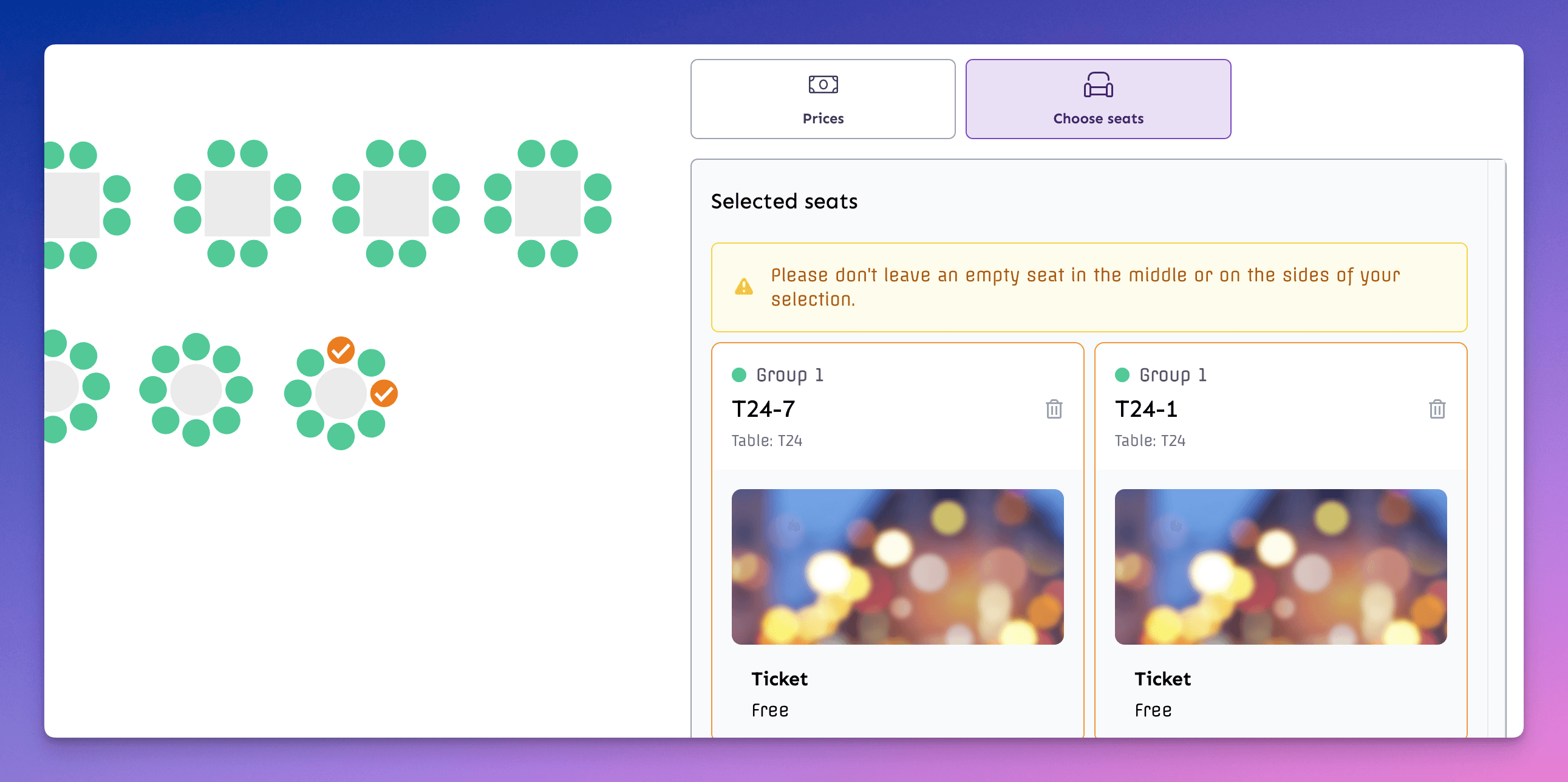
- Improved mobile interface when Best available & manual seat selection is on [NG-3666]
- Added image limitations in WYSIWYG editors [NG-3745]
- Created a new language selector option for Customise event page [NG-3723]
- Conditional tax band selector on sale item forms have received a search feature for a better UX when there are more than 4 tax bands set up [NG-3847]
🧹Housekeeping
- Removed flags from the Hub translation manager [NG-3894]
- Ensured date-input default values are set at the form level [NG-3539]
- Allowed NFC tags paired with season tickets to be checked into zones on events [NG-3805]
- Fixed season ticket label being detached from item cards in seating plans on the shop [NG-3752]
- Fixed season tickets sometimes not appearing in shop if there are no regular tickets [NG-3769]
- Improved best available seat selection to prevent deleted seats being selected in some specific situations [NG-3734]
- Fixed article type URL not auto-generating based on article type name [NG-3915]
- Fixed an issue where access codes using the ‘hide unrestricted items’ option would prevent items being added to the basket when event level fees were enabled [NG-3911]
- Fixed an issue where event media would fail to download as a PDF on orders with more than 50 items [NG-3554]
- Fixed time slots not being shown in 12hr time in time slot builder [NG-3654]
- General housekeeping around report generation to ensure stale reports are cleared out [NG-3906]
- Fixed an issue where time slots week view was not paginating properly for events that started in the past [NG-3760]
- Fixed double border page dividers not defaulting to showing two lines [NG-3845]
- Improved the performance of mass updates on sale items which exist against thousands of sibling timeslots etc [NG-3875]
- Updated the pricing preview display on sale items to ensure that blended gateway fees aren’t returned for free sale items [NG-3858]
- Fixed top menu announcements not appearing in mobile as well as mobile burger menu appearing when no items are shown [NG-3744]
- Resolved a possible cause for a payment link with no items or transactions associated with it [NG-3728]
- Improved visibility of validation errors when mass updating sale items [NG-4065]
- Fixed issue where box office UI was appearing in regular shops [NG-4059]
- Prevented the automatic scrolling of the feature flags card in Hub [NG-4025]
- Fixed an issue where fees from imported orders were not reporting correctly in some sales reports [NG-3901]
- Resolved an issue where a blank screen may be shown when completing checkout with a large amount of order items (~200+) [NG-4041]
- Added help text if theres no content in your currently selected locale for article text blocks [NG-4029]
- Fixed the user profile icon and dropdown appearing in the menu for box office [NG-4076]
- Admin dashboard refreshing fix [NG-3917]
- Created default styling for waiting room when company settings can’t be found [NG-3878]
- On certain screen sizes the active menu were open by default in admin. This has been resolved. [NG-3644]
- Support for browsers with no localStorage support added / when localStorage is not available in incognito mode [NG-3976]
- Various seating plan fixes and improvements:
- Seat labels weren’t generated properly when adjusting row / seat counts of the block [NG-4016]
- Full table selection fixed in areas [NG-3877]
- Add to basket button placement fixed in box office in seating plans [NG-4042]
- Maintain shop seat selection UI state when add to basket validation errors occur [NG-4066]
- Adjusting row number creates duplicate fixed [NG-3941]
- Show half-booked tables in box office [NG-3851]
🧑💻 API
Changes to the API have been documented in the changelog on the API documentation homepage.Below you will find the summary notes for the 23rd release of the Nuweb core platform.

🚀 New Features
- Added the ability to share event/template/article blocks across multiple pages in the CMS [NG-3582]
- Added orphan seat protection to best available seats seat selection feature [NG-3583]
- Added ability to display event times at the event block level (and style them) [NG-3581]
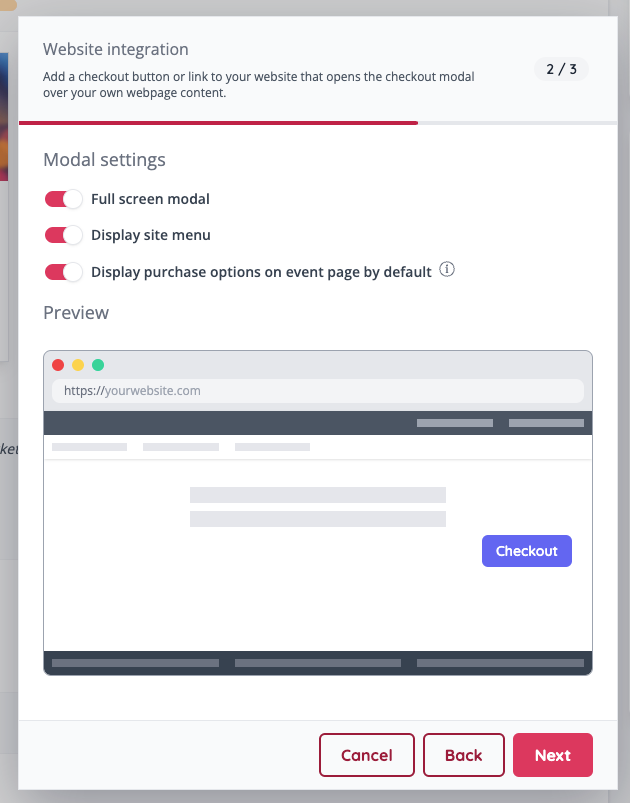
- New features added to embedding your site, like displaying it in full screen, customising the default language & currency per implementation, and displaying the site with the site’s header and footer [NG-3577]
✨ Enhancements
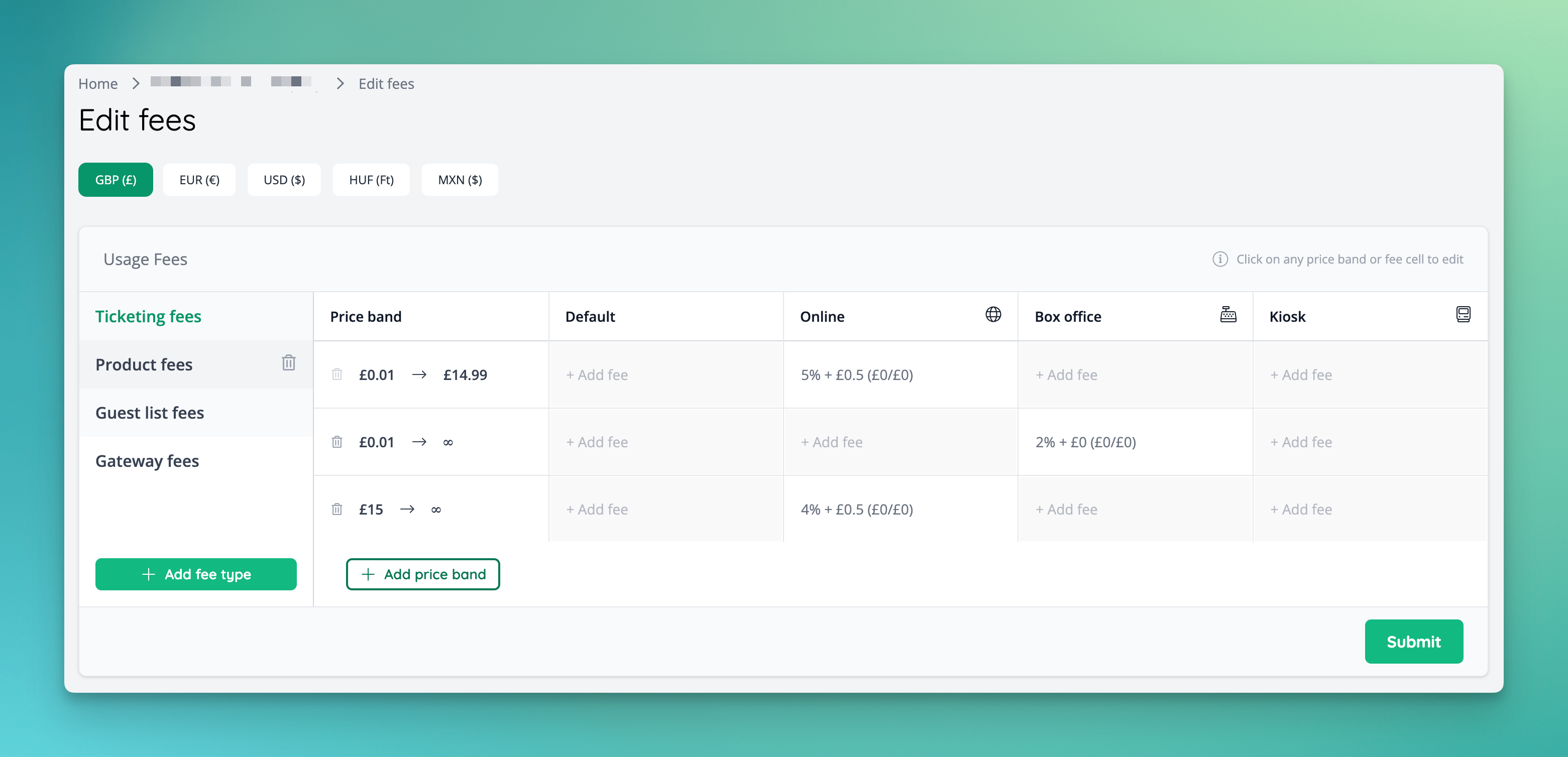
- New UI for modifying reseller and company fees [NG-3592]
- Added ability to order countries for phone/address dropdowns at a default level, individual data capture question level and event data capture question level [NG-3400]
- Added new company feature Extended Customer Country, which lets customers choose from any country, not just from the company’s setup [NG-3579]
- Added the ability to upload a mobile splash logo to the reseller branding settings to be used within the mobile apps [NG-3538]
- Order distribution total/reserved figures within the customer account will now be reflective of any items in the distribution which have since been refunded [NG-3566]
- Added additional admin permissions to determine whether box office users should be able to skip certain item level validation rules [NG-3584]
- A new
ExternalSSO provider has been added, allowing for users to be redirected to an arbitrary URL for off-site authentication via the Customer SSO tokens available via the API [NG-3599]. - Improved the seat selection process when using best available seats in combination with season tickets to reduce the chances of a seat which is occupied at another event in the schedule from being selected [NG-3738]
- Implemented a number of shop-wide performance improvements [NG-3714]
🔌 Integrations
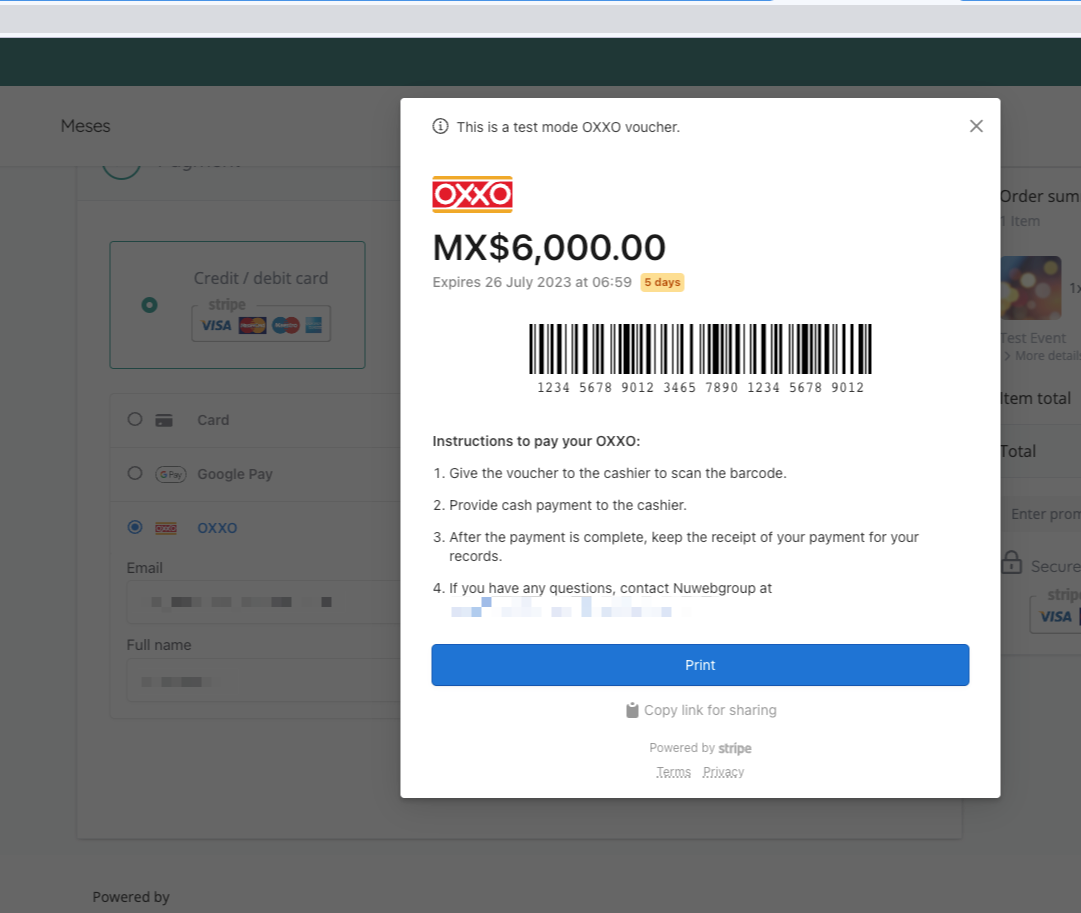
- Added support for OXXO in-store payments via Stripe Connect [NG-3575]
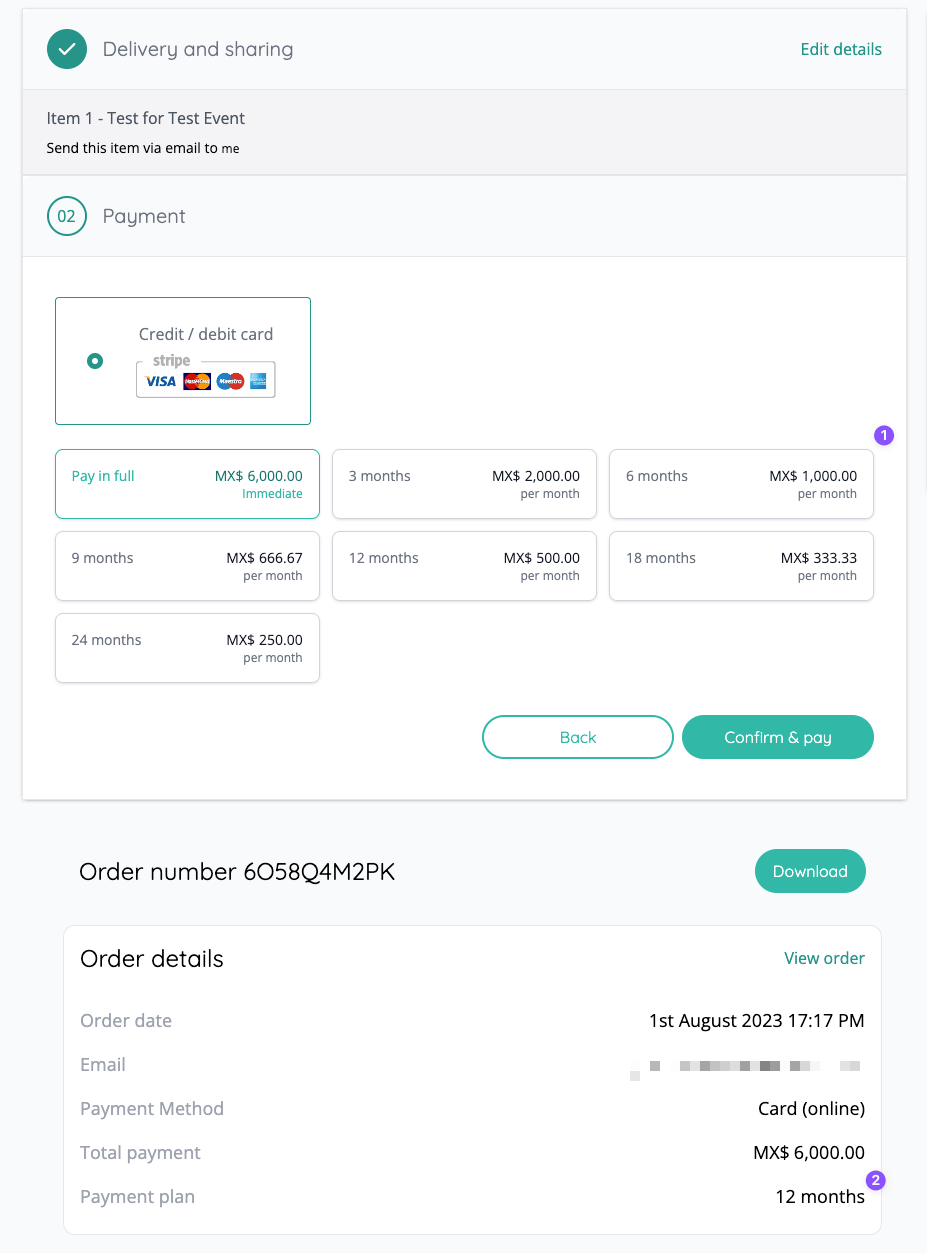
- Added support for pay-in-instalments in Mexico via Stripe (meses sin intereses) [NG-3576]
- Added ability to use Google Tag Manager on admin to add custom scripts and tracking your users [NG-3578]
🎨 User Interface (UI/UX)
- Our checkbox selectors now show more visual information, making it easier to choose between options [NG-3563]
- Moved restricted item information to a feedback to make this more obvious and less easy to miss [NG-3618]
- Allowed item categories to be assigned/unassigned from the inventory item form (in the Ecommerce menu) [NG-2898]
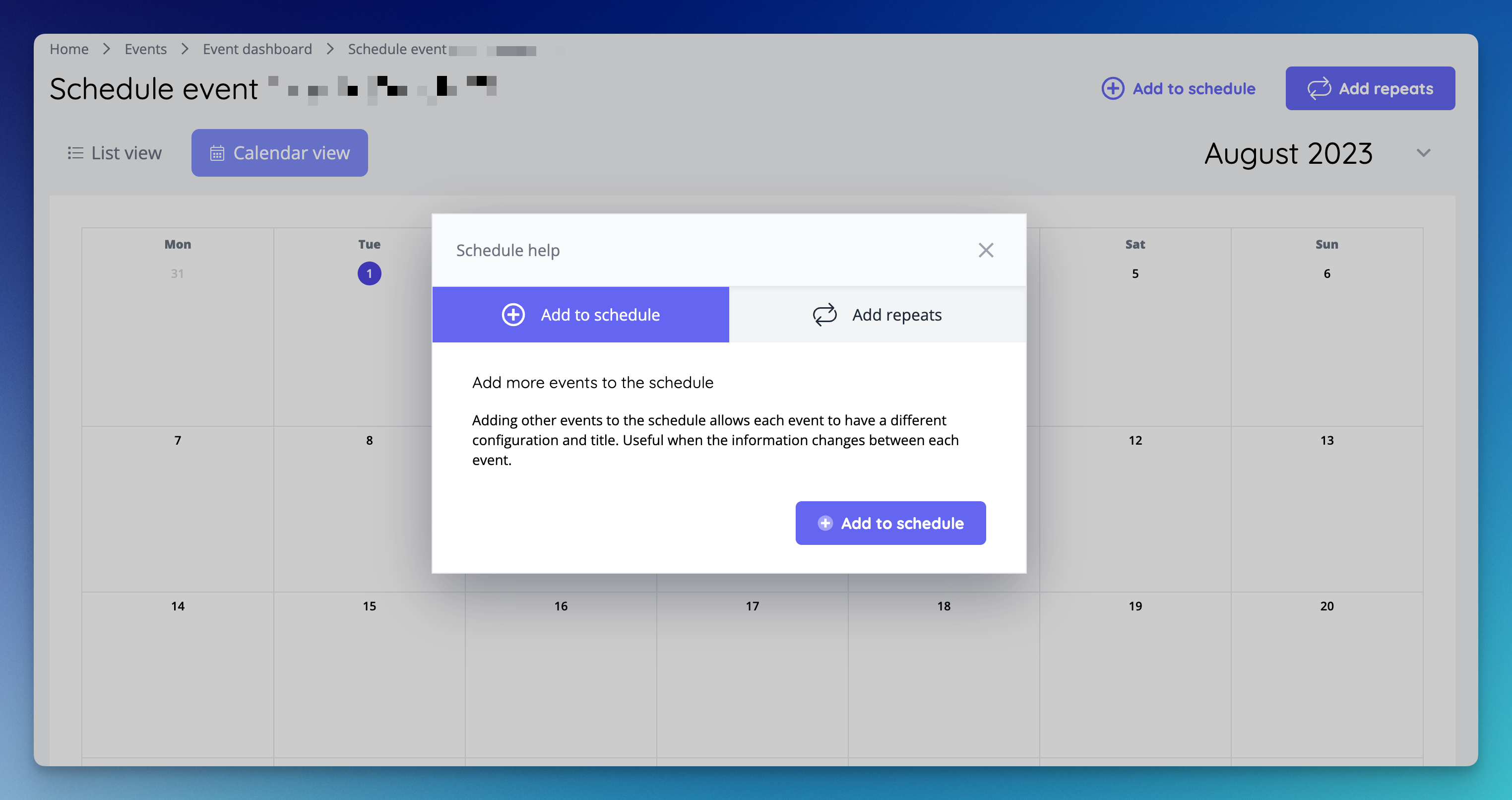
- Provided a helper modal when arriving on the schedule page of an event for the first time, helping the user quick create a schedule for that event [NG-2521]
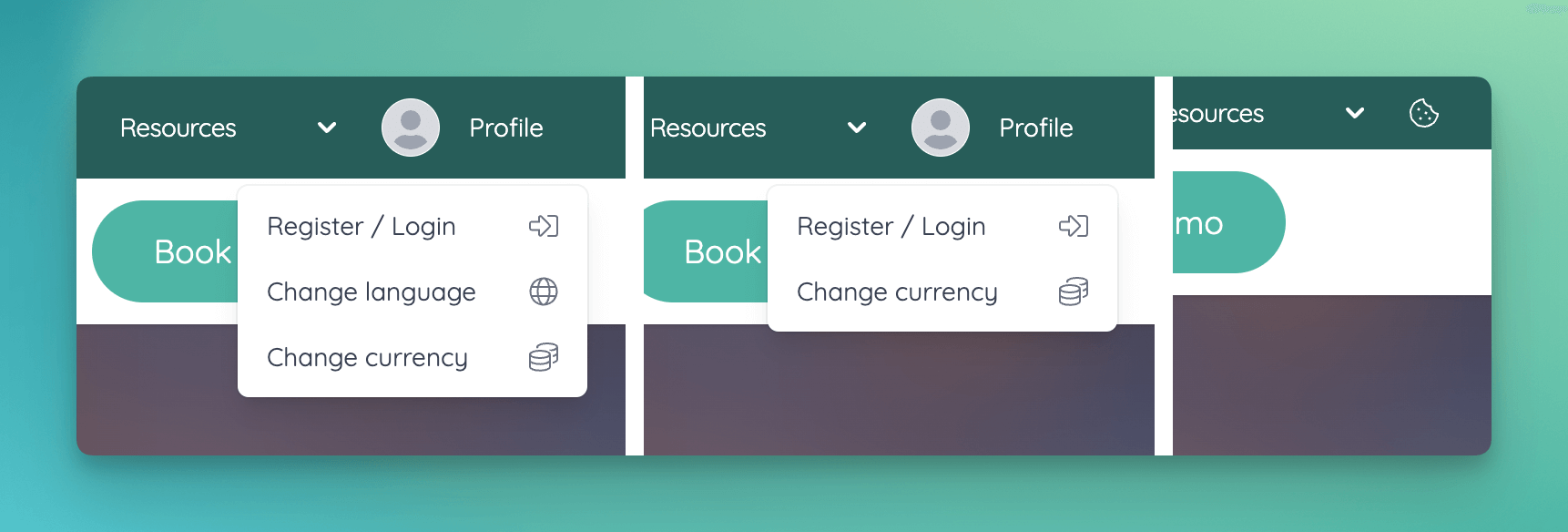
- Provided an option to customise the Profile dropdown under Site settings / Menu options [NG-3665]
- Added more customise options to waiting rooms [NG-3670]
- Display maximum character limit in WYSIWYG editors [NG-3693]
🧹 Housekeeping
- Major performance improvements implemented across both internal & external basket APIs [NG-3528]
- Mobile menu now honours the ‘Hide profile’ settings [NG-3588]
- Resolve an issue where “force minimum quantity” on sold out / off sale / restricted items would prevent reservations for any item from the same event [NG-3652]
- Event pages now honour the time display settings [NG-3636]
- Unblock failing Szamlazz API calls caused by invalid tax band names [NG-3638]
- Addons now present broken down taxes if price is set to exclude tax [NG-3689]
- Fixed timeslots not always loading when bulk updating [NG-3658]
- Resurfaced the
inactivesection within discount codes, allowing for clear separation ofactive,inactive, anddisabled[NG-3600]. - Fixed a caching issue which meant that when hiding events in a schedule, the number of events shown in the ticket shop was incorrect [NG-3663].
- Updated the customer order confirmation email to display the full venue address, rather than just the first line [NG-3780].
- Fixed issue with bundle quantities showing incorrectly where multiple bundles share the same sale items in varying quantities [NG-3826].
- Seating plan interactivity fixed for devices with touch and mouse inputs [NG-3706]
- Fixed duplication of blocks on event page [NG-3485]
- Validity dates on Apple passes now display according to the sale item settings [NG-3627]
- Several seating plan improvements, including not allowing to delete price bands from seating plans already synced, improved display of general admissions with best available seats enabled and various selection issues fixed [NG-3781,NG-3756,NG-3707,NG-3701,NG-3678]
🧑💻 API
Changes to the API have been documented in the changelog on the API documentation homepage.Below you will find the summary notes for the 22nd release of the Nuweb core platform.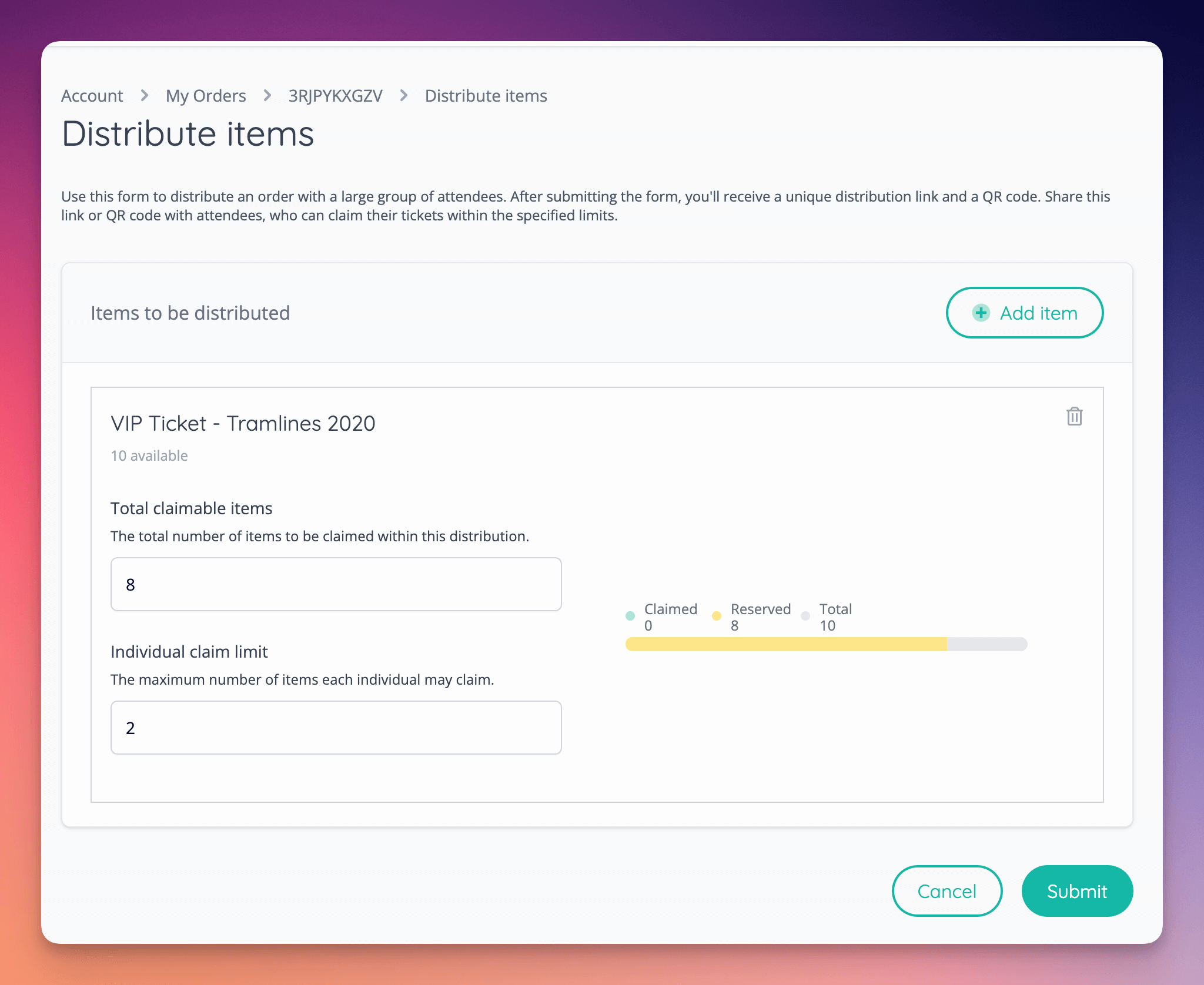
🚀 New Features
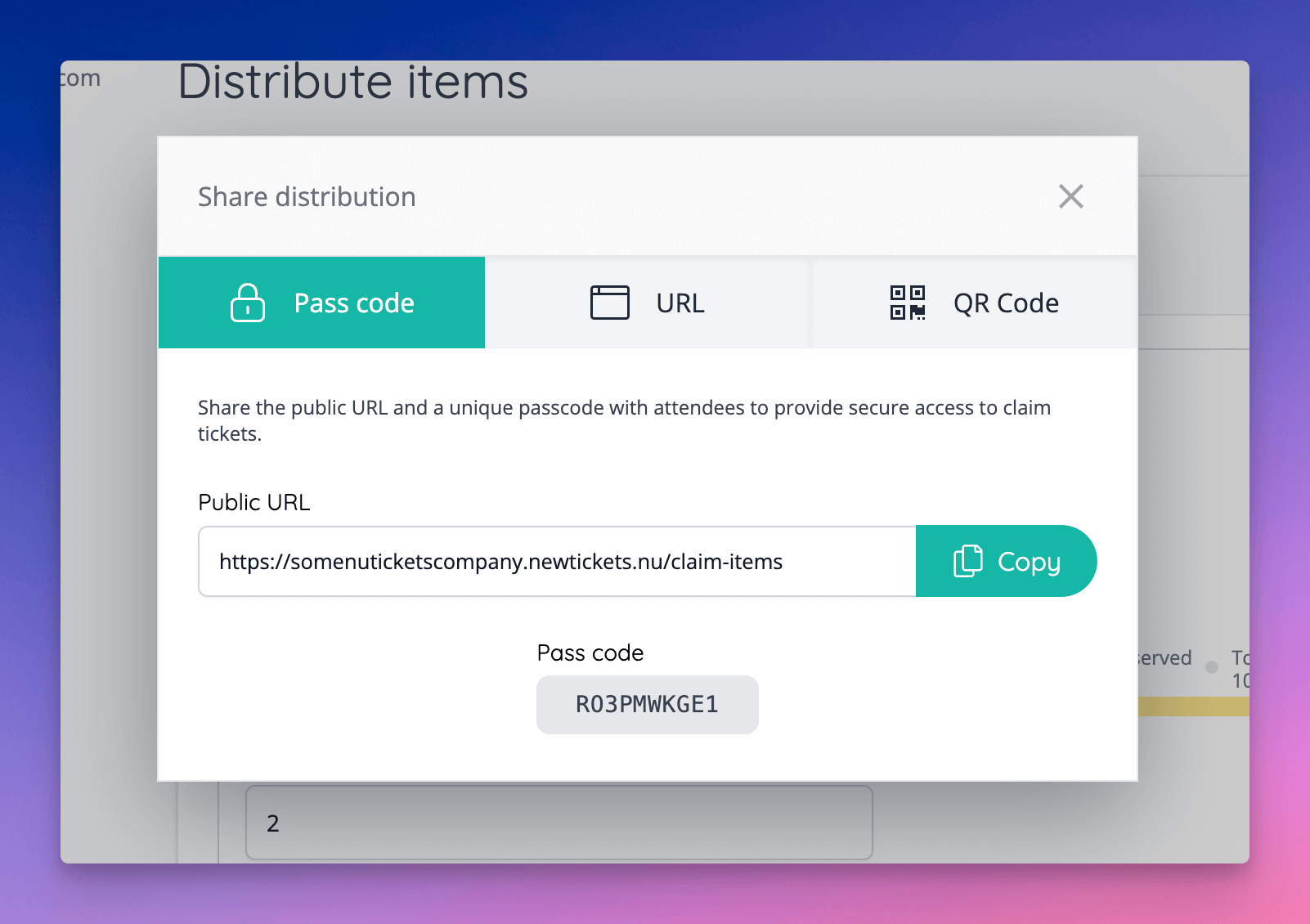
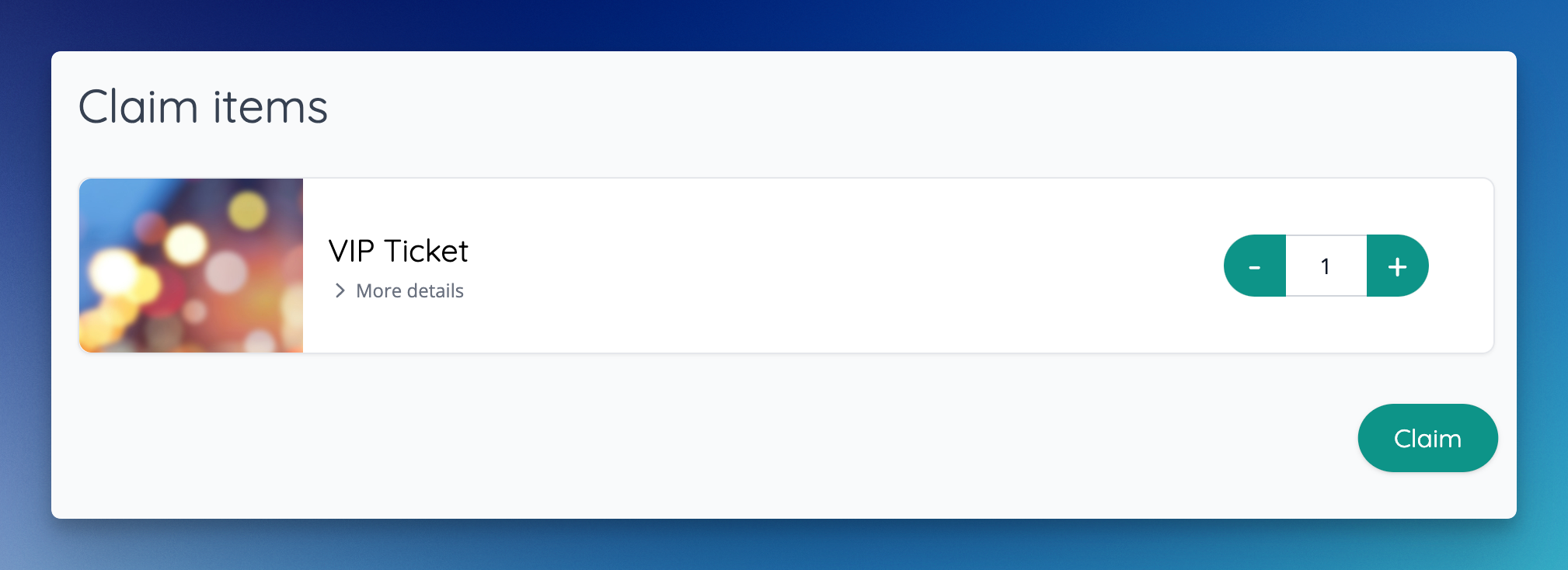
- Order Distributions can now be created by customers who purchase large orders and wish to share them with a large groups of attendees [NG-3396]
- Added a new company setting to allow item barcodes to be preserved when instant transfers are enabled. This prevents barcodes being regenerated when the item is transferred [NG-3398].
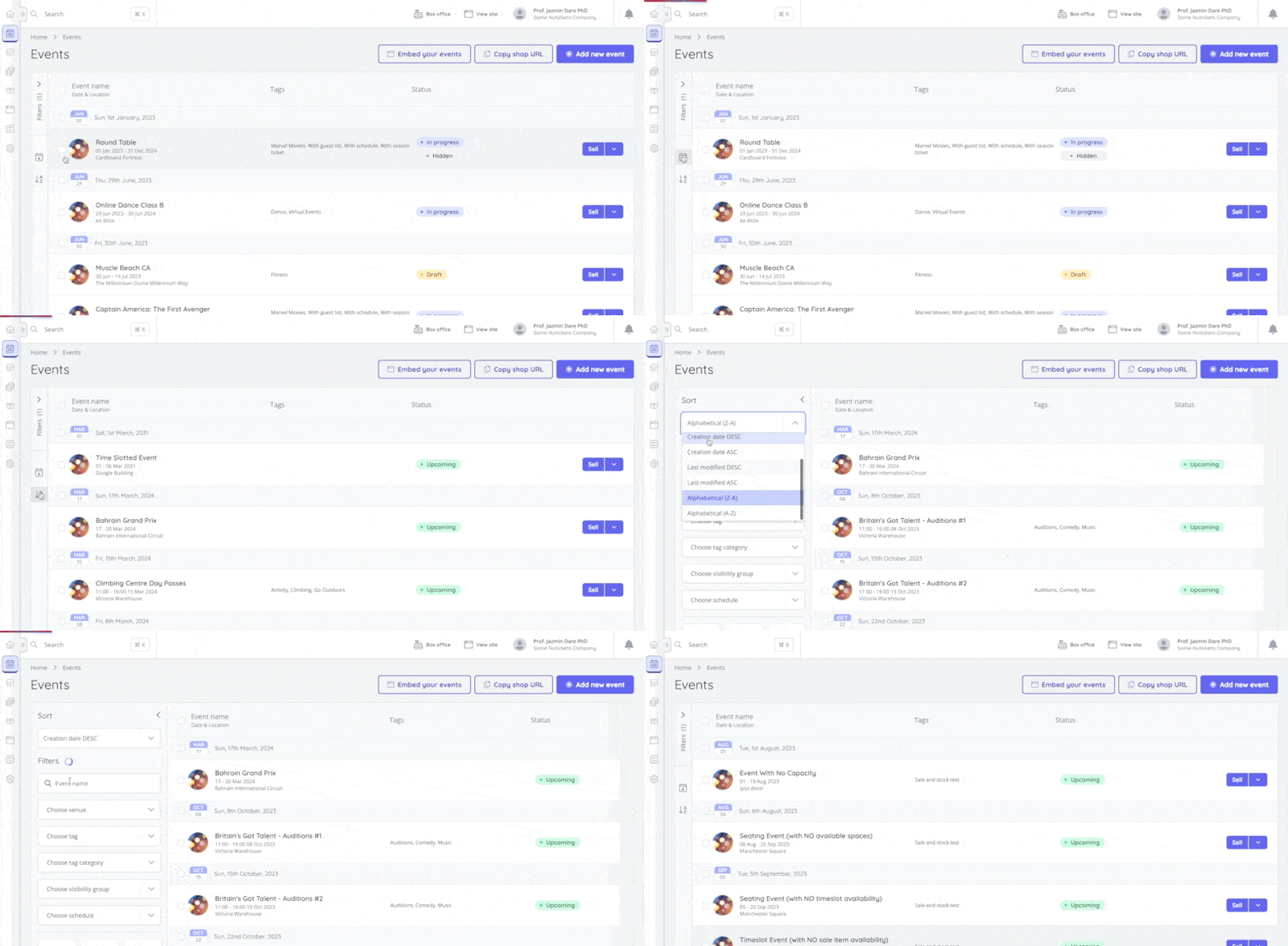
- Added the ability to sort events, reservations, orders, and customers by a choice of different columns [NG-3361, NG-2866]
✨ Enhancements
- Extended instant access invoice orders so that they contributes towards sales figures, appear in attendance reports & can be managed in admin the same way as regular paid orders [NG-3458]
- Added support for up to 4 decimal places when configuring tax bands [NG-3397]
- Auto-redirect non-www to www for vanity domains [NG-3451]
- Improved stability & performance of offline zone scan processing [NG-2776]
- Added support for payments in Jordanian Dinar (JOD) [NG-3519]
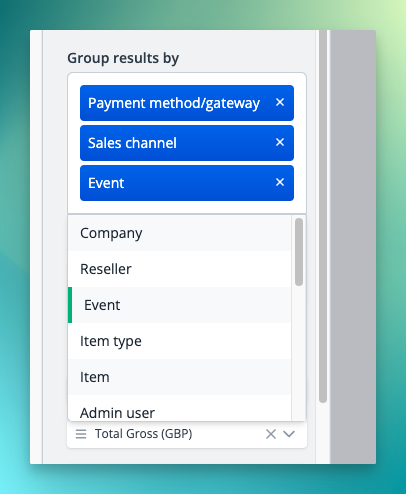
- Added the ability to group by multiple attributes within sales based reports [NG-3402]
🔌 Integrations
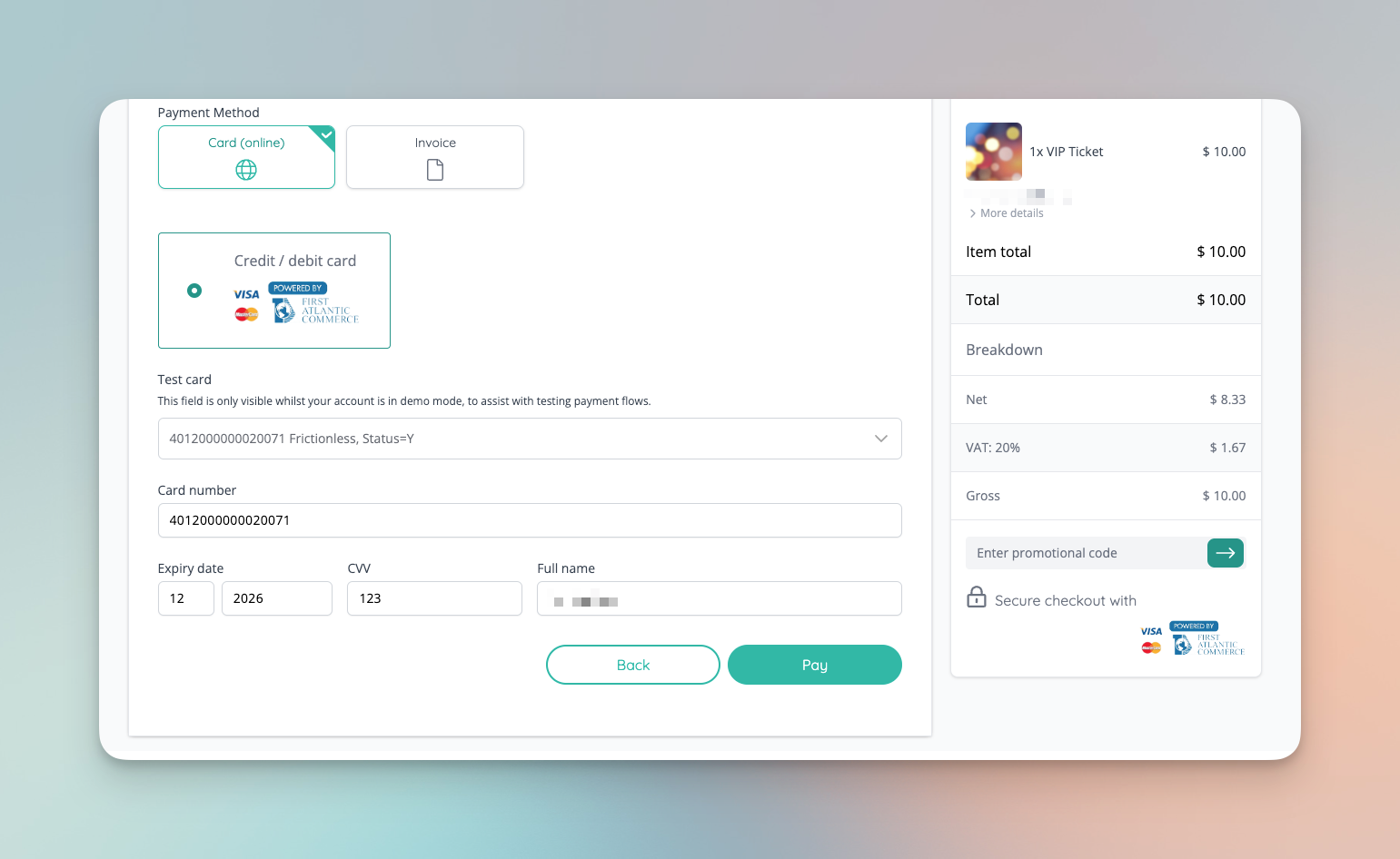
- Integrated with First Atlantic Commerce payment gateway: PowerTranz [NG-3225]
🎨 User Interface (UI/UX)
- Added an option to add a tooltip to any text in template blocks [NG-3399]
- Shop’s fonts will be used in admin when you are editing template blocks [NG-3399]
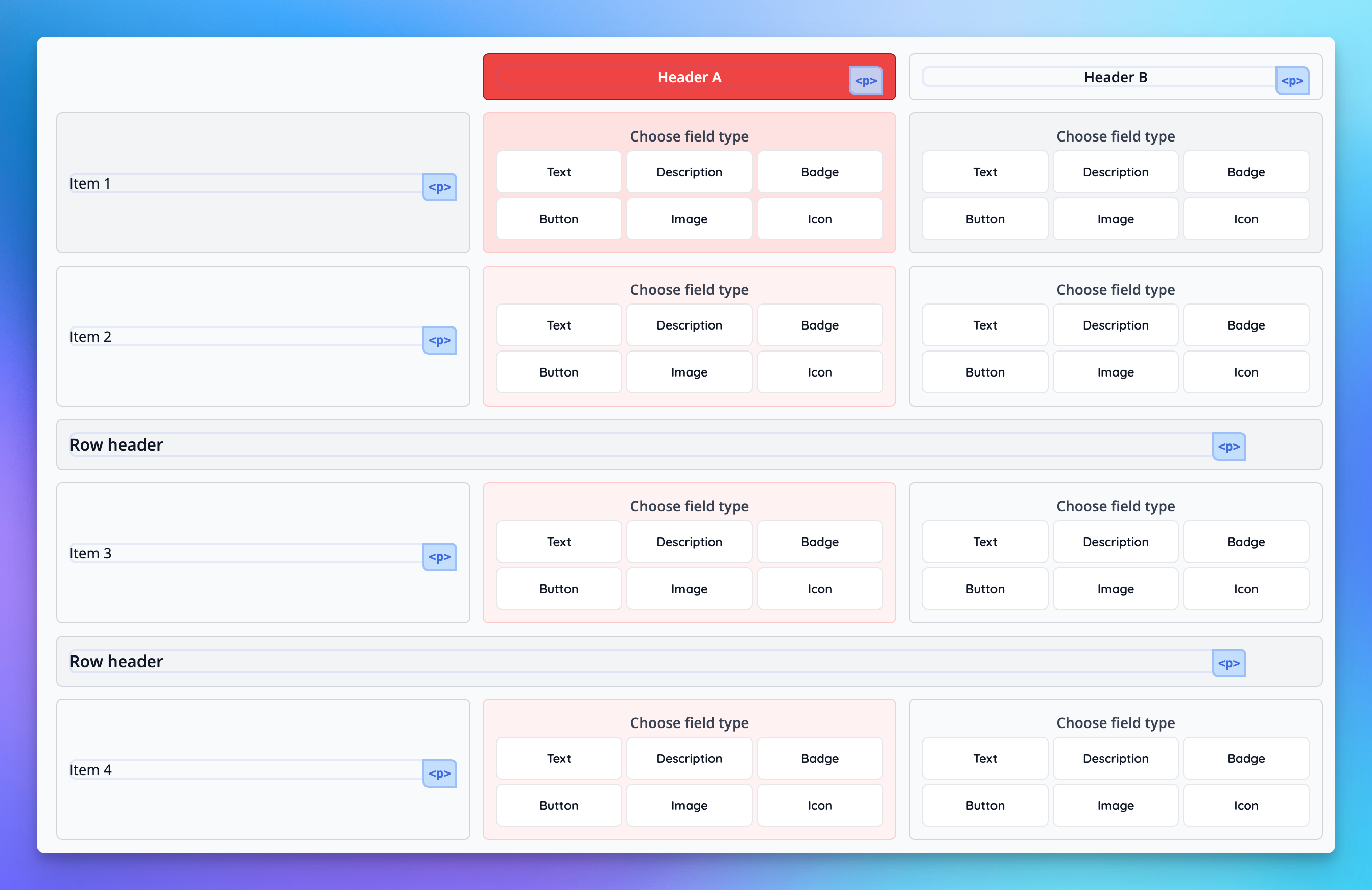
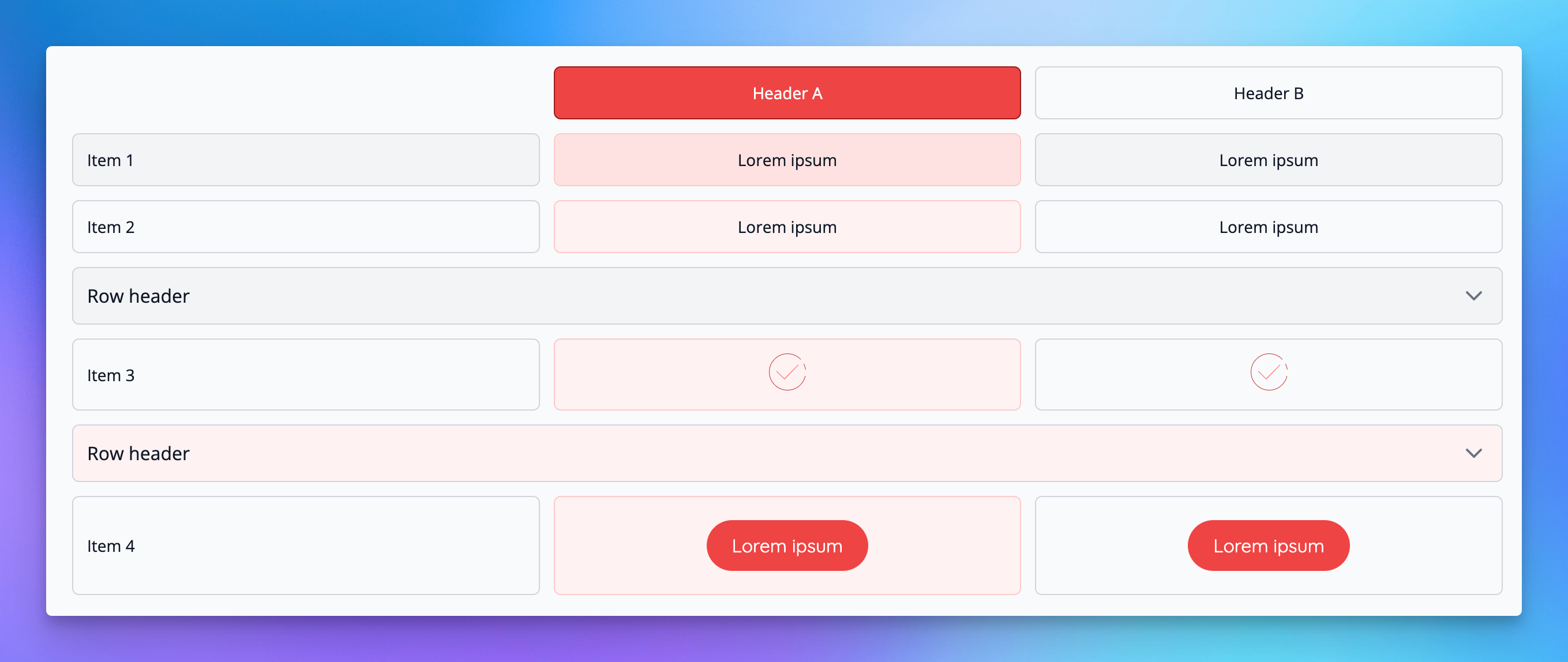
- New improved Table template block [NG-3399]
- Select cell content type (text, badges, buttons, images, icons)
- New option to set cell padding
- Header row option added which can collapse all rows below
- Improved mobile view
- Row sorting can now be rearranged
- Custom colour for column headers added
- Added new features to the Manage seating plan page [NG-3524]
- Now you can search for price band & hold names
- Create order button now can select seats in holds
- The new menu received further improvements for mobile and tablet sized devices [NG-3504]
🧹 Housekeeping
- Improved internationalisation for various calendar, event and item dates within Shop [NG-2895/7890/3322]
- Displayed additional tags on event/article blocks on listing pages [NG-3322]
- Miscellaneous fixes to hub tax band management [NG-3477]
- Fixed an error when attempting to select best available seats across multiple price bands [NG-3465]
- Improved validation of data capture during checkout to resolve an edge case where was possible to skip data capture [NG-3358]
- Tightened up permission checks on scheduled reports when a role has visibility to only reports created by the current user [NG-3435]
- Prevented non-functioning parent access codes from being duplicated inadvertently [NG-3497]
- Where a discount code has multiple event conditions of identical names, the descriptions no longer repeat the number and instead display only unique event conditions [NG-3459]
- Ensure tax receipt emails are sent out for orders where reverse charges apply [NG-3335]
- Improved the additional information provided for items and fees within the Shop [NG-3273/3475]
- Fixed z-index issues of dropdowns within card elements [NG-3467]
- Improved mobile UI where larger company logos were used within the top navigation bar [NG-3281]
- Added character limit for tags as well as help text [NG-3276]
- Resolved an issue with updating access codes in quick succession [NG-3523]
- Issues surrounding our image-uploader and cropping certain types of images have been resolves [NG-2878]
- Fixed inconsistency issues with social logins and payments in iframes when using browsers that do not support cross-site tracking such as safari [NG-3386]
- Total basket items now shows present without sale item fees, when using an iFrame [NG-3553]
- Resolved an issue where creating a ticket for a multiple timeslots would sometimes create two tickets in the original timeslot [NG-3440]
- Fixed a visual bug where it appeared you can set sold seats as available on the manage seating plan page [NG-3428]
- Increased resolution of images used in Testimonials template block [NG-3401]
- Added UI for deleted / inactive / disabled children of access code children and discount code children [NG-2842]
- Fixed issues when you couldn’t select seats on the manage seating plan page [NG-3524]
- Additional sale item information is rendered as HTML in event media [NG-3601]
- Resolved an issue where the refresh modal was being displayed twice in some very specific report scenarios [NG-2867]
- Improved performance of processing multi-seat baskets, especially noticeable with Best Available seating [NG-3527]
🧑💻 API
Changes to the API have been documented in the changelog on the API documentation homepage.Below you will find the summary notes for the 21st release of the Nuweb core platform.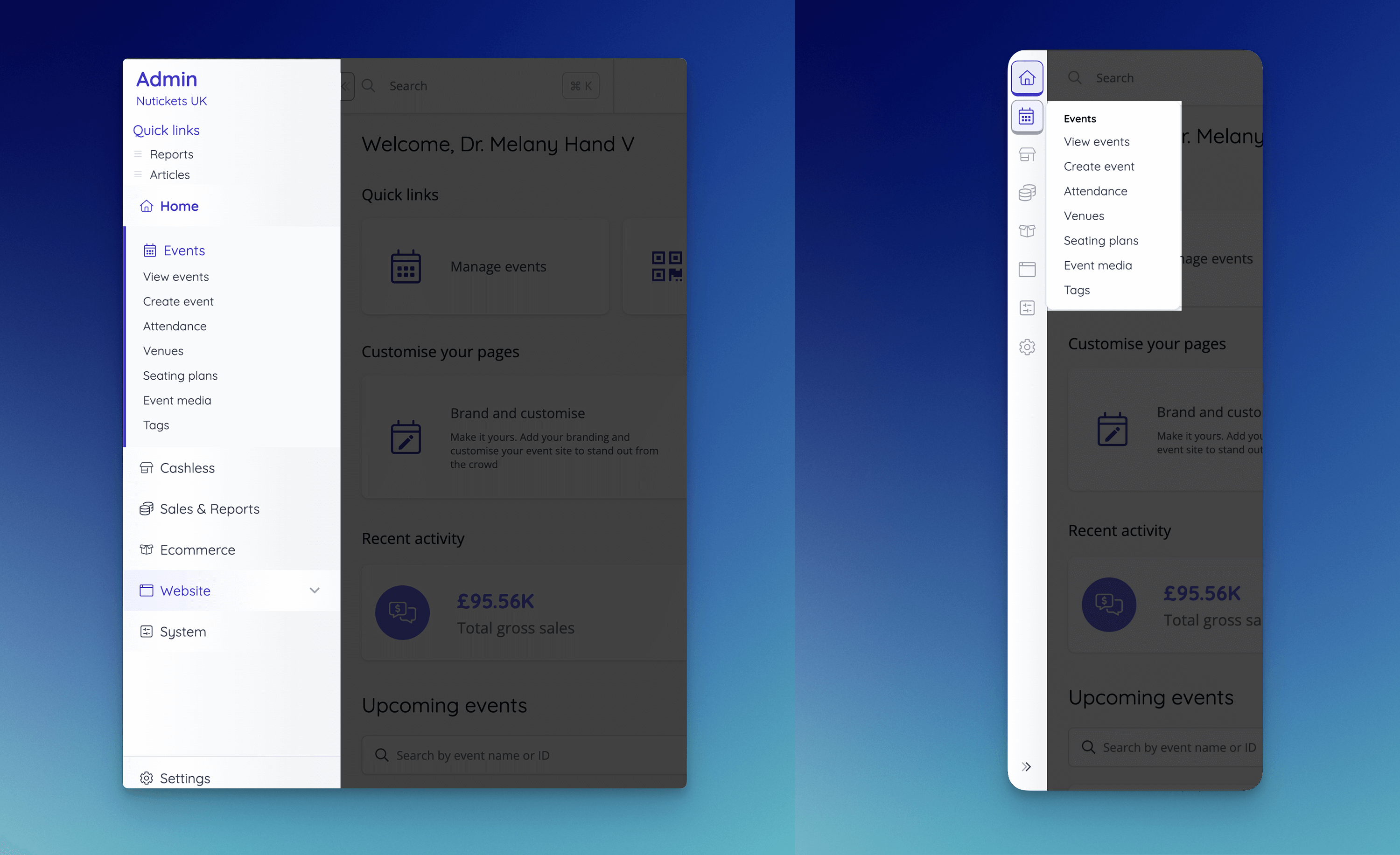
🚀 New Features
- Our Admin and Hub menus received a huge UI / UX overhaul that should make it easier than ever to navigate the system. It can now be collapsed at any screen size, with the ordering and grouping of each item being carefully considered to optimise navigation. * Specific changes are noted in the User Interface (UI/UX) section of the release notes [NG-3290]
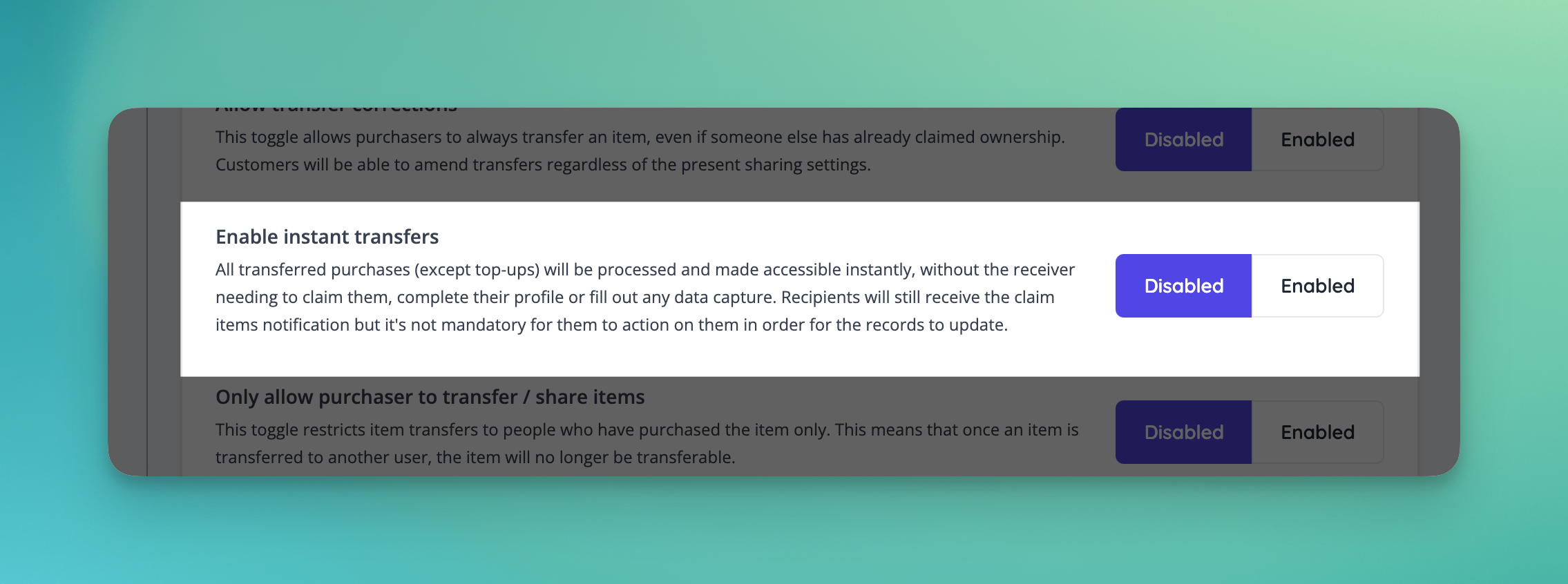
- Added the ability to enable instant transfers which transfer the ownership of tickets without the need for the recipient to claim or complete their profile [NG-3239]
✨ Enhancements
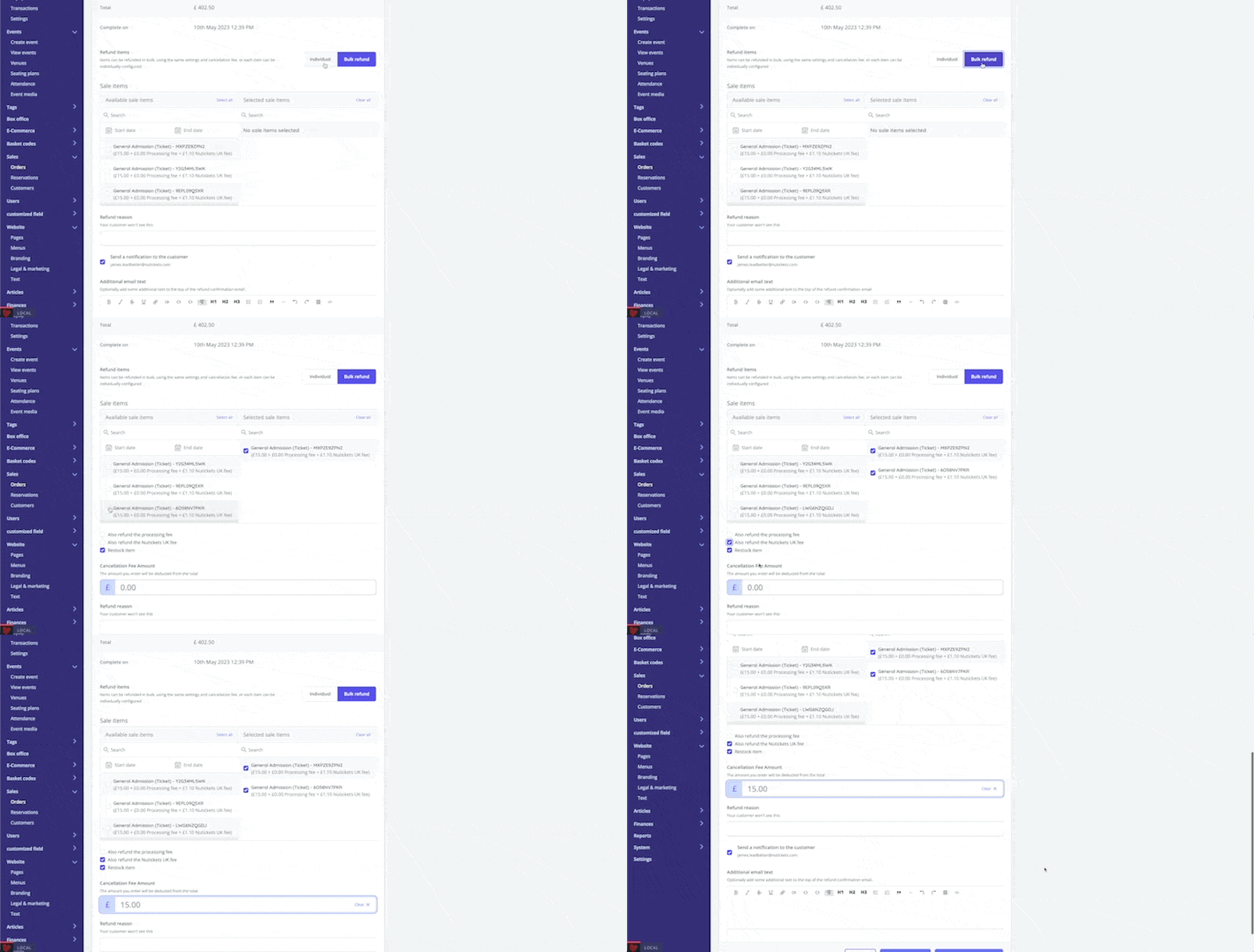
- Included the ability to bulk refund items orders with more than 5 items, using the same settings and cancellation fee for all refunded items [NG-3208]
- Streamlined the process of claiming shared/transferred tickets by removing the need to login/create a password & by sending the customer directly to the relevant download screen [NG-3206]
- Add the ability to specify an optional order reference prefix for Adyen payments [NG-3209]
- Cashless reports (shops, transactions, and NFC transactions) can now be filtered by transaction completion date [NG-3216]
- The manual payment fields (at the company and event level) are now multi-locale, allowing you define the invoice title, receipt title, and payment instructions in a customer’s native language [NG-3220, NG-3326]
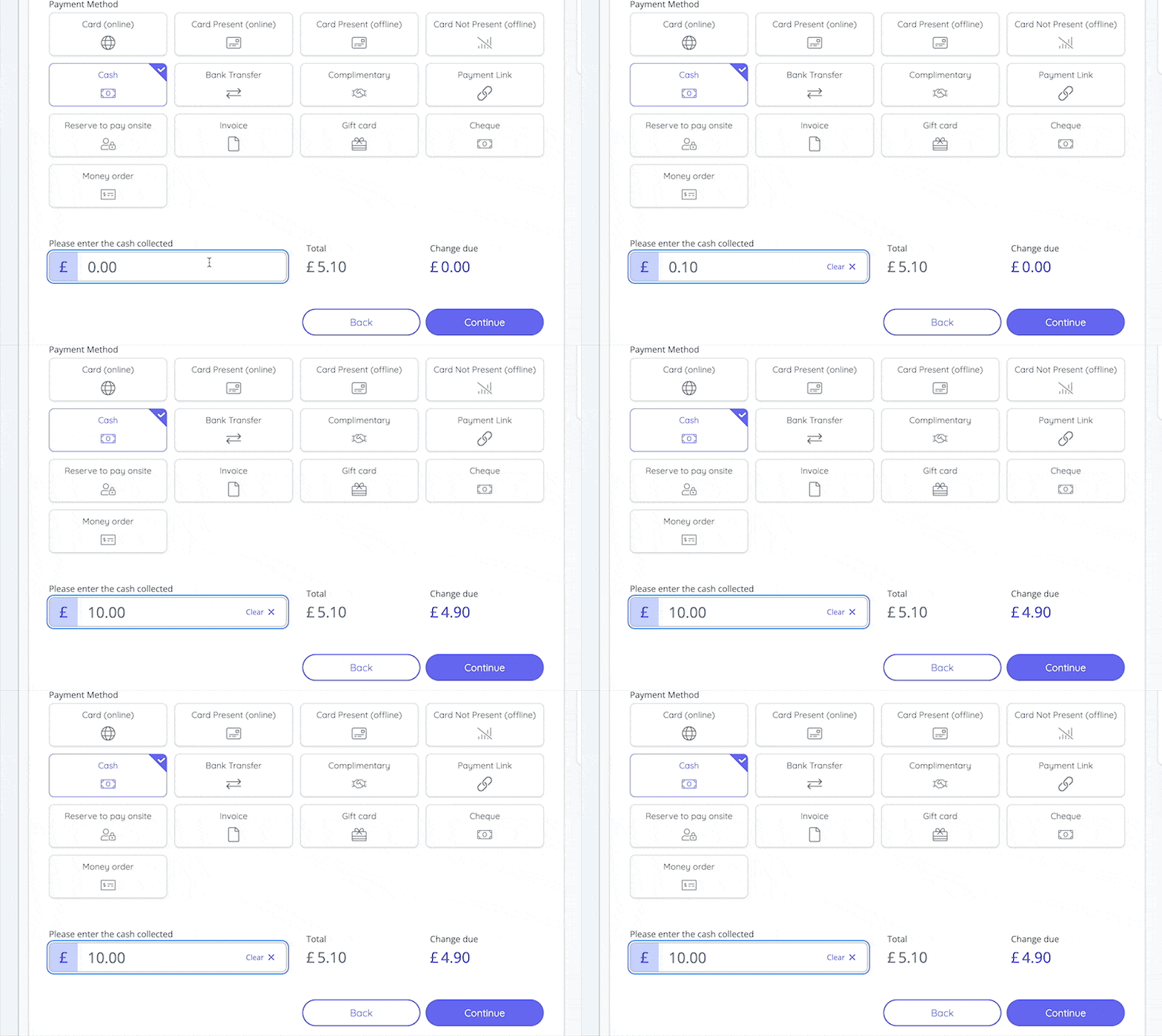
- Box office checkout now provides a ‘Change due’ calculator when checking out with cash [NG-3231, NG-3289]
- A new money order payment method has been added, with the option to make capturing of the money order number mandatory [NG-3232]
- You may now configure whether it is mandatory to capture a cheque number, or card network when using the cheque or card offline payment methods respectively [NG-3233 & NG-3207]
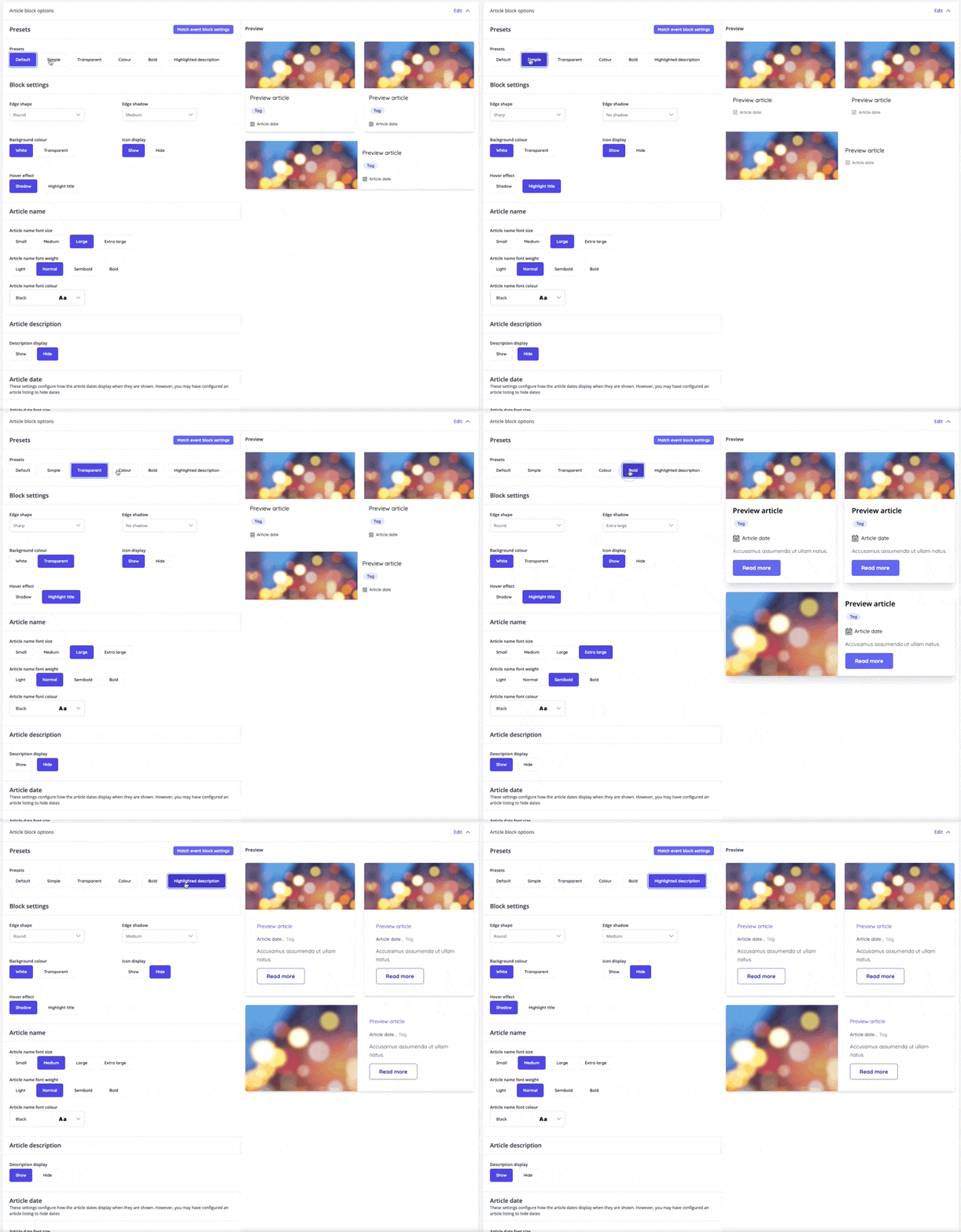
- Preview dates in article blocks can now be hidden [NG-2781]
- The background colour of event and article blocks can now be customised [NG-2781]
- Improved page load speed when viewing inventory items which are linked to a large number of events [NG-2861Improved page load speed when viewing inventory items which are linked to a large number of events [NG-2861]
- A new barcode encoding option “interleaved 2 of 5” is available for event media [NG-3302]
- Full venue addresses are now displayed throughout all product surfaces [NG-3221, NG-3288Full venue addresses are now displayed throughout all product surfaces [NG-3221, NG-3288]
- Expanded article block theme settings allowing for customisations matching that of event blocks [NG-3279Expanded article block theme settings allowing for customisations matching that of event blocks [NG-3279]
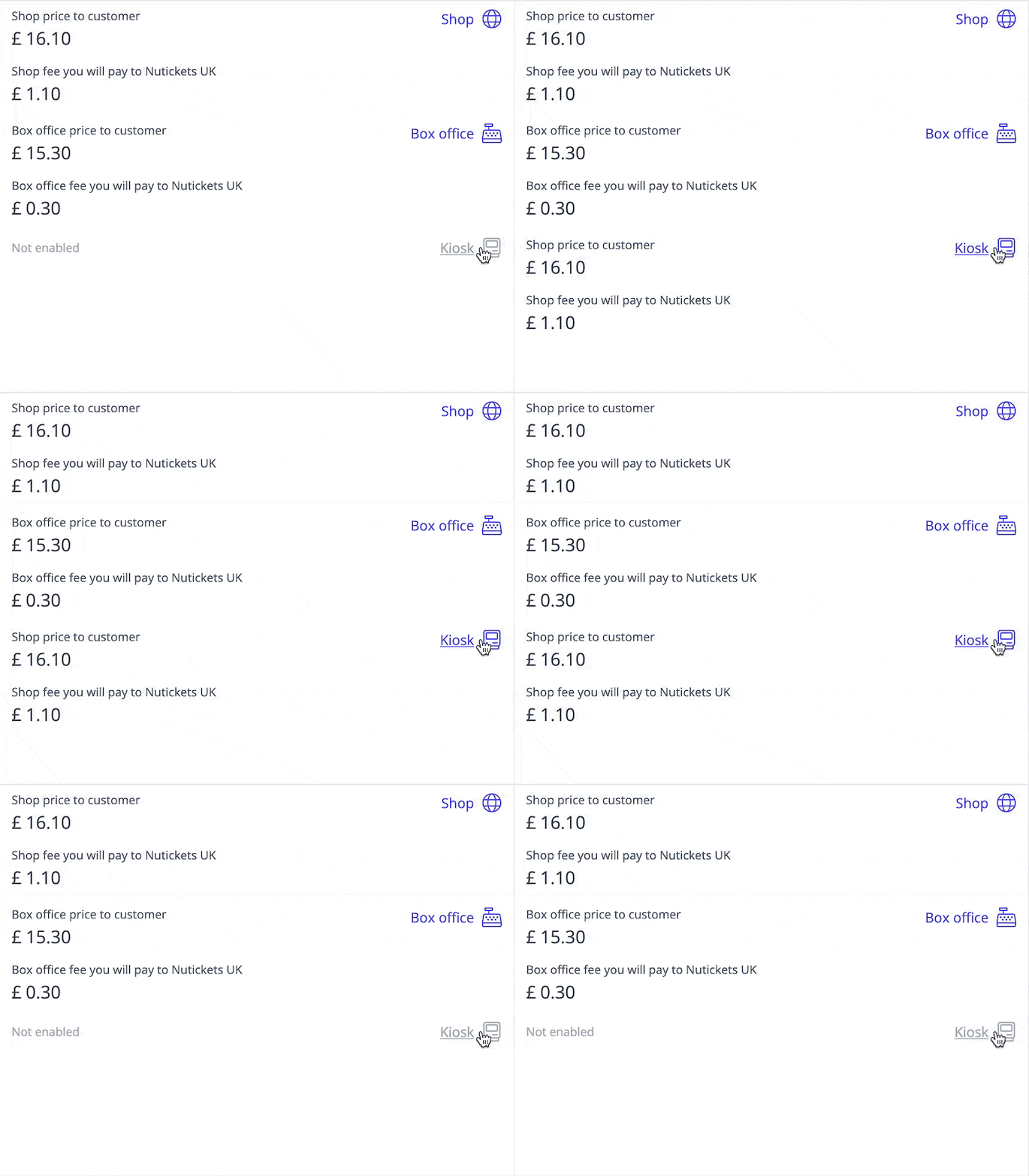
- Kiosk sales channel is now available, controlling the visibility of the item on the Box Office App (Kiosk) and Box Office Web (Shop) individually [NG-3363, NG-3214]
⏳ Coming Soon
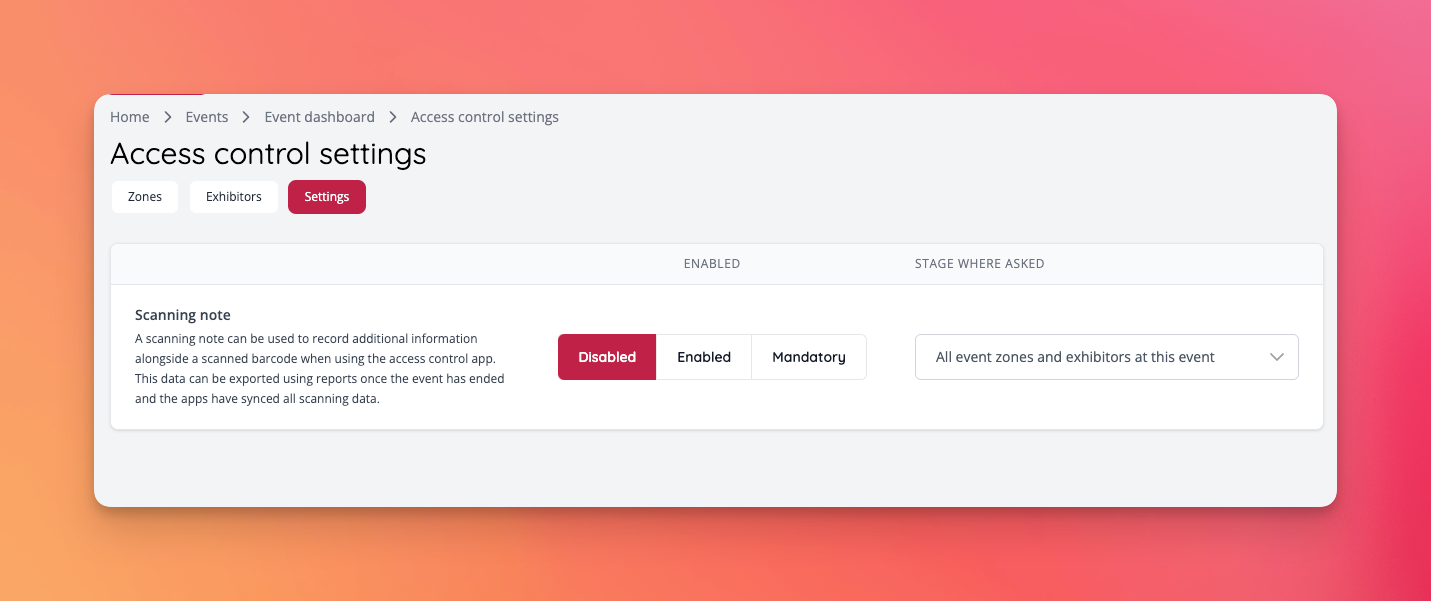
- Access Control will support data capture on zones, allowing our access control app to ask a question on check-in. This initial version has a very fixed set of data capture questions, but we plan to expand this to allow custom setups in the future [NG-3230]
🎨 User Interface (UI/UX)
-
The menu received a UI and UX uplift. Now you can collapse the menu any time, and when collapsing the menu will shrink to an icon only view. Some menu items have been moved under different pages [NG-3290]
- Box office moved to top menu
- Company settings in top menu moved under Profile menu
- Users moved under System
- Data capture moved under System
- Finances / Invoices moved under System
- Basket codes moved under Ecommerce
- Articles moved under Site
- Branding & logos and Theme moved under Site / Site settings
- Sales & Reports menus grouped together
- Tax bands moved under Settings
- Tags moved under Events
- Introduced a new shade under the brand colour settings that can be used under Theme and Template blocks
- Header images for Articles, Schedule listings and Pages now will respect longer header image texts, and received better mobile views [NG-3405]
- Image editing in articles received some fixes regarding under settings appearing above the modal, and icons now appear in a modal with the icon names inlcuded [NG-3310]
- Sale item lists on event dashboard now have unified icons and orderings in their header [NG-3331]
- Added search option and alphabetised options in venue selector on event dashboard and seating plan editor [NG-3327]
- The ‘Order Now’ button that is shown when choosing to pay by invoice can be now be customised in website text [NG-3222]
- The text in the reverse charge/VAT number input modal can now be customised in website text [NG-3223]
🧹 Housekeeping
- Fixed some help text styling to more closely match our UI [NG-2865]
- Fixed ‘mixed’ layout article block images [NG-2781]
- Resolved an issue with bulk approving/rejecting reservations [NG-3260]
- Restored the call to action and navigation controls on event listing pages when using iframes [QUA-380]
- The reverse/conditional tax, VAT number collection text is now customisable in website text [NG-3223]
- Hub-level reports are back in action [NG-2908] [NG-3299] [NG-2892]
- Clearer messaging on the difference between event-level and sale item-level purchase limits [NG-3368]
- Fixed various issues with template block UI [NG-3248]
- Fixed formatting issues when exporting invoice/discount code reports [NG-2892]
- Ticket descriptions now appearing when multiple tickets are assigned to seats in shop [NG-3264]
- When Contacts B template block had links added the icons weren’t clickable [NG-3316]
- Ticket restrictions now appear for tickets when selecting seats [NG-3328]
- Resolved an issue where Excluded labels settings didn’t appear in the seating plan editor [NG-3256]
- Texts in event media preview now has got improved text alignment displays [NG-3311]
- Shrink to fit texts in event media has been optimised in preview [NG-3271]
- Fixed an issue when lasso tool wasn’t completing in event media editor [NG-3272]
- Resolved an issue when customer used a social media login in iframes in Safari and the login page didn’t appear [NG-2891]
- When an order contained an order fee, the order displayed “Multiple events” incorrectly in lists [NG-3333]
- Fixed an issue with the top menubar ordering [NG-2900]
- Ensure customer locale is respected in all forms of email communication, unless overridden [NG-3330]
- Resolved an issue with sharing where the system would force customers to share all tickets if the sale item purchase limit was greater than the event-level purchase limit [NG-2940]
- Enforced a fixed date on all customer issued invoices [NG-3224]
💻 Technical
- Fixed an issue where seating plan data wasn’t refreshed when opening / closing different seating plans [NG-3257]
🧑💻 API
Changes to the API have been documented in the changelog on the API documentation homepage.Below you will find the summary notes for the 20th release of the Nuweb core platform.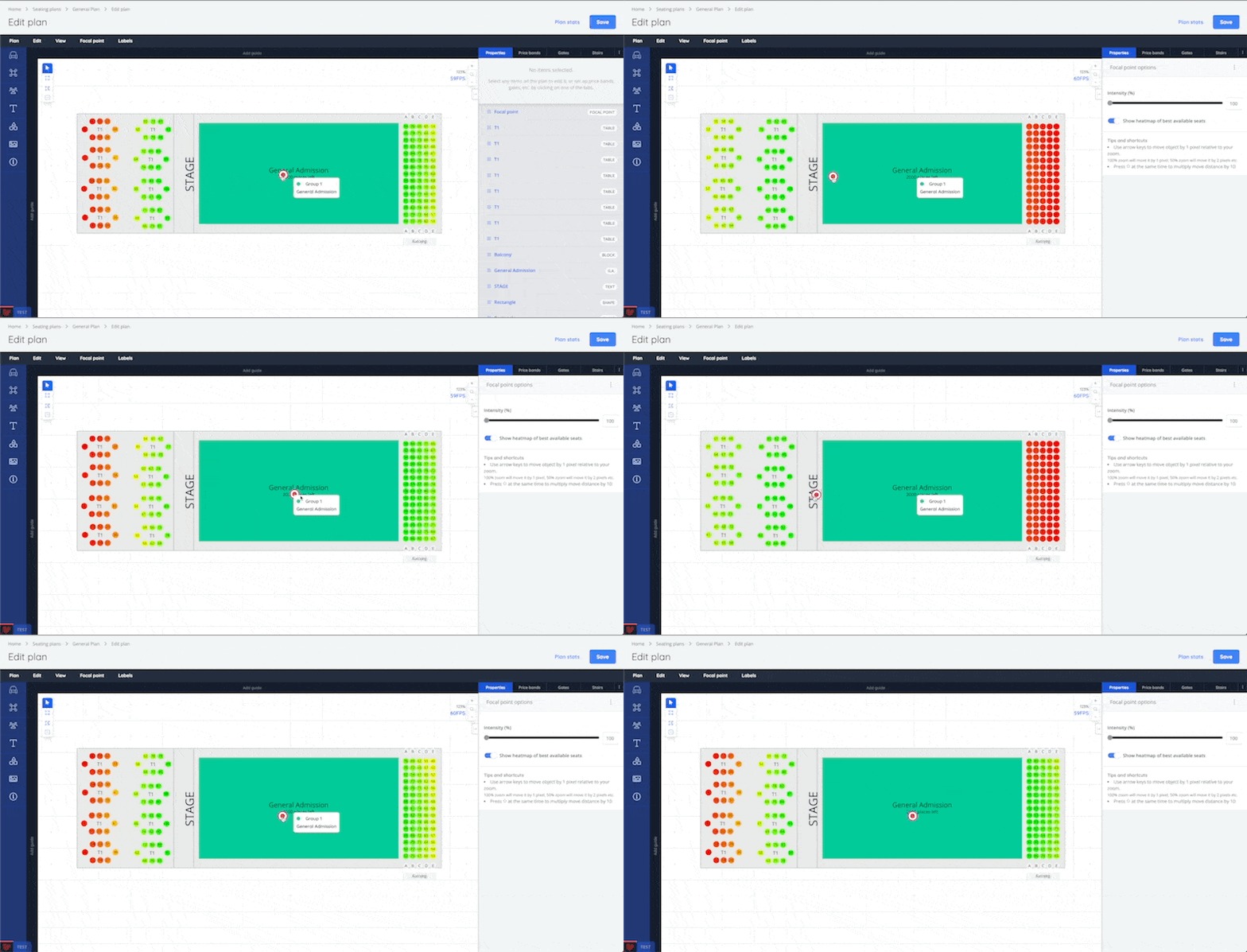
🚀 New Features
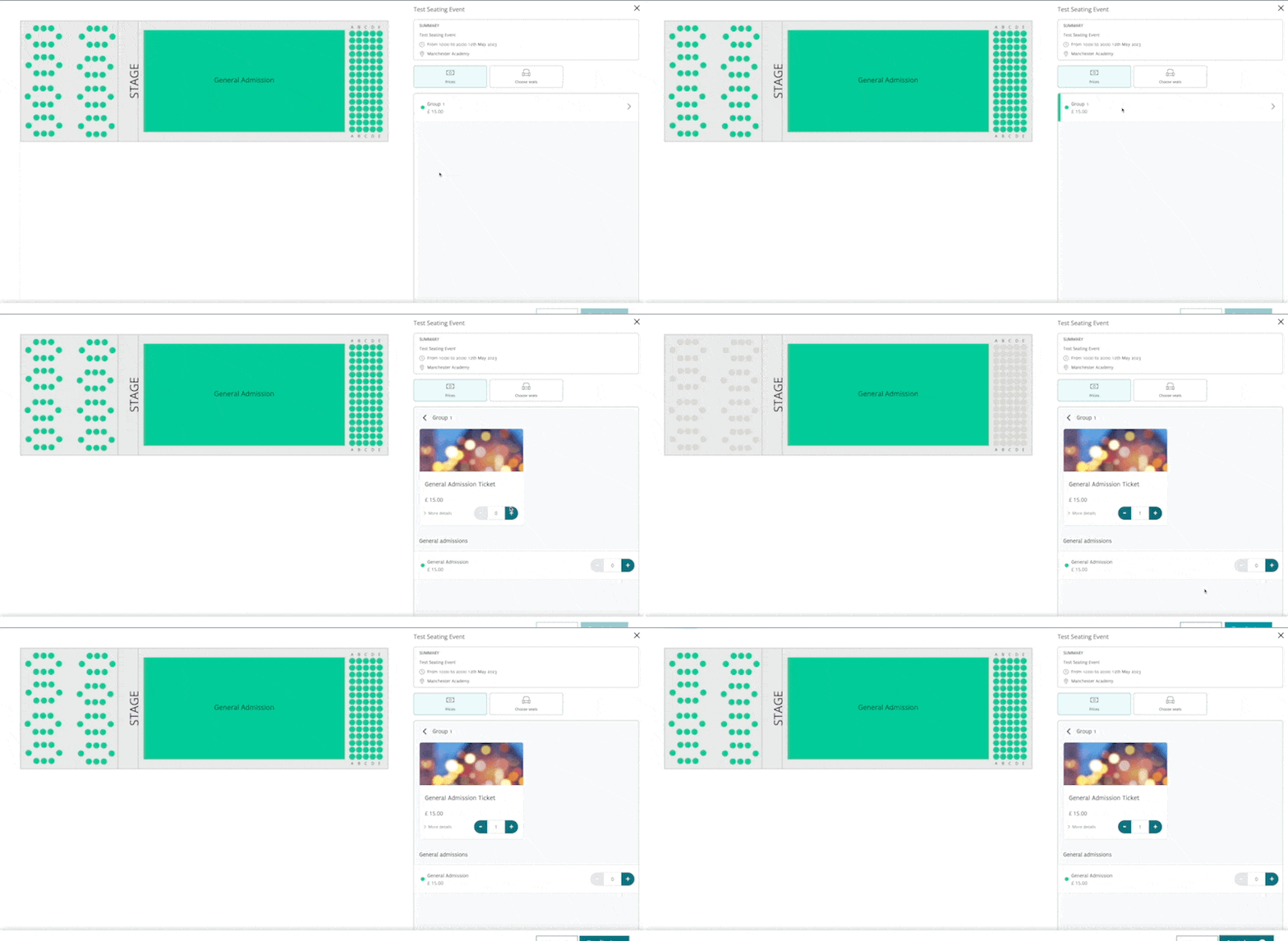
- New Best Available seats, where the system creates a heatmap for your seating plan, and the customers’ seats will be automatically selected for them [NG-590]
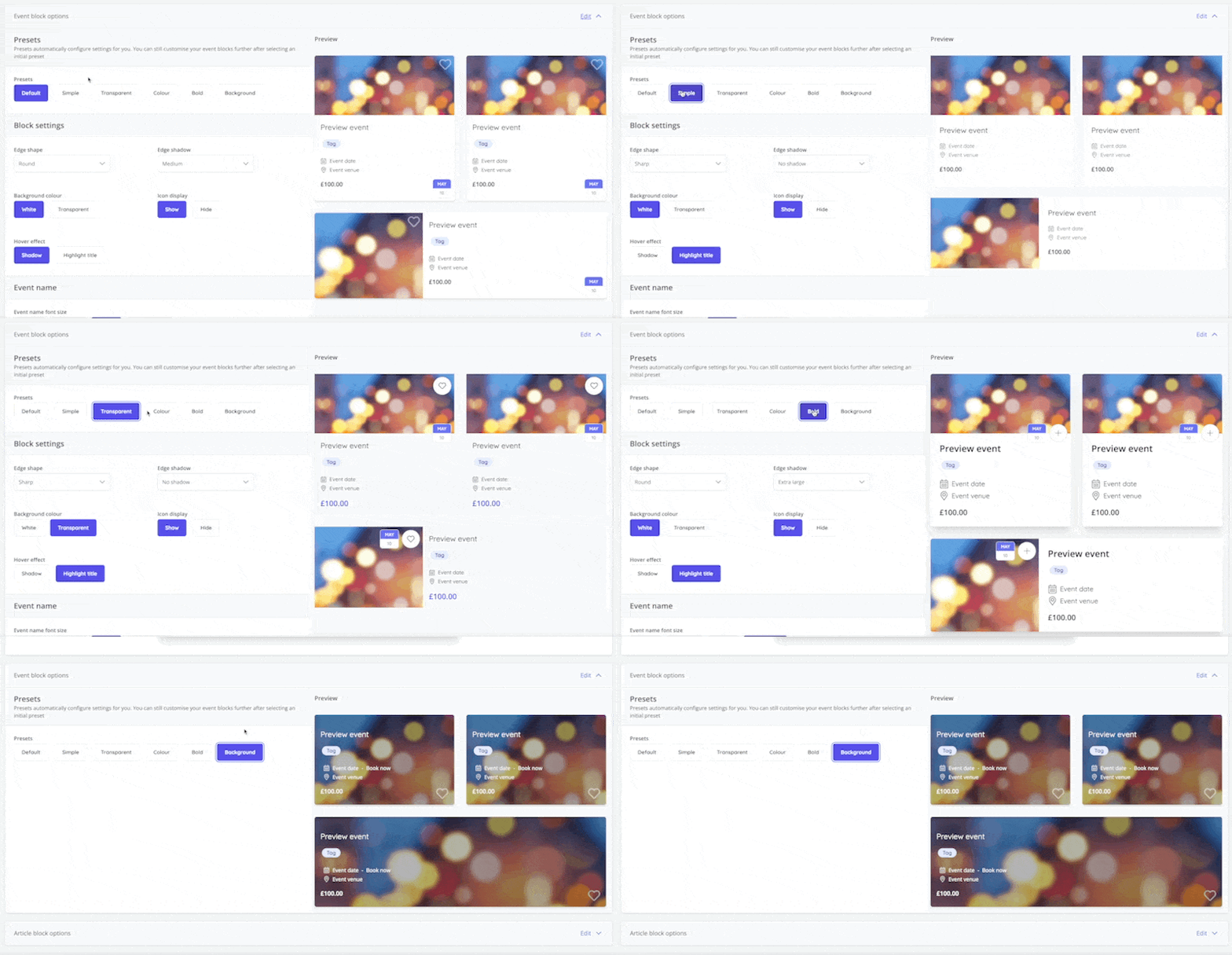
- New customisation options for event blocks [NG-2762]
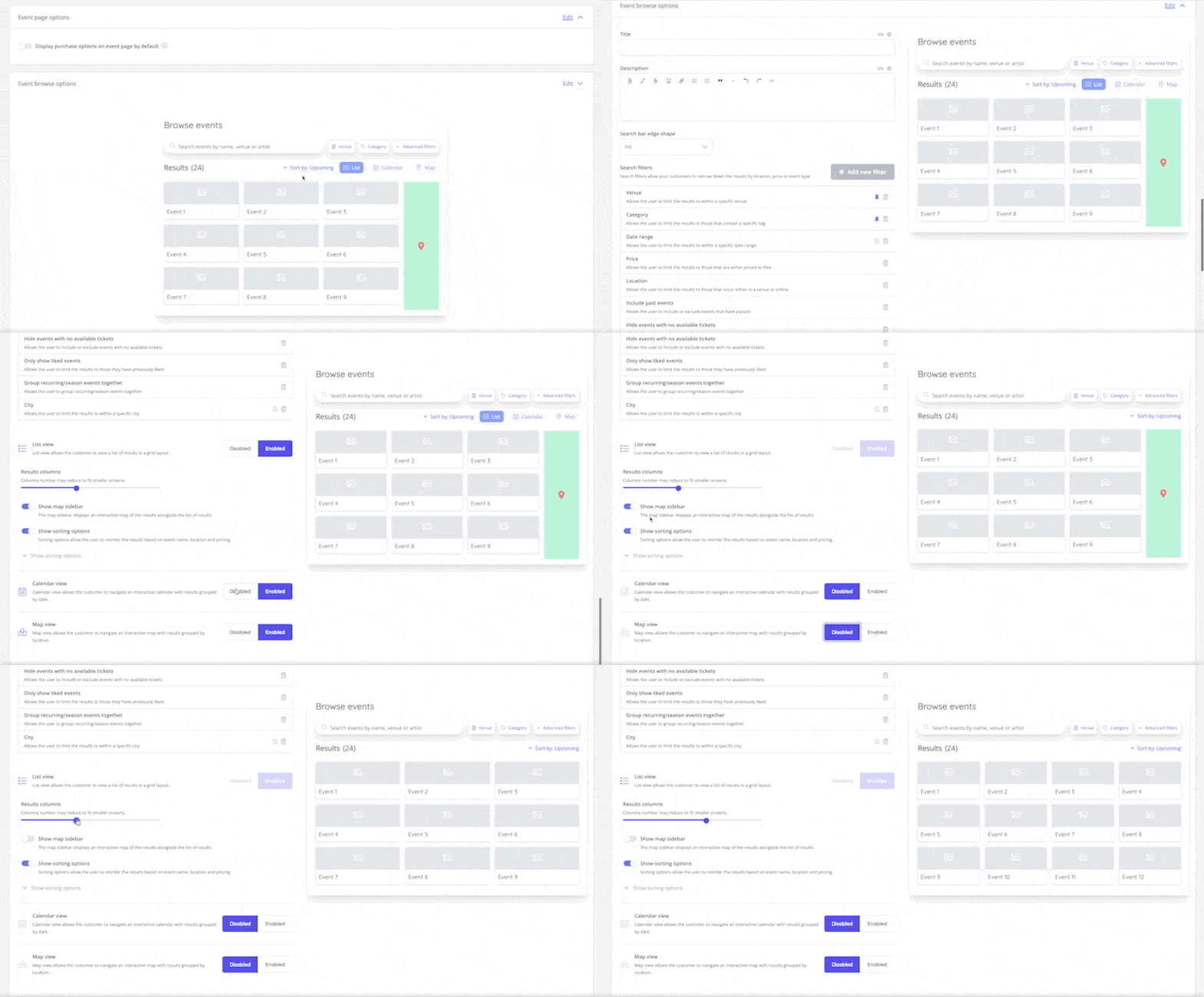
- New customisation options for the event browse page [NG-2759]
- The introduction of an Access Code Importer, allowing you to easily import existing access codes from third party systems [NG-2742]
- An access code usage report has been implemented [NG-2742]
- Cashless wallet transfers have been enabled - allowing customers to share their purchased topups with other users, allowing group orders and bundled items to be shared with the correct recipients [NG-2749]
- Exhibitor lead capture is now available on events. Behind the scenes this uses all of the usual features of our comprehensive access control system, but additionally:
- Creates a single exhibitor user to access the lead capture results
- Generates a custom report to provide those results
- Schedules an automated report to be emailed after the close of the event
- Access control data capture allows organisers to define data capture questions to be asked when scanning into a zone. At present this is limited to just a single ‘notes’ field, but there is scope to give more customisation in future releases [NG-3230, NG-3345]
✨ Enhancements
- Added the schedule creation progress to all schedule view pages, rather than just the lead event’s view page [QUA-132]
- Added image fields to the table contents template block [NG-2731]
- Added the ability to import cashless sale items, with their allocated categories [NG-2747]
- Added the ability to generate X child access codes for a given parent access code [NG-2742]
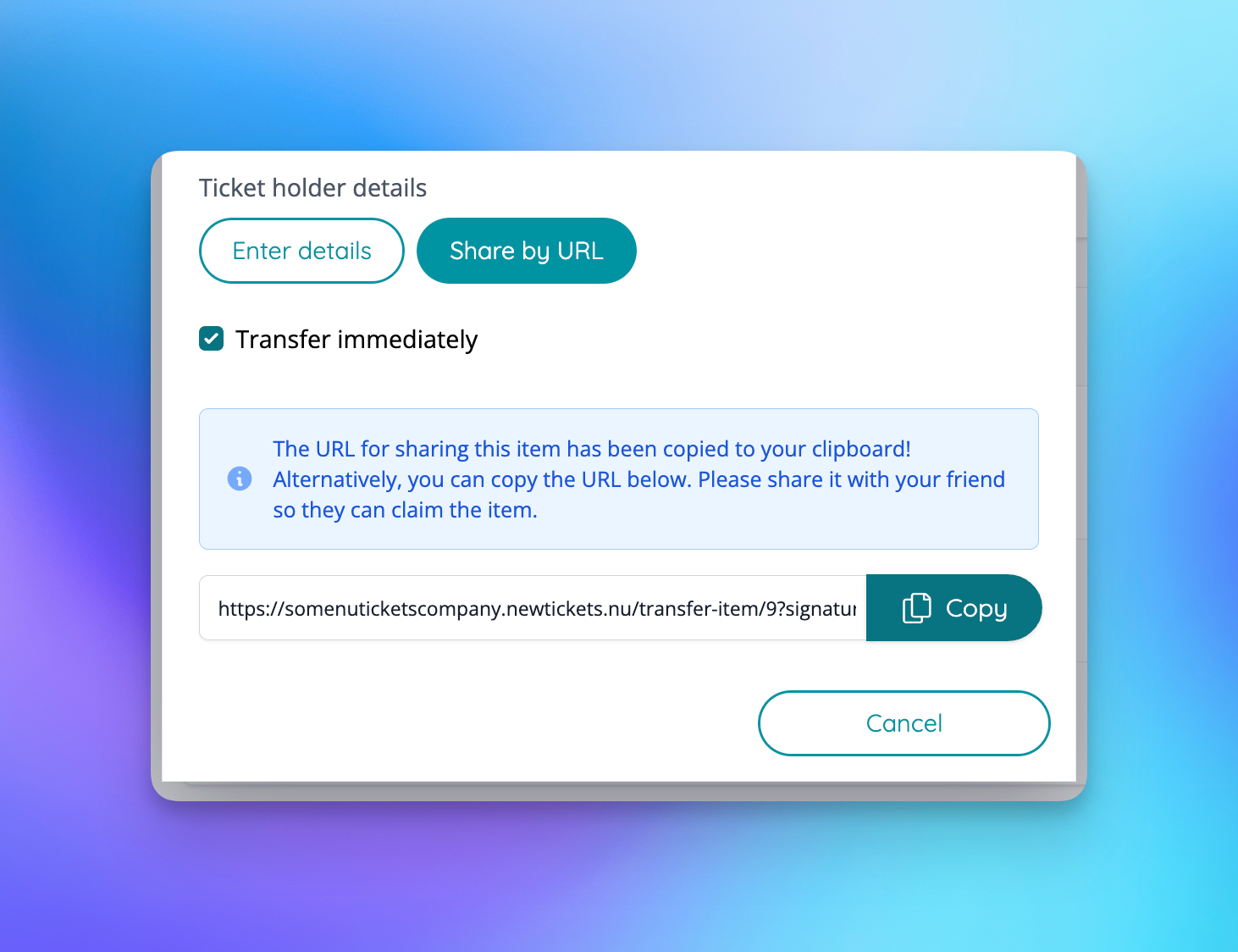
- Added the ability to share items via URL (after checkout) [QUA-557]
- Added hold information to seating plan sales reports [NG-2764]
- Improved the user experience when viewing an event in the shop that has no on sale sale items, but does include on sale fee items. [QUA-627]
- Enhanced zooming features and animations in seating plans when using zoom buttons, entering / exiting areas, pinching, and smoothing animations added to panning [NG-2744]
- New testimonial template block [NG-2733]
- New List Highlights template block [NG-2732]
- New List of Tabs template block [NG-2734]
- New Filtered List Block template block [NG-2730]
🎨 User Interface (UI/UX)
- Added a customisable ‘Menu announcement’ to the theme page [NG-2736]
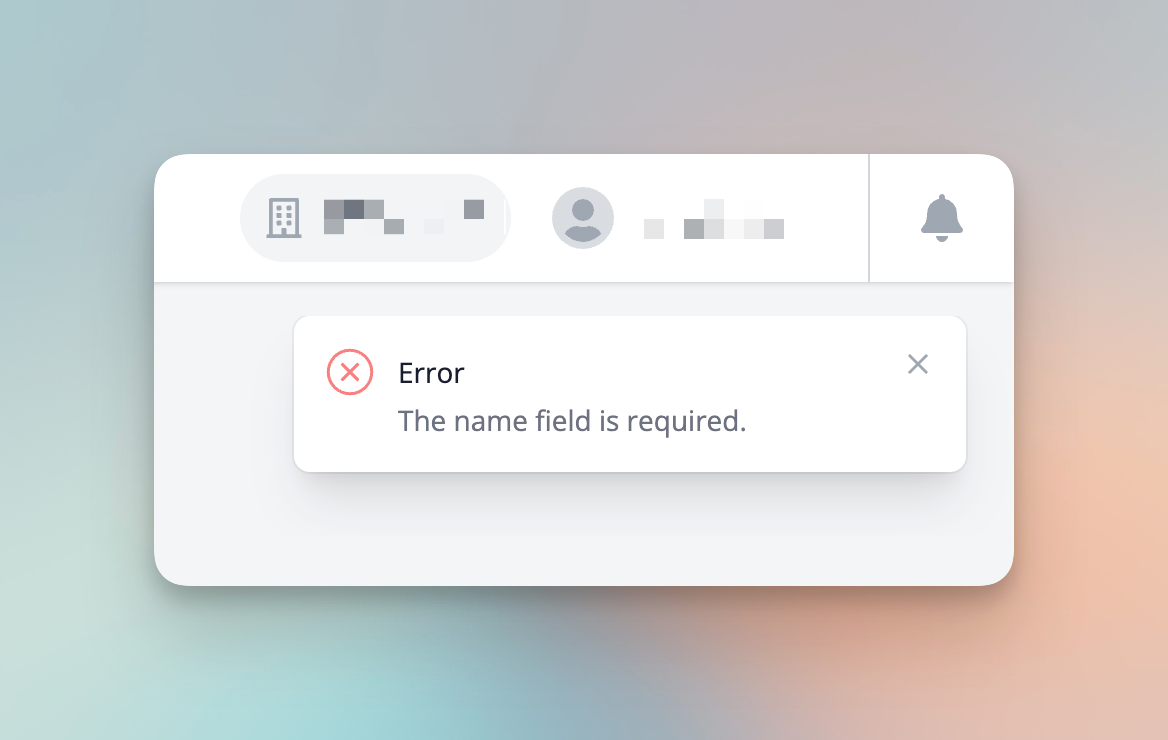
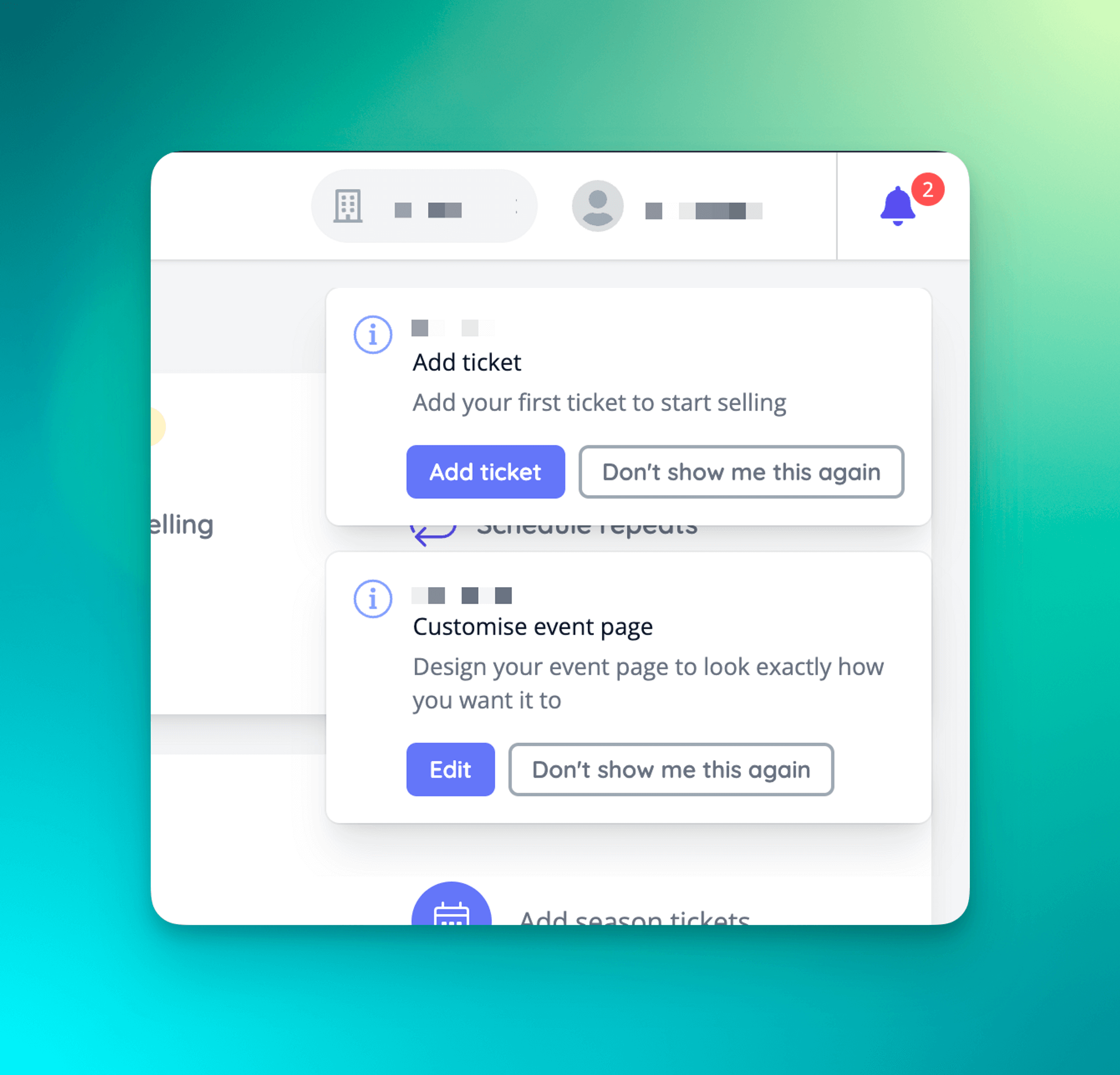
- New notifications for success and error messaging [NG-2765]
- Improved user feedback now helps prompt additional actions [NG-2766]
🧹 Housekeeping
- Ensure latest data capture responses are shown in customer invoices [QUA-485]
🧑💻 API
- A number of API performance improvements have been added for cashless and box office related endpoints [NG-2756, NG-2737]
- A new Partner API has been added to allow partners to create companies and users within their account via an API. This also allows for company level API tokens to be generated [NG-2752]
- Added API rate limiting, with customisable limits at both partner and company levels.
Below you will find the summary notes for the 19th release of the Nuweb core platform.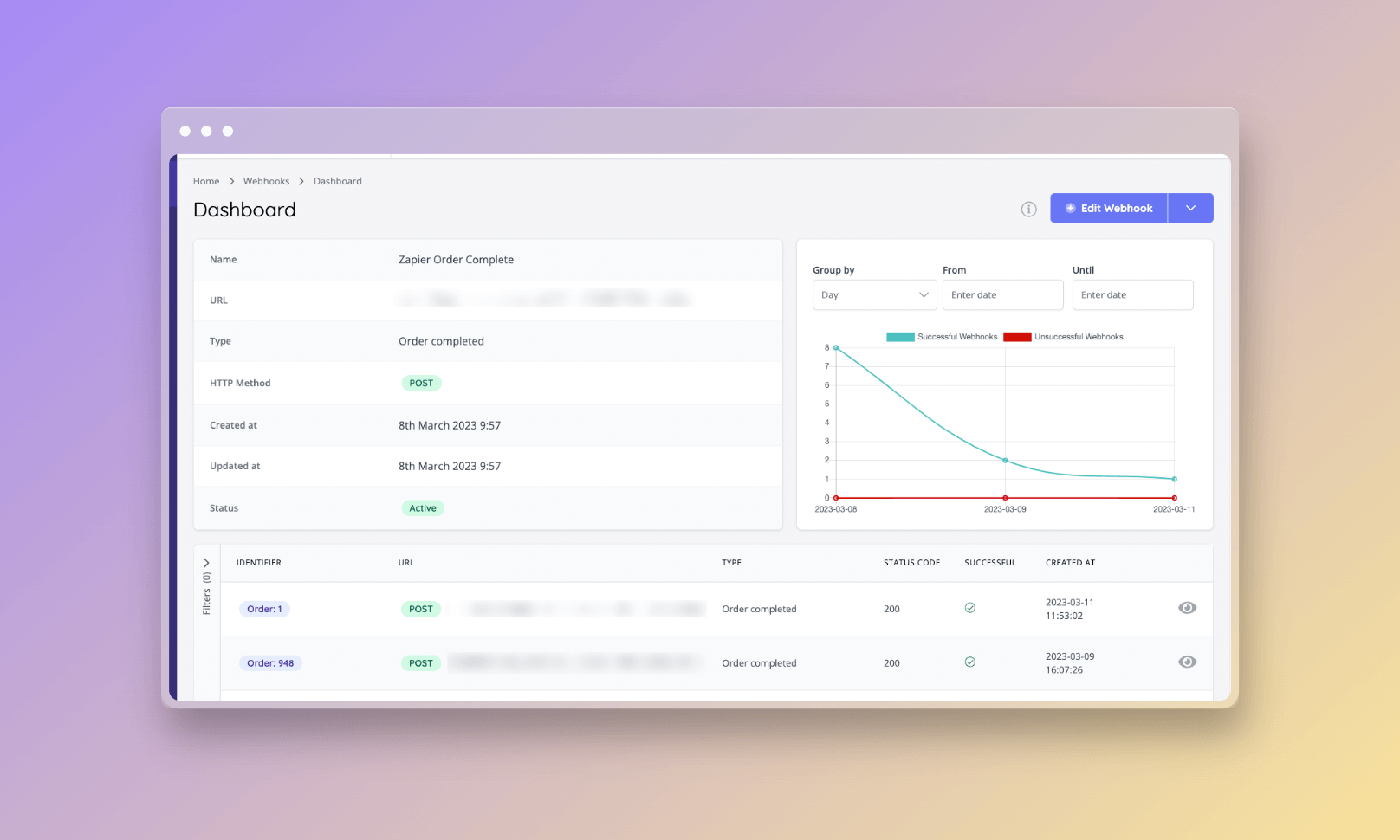
🚀 New Features
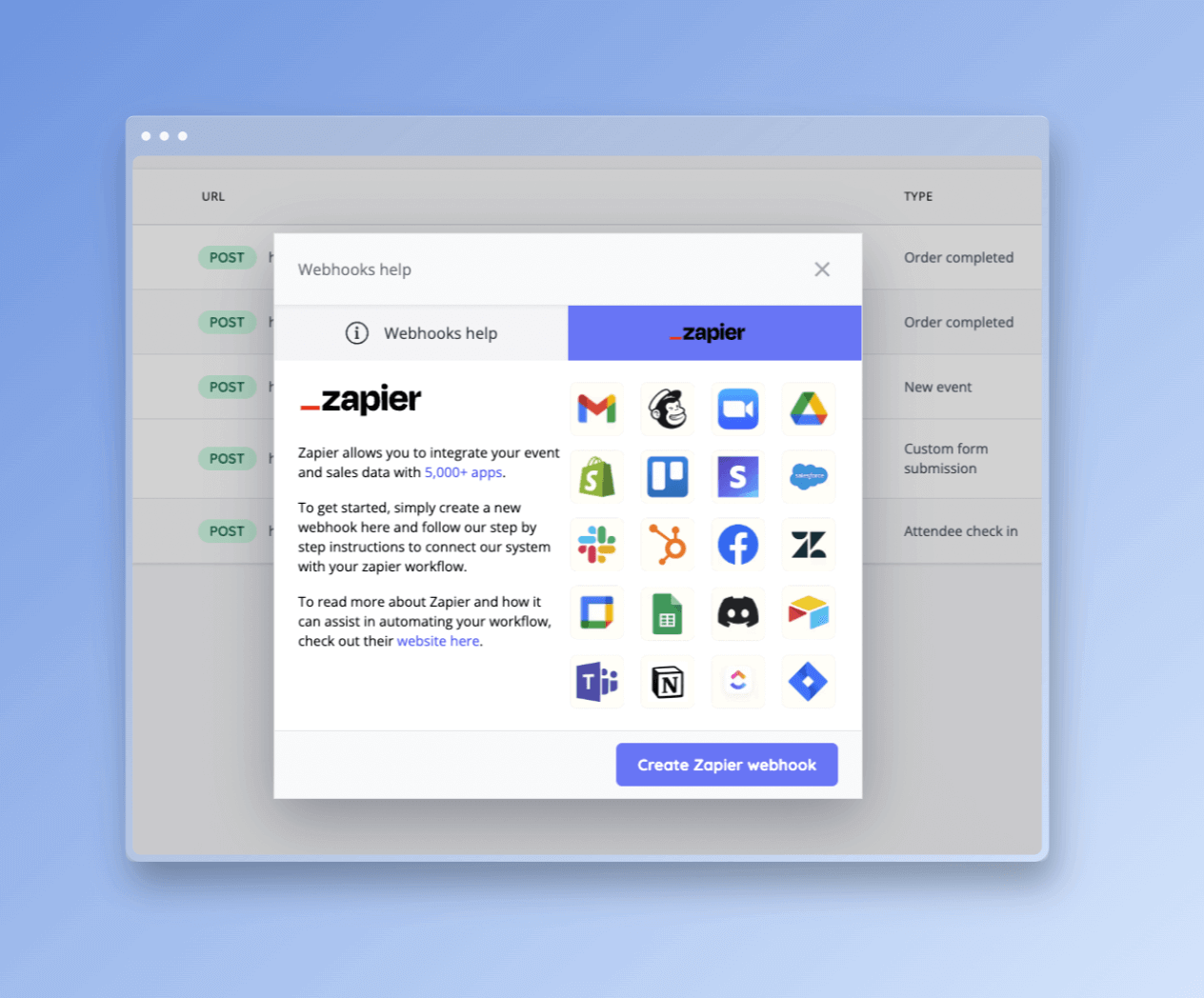
- The introduction of webhooks, featuring the ability to manage multiple webhooks for different events, send test calls for instant feedback during configuration, track failed/successful calls in realtime, inspect real payloads through interactive API docs as well as temporarily pause webhook communication. [NG-2639]
- Payment reminders may now be issued en-masse to purchasers who used the invoice payment method. This is accessed via the ‘email attendees’ function within the event dashboard, or against individual tickets/timeslots etc. [NG-2496]
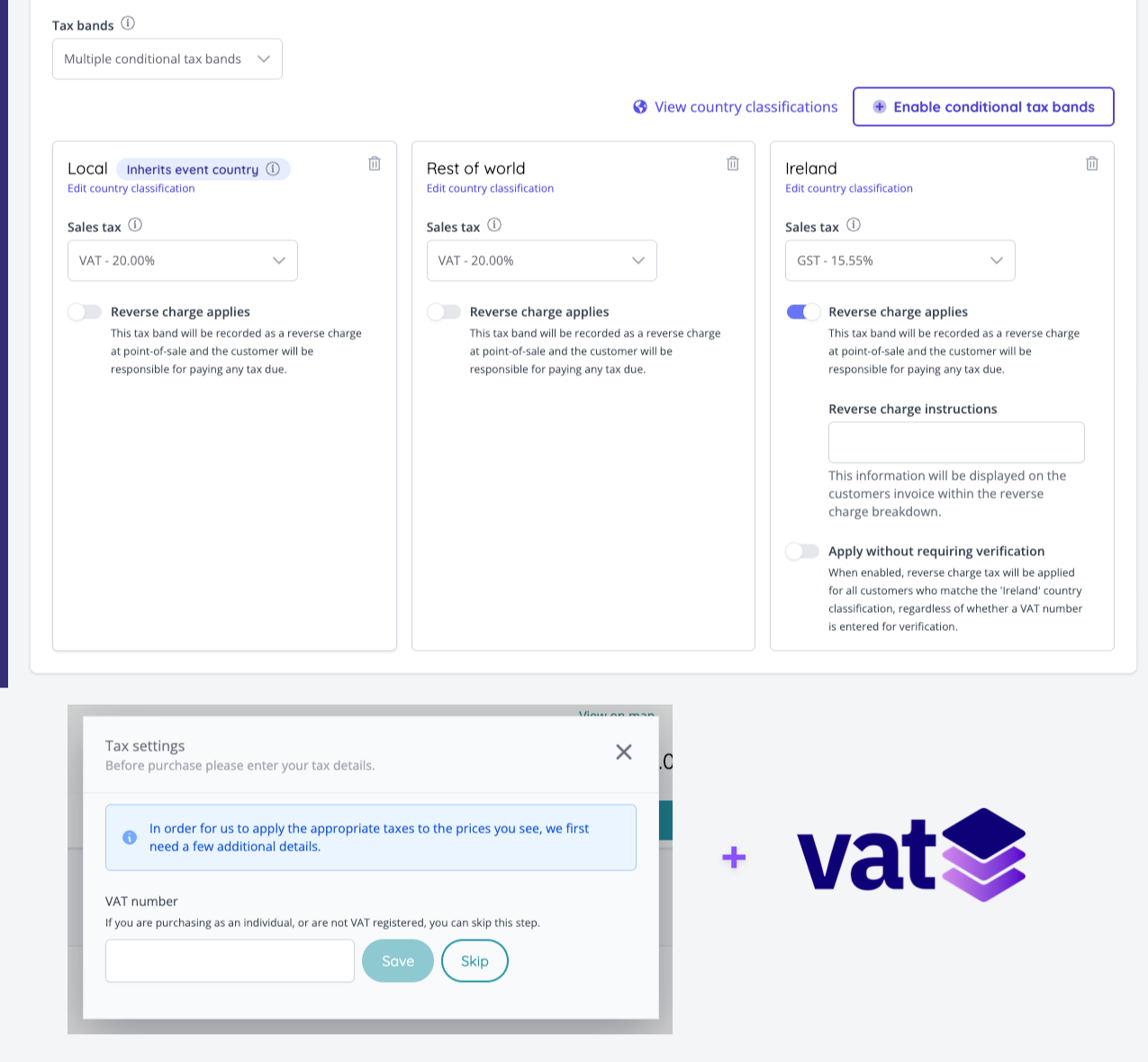
- Conditional tax bands may now be configured against sale items. This enables different tax rates (including reverse charges) to be applied based on the country the customer is purchasing from. We have also added a VATStack integration which can be enabled to validate the customers country based on their VAT number [NG-2493]
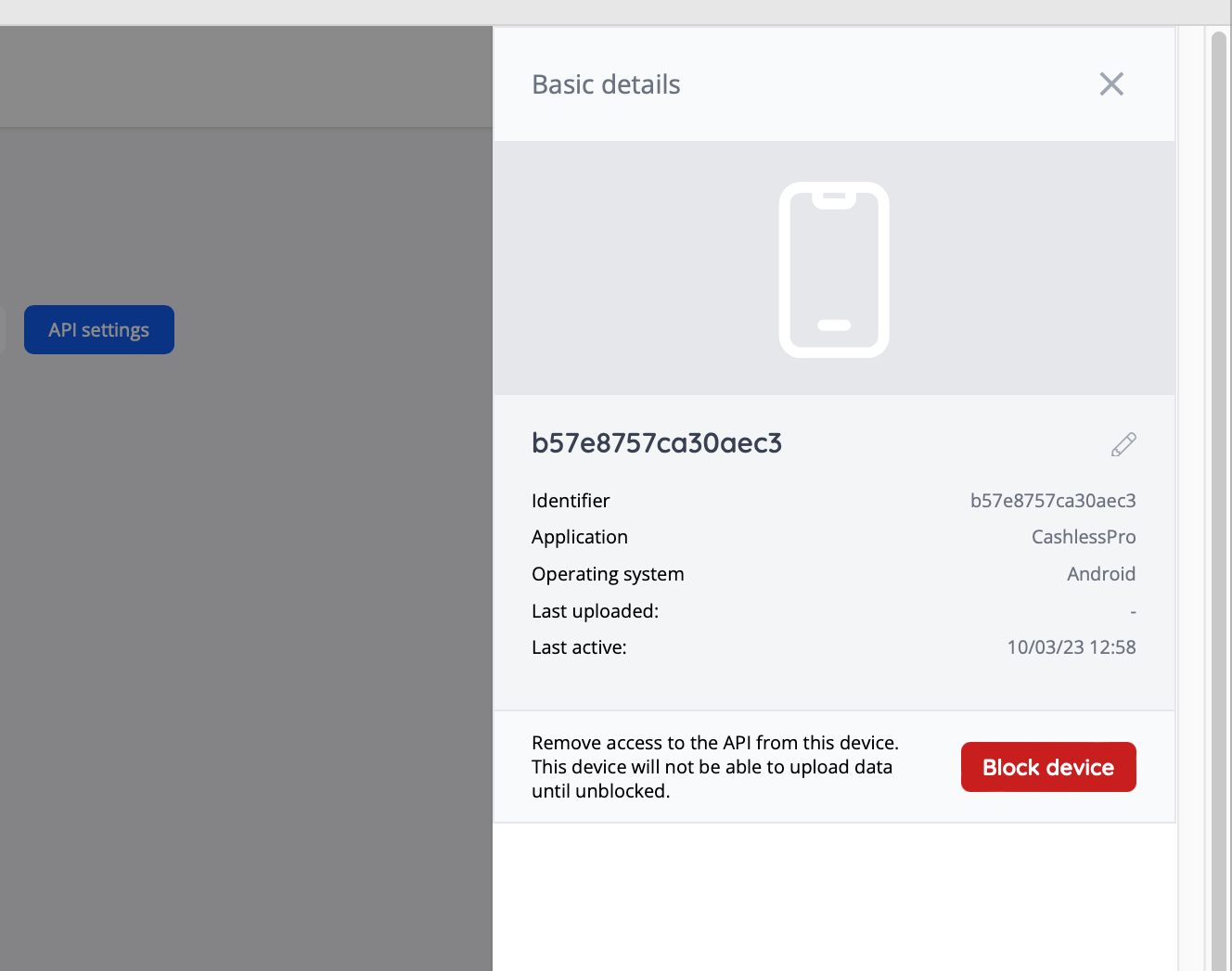
- Added a new API Device Manager section to the admin portal, so that you can view all devices along with the last time they connected or uploaded data. [NG-2556, NG-2559]
- This comes with the added ability to immediately block a device which will cause all future requests to fail until the device is unblocked
- Individual devices can also be named for better tracking
- A new ‘enable instant access’ option has been added to manual payment settings. When enabled, this allows customers who have selected the invoice payment method instant access to their tickets and other downloadable items, before payment of the invoice is made. [NG-2585]
🔌 Integrations
- Added Zapier support through Webhooks by Zapier, unlocking integrations with over 5000+ apps & services
✨ Enhancements
- Provided display customisation options for the start and end times of events [NG-2634]
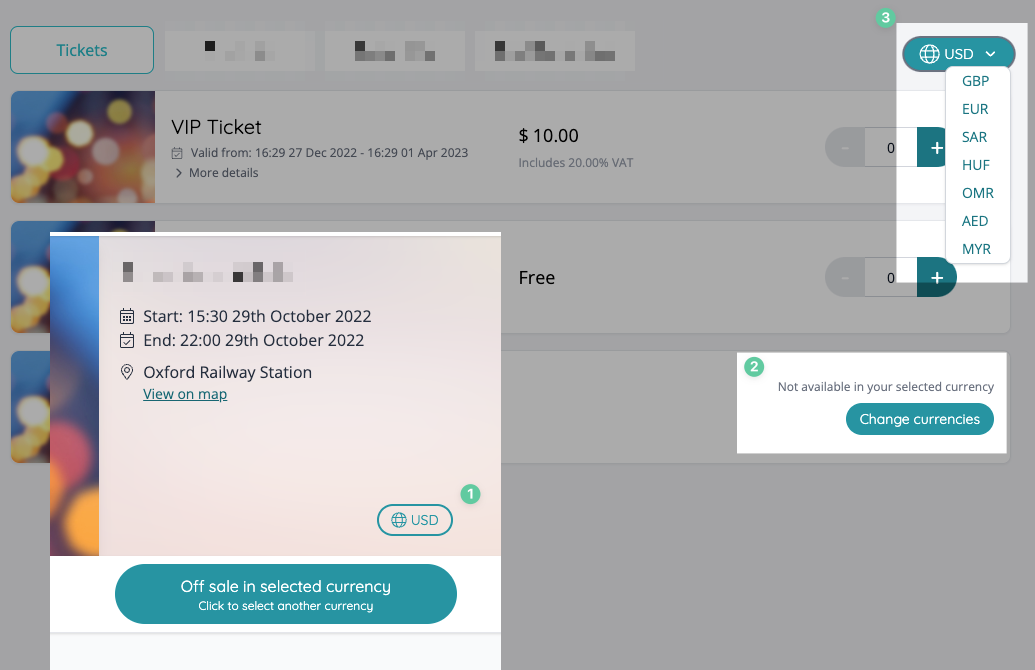
- Improved the CTA for customers to change currencies when events/items are not available in their selected currency [NG-2637]
- Added event name and start date to Szamlazz invoice line items [NG-2641]
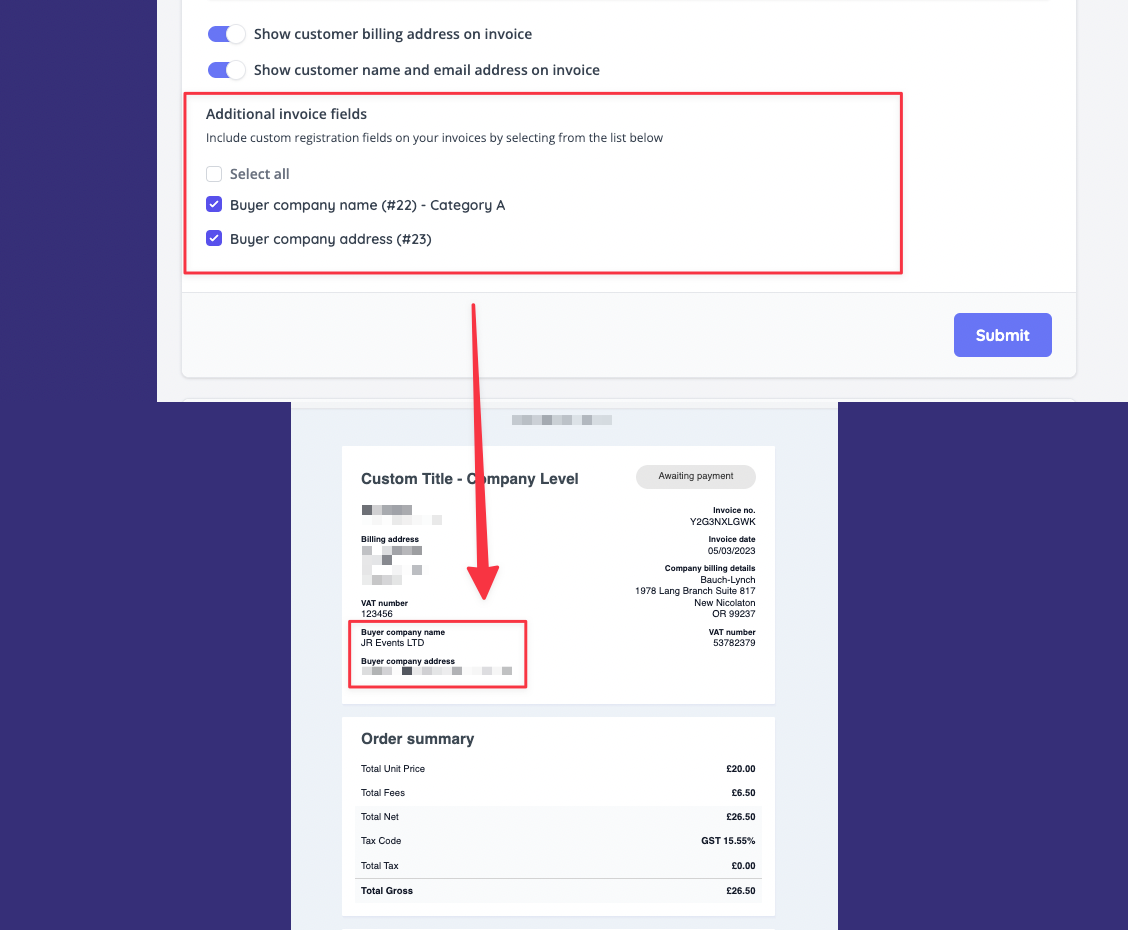
- Added the ability to include customer registration questions on the sales tax receipt / invoice [NG-2660]
- Added No. Items (inc. fees) and No. Items (excl. fees) headers to the orders report [NG-2666]
- Added the ability to add a footer imprint at the Reseller and Company level to be displayed in the Shop footer [NG-2635]
⏳ Coming very soon…
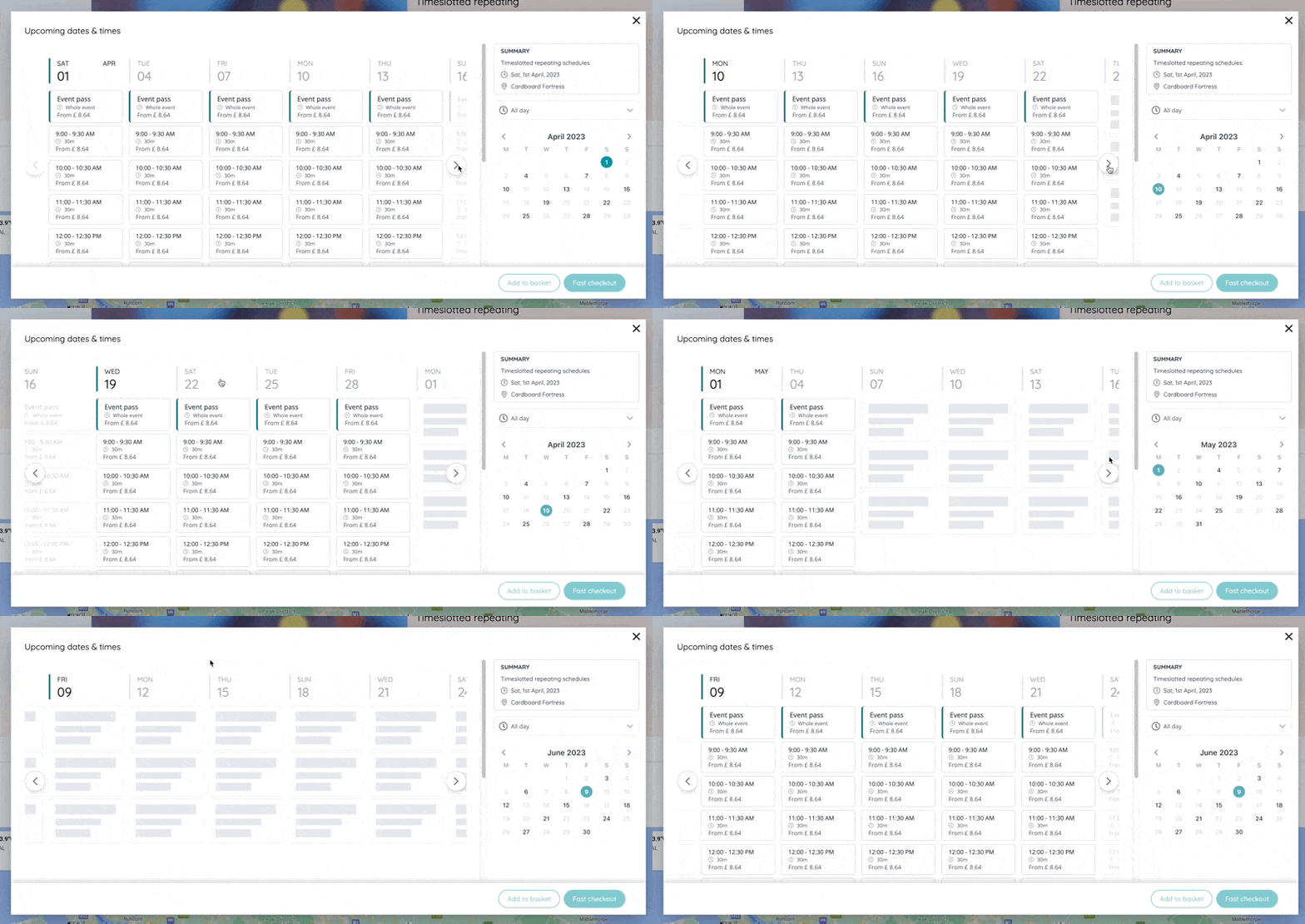
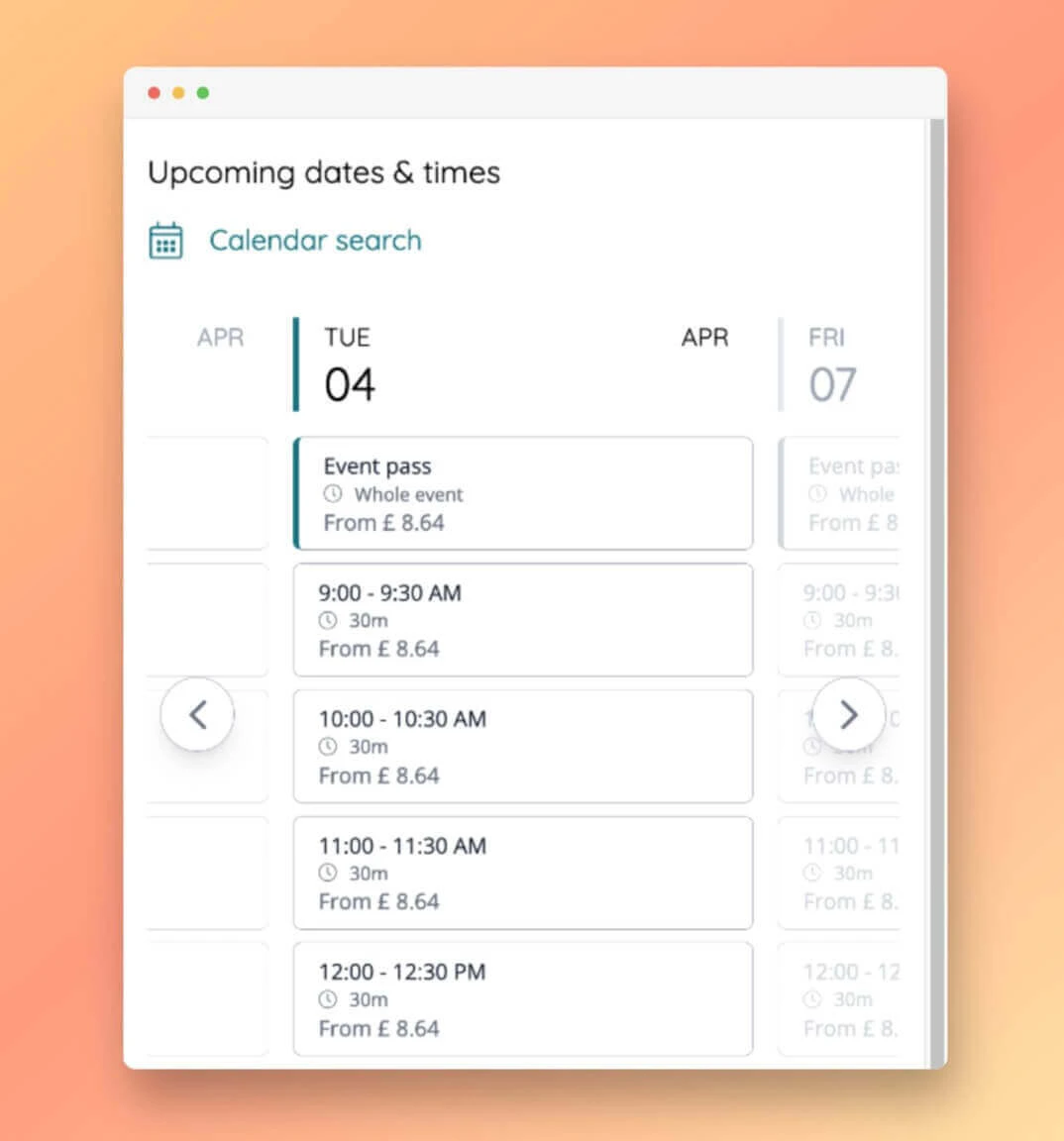
- Total revamp of the repeating events / timeslot booking experience, unleashing an entirely new and refreshed user shopping experience. Customers can use our new interactive booking calendar to jump straight to the date & time that they’re interested in via one unified interface.
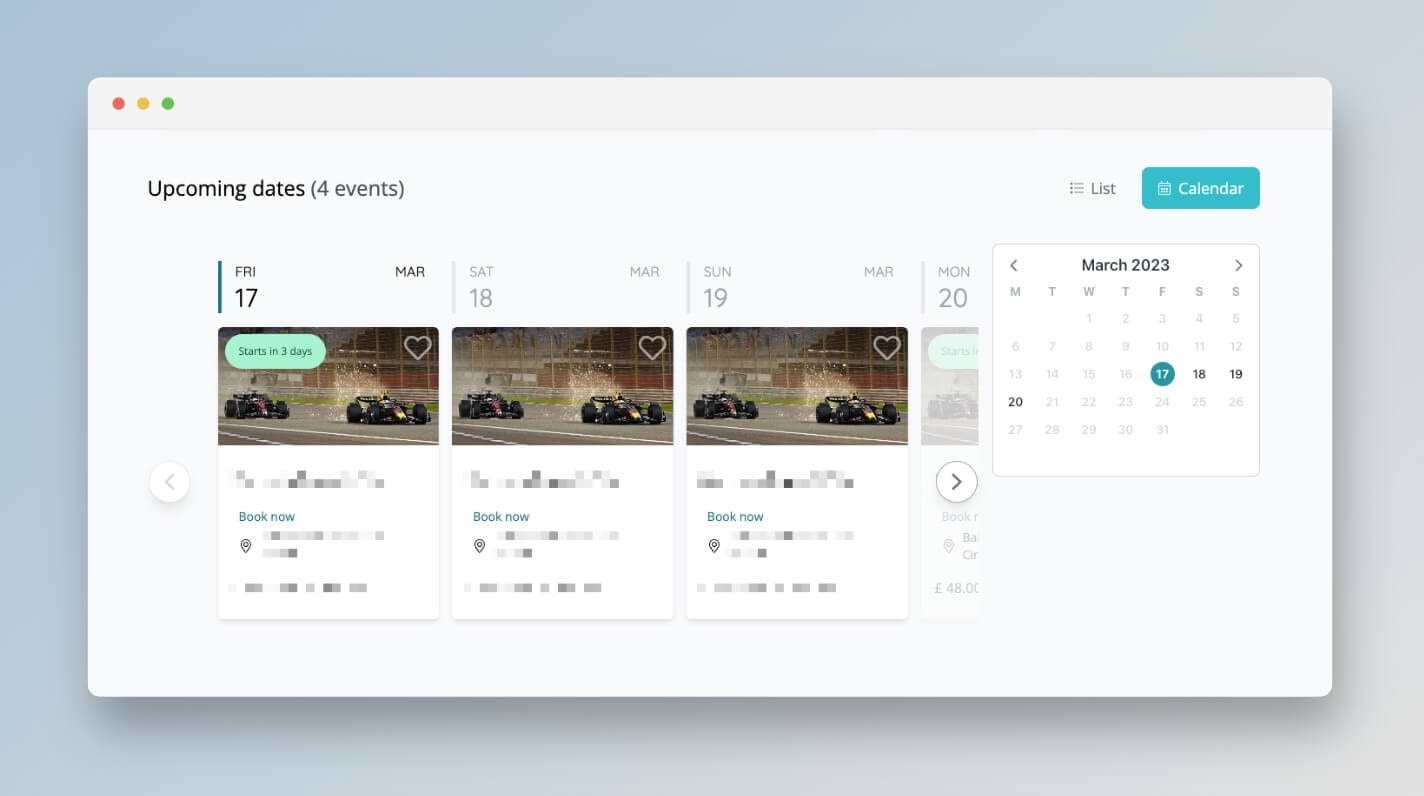
- We haven’t ignored the mixed event schedules such as football seasons & multi-venue events as we introduce a new opt-in booking calendar which provides a more practical overview of the upcoming events:
🎨 User Interface (UI/UX)
- Bundled children show sold out/off sale UI to match parent [NG-2616]
🧹 Housekeeping
- Fixed an issue displaying the Nuweb logo in the powered by section of the footer [QUA-359]
- When re-assigning existing charity items, all price tiers are now correctly copied to the new event [QUA-332]
- Fixed an issue with Szamlazz VAT numbers being stored incorrectly [QUA-297]
- Fixed an edge case where orders processed through Adyen were showing no transactions in admin [QUA-384]
- Fixed an issue where the user would encounter a 404/page not found when previewing an unpublished event and changing language/currency selection [NG-2681]
- API calls to Szamlazz now respect the payment company of the order [NG-2642]
- Fixed issue where timeslots were not reloading on event dashboard after emailing attendees [NG-2688]
- Fixed an issue where timeslots were not being copied with their relative on sale dates [NG-2668]
- Fixed an issue where publishing an event with timeslots still shows ‘off sale’ for the sale items within those timeslots [NG-2669 & NG-2659]
💻 Technical
- Implemented server-side rendering for listings, articles, event pages and other key areas of the ticket shop to deliver a significant improvement to the lighthouse performance score / general SEO [QUA-236]
🧑💻 API
Changes to the API have been documented in the changelog on the API documentation homepage.Below you will find the summary notes for the 18th release of the Nuweb core platform. This release brought about a change in process whereby release cycles have been shortened to monthly cycles, with weekly patches to address bug fixes, quality improvements & improved performance.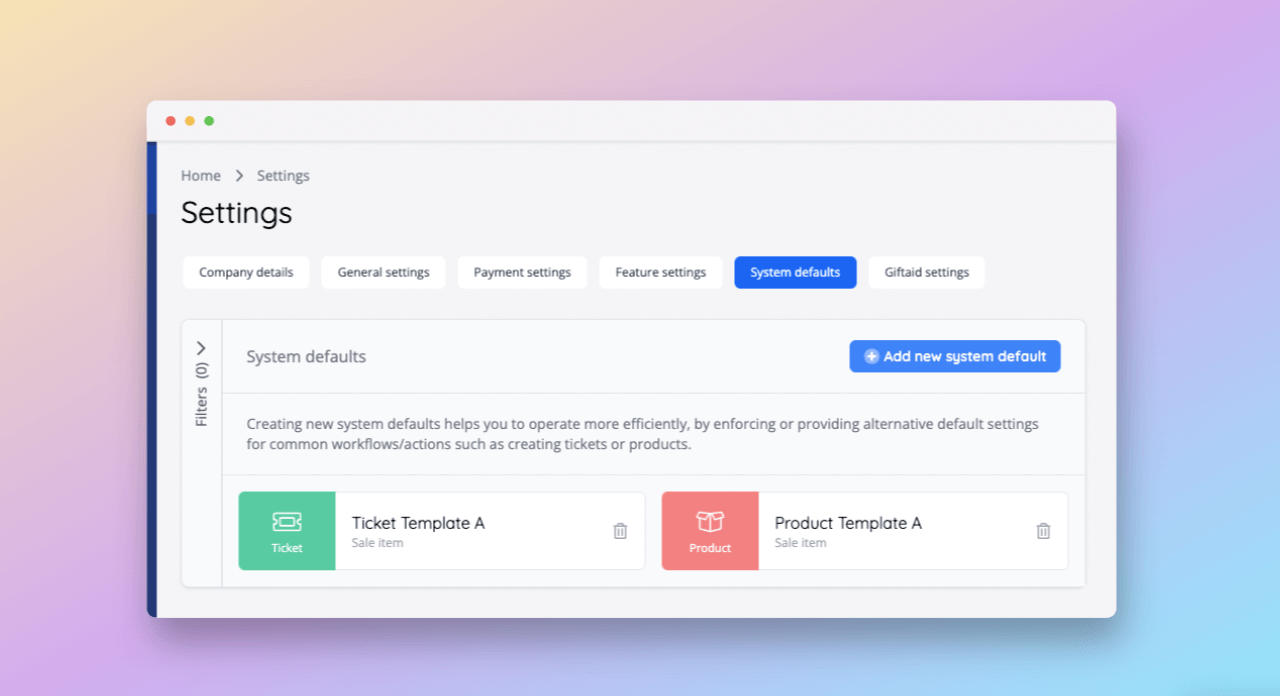

🚀 New Features
- Added the ability to create ticket & item templates in admin via the “System defaults” feature, streamlining event set ups & enforcing consistency during item creation [NG-2437].
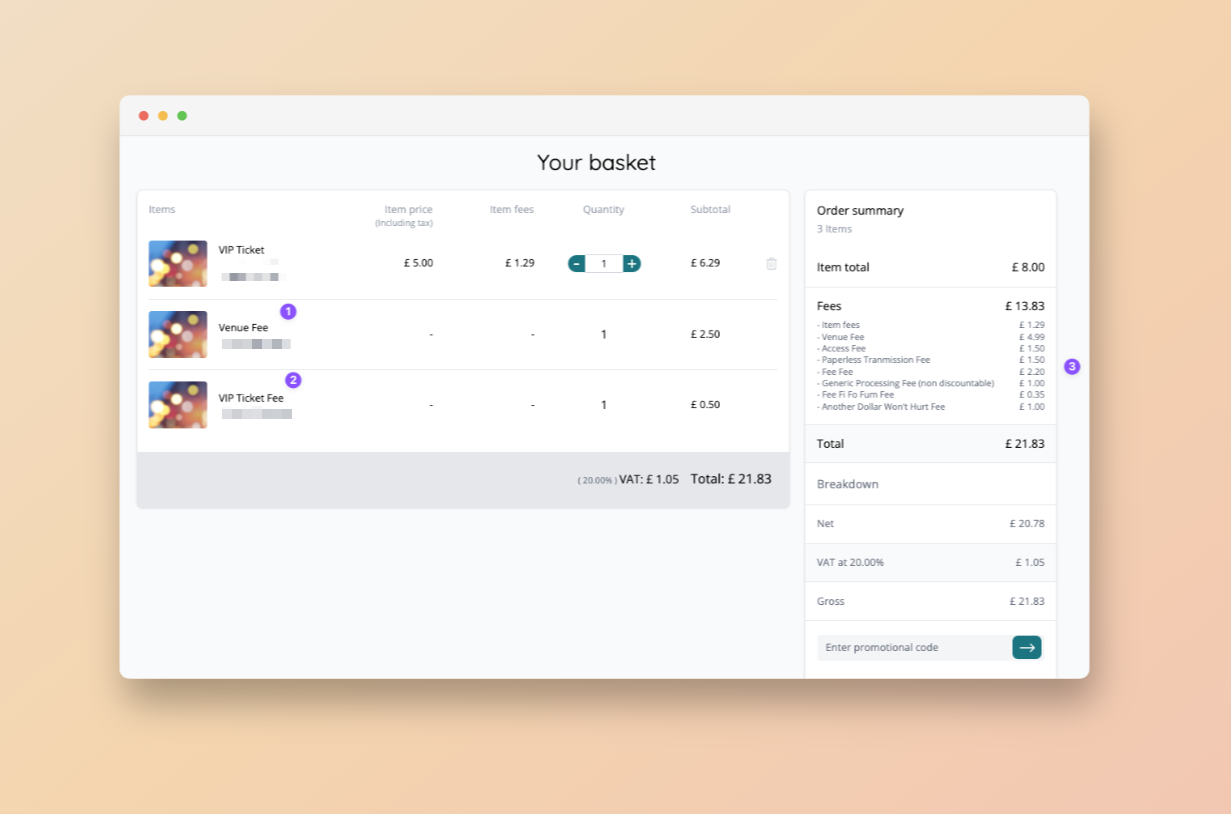
- Added the ability for event organisers to configure additional order-level fees
- Added the ability for event organisers to configure additional event & ticket-level fees
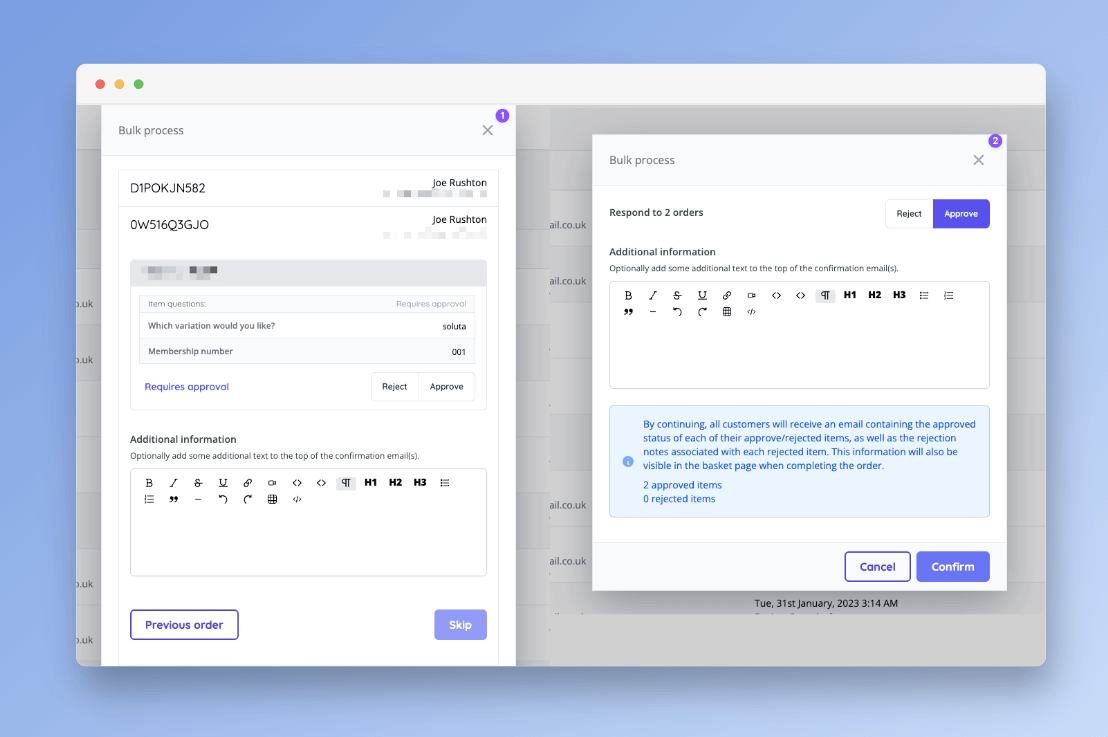
- Reservations can now be bulk approved or rejected from the main reservations screen [NG-2433]
- Added the ability to setup companies within a trial period. A banner is displayed in admin informing the user how long the trial has left. Once the trial is up, the company can no longer access their account [NG-2434]
- Added a new feature flag for “allow fees to be discounted” which will enable resellers to opt companies into being able to discount any associated fees through the use of discount codes [NG-2443]
- Combined with the new “disallow absorbing fees” company limitation, this puts resellers in direct control of how and when fees are discounted.
🔌 Integrations
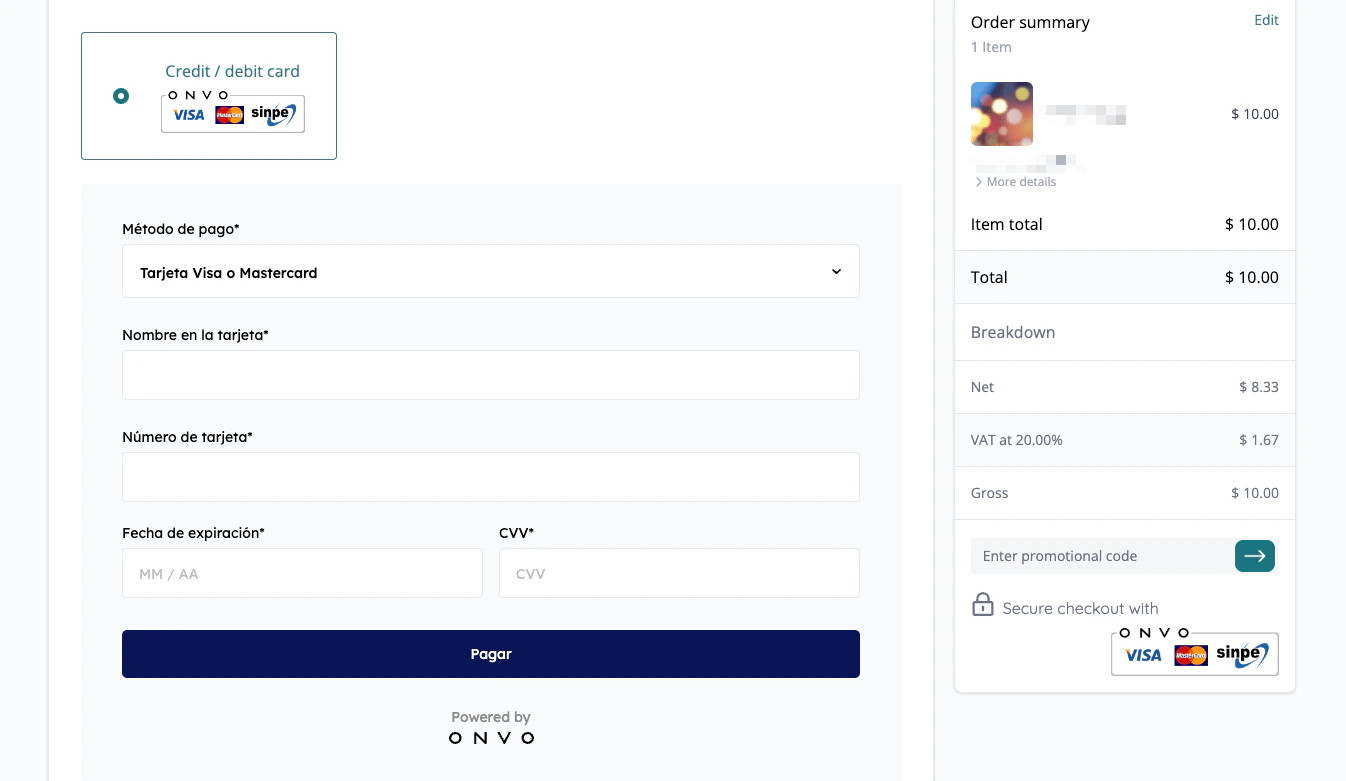
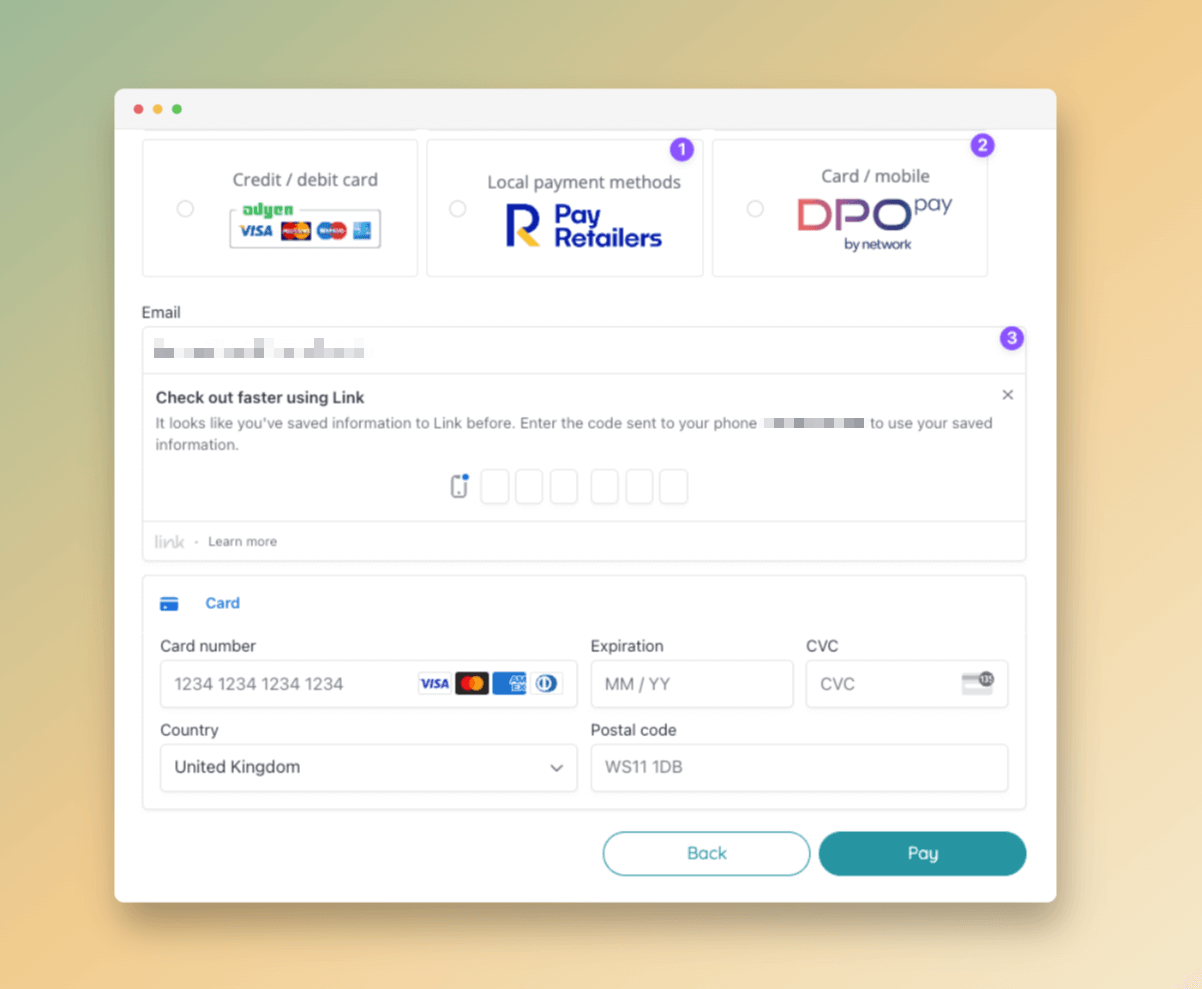
- Integrated with PayRetailers to support local payment methods across LATAM [NG-2007]
- Integrate with DPO Pay payment gateway with support for card & mobile payment methods such as M-PESA [NG-2547]
- Added support for fast payments via Stripe Link [NG-2597]
✨ Enhancements
- On-sale dates can now be controlled for cashless products, as well as the ability to hide them when they are off sale, and hide them when they out of stock [NG-2500]
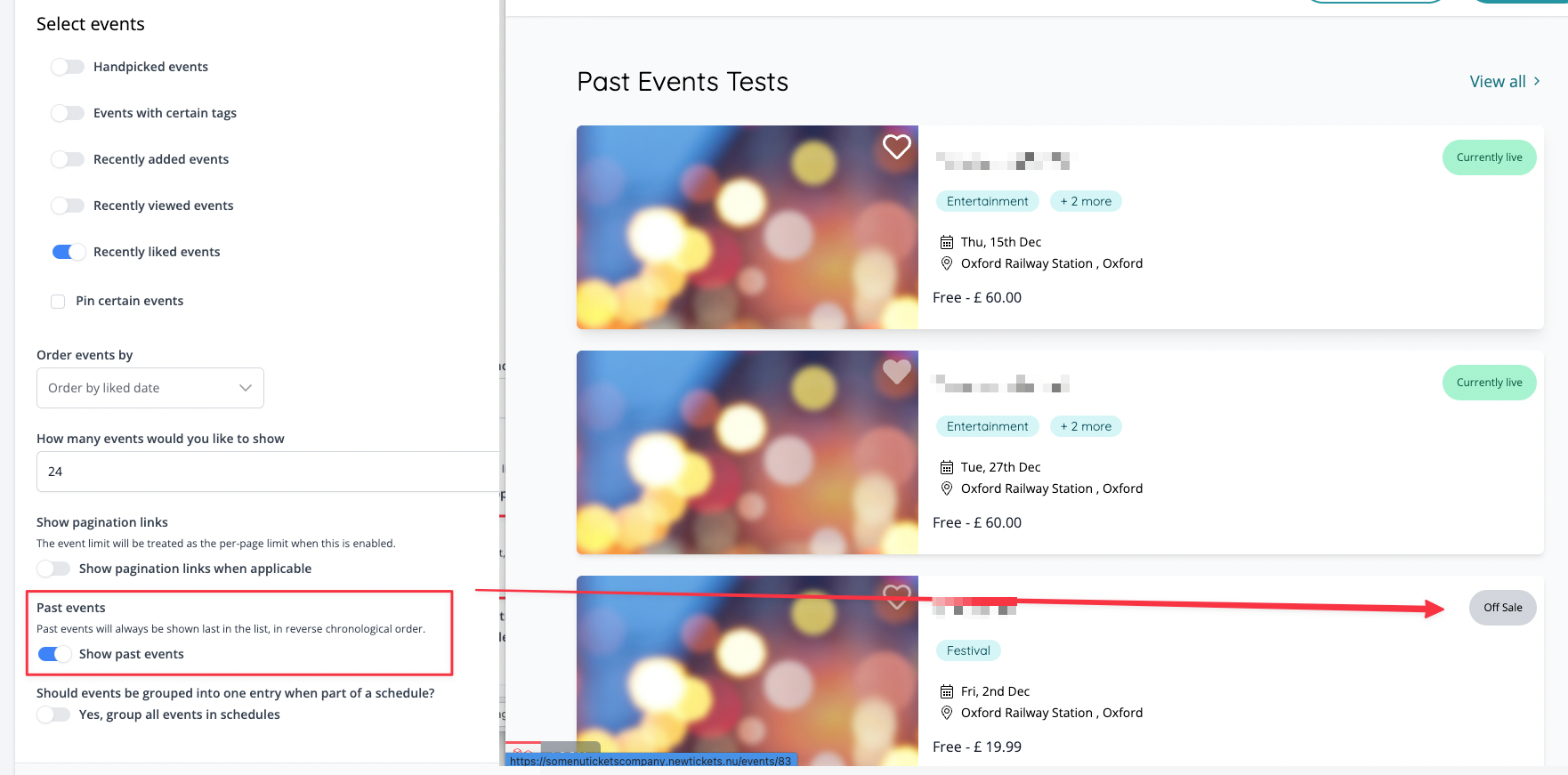
- Added the ability to list past events when configuring event blocks [NG-2542]
- Added ability to create “Proforma” invoices in hub [NG-2498]
- Added a new payment method “Cheque” in Box Office [NG-2499]
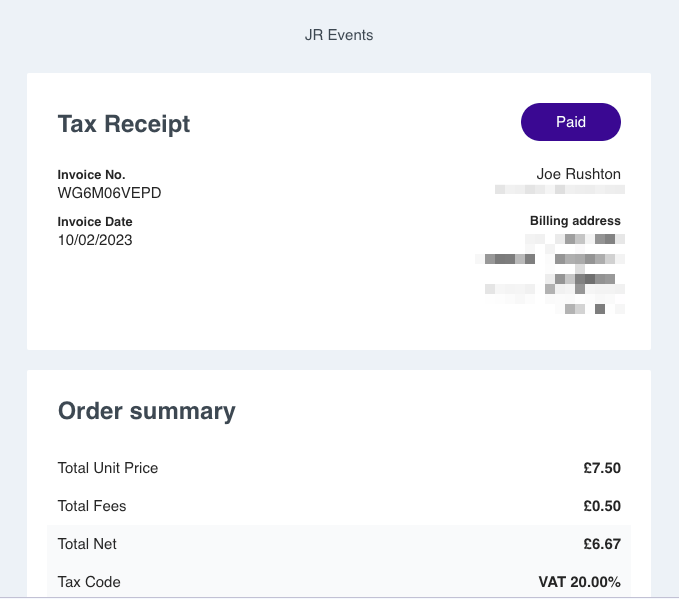
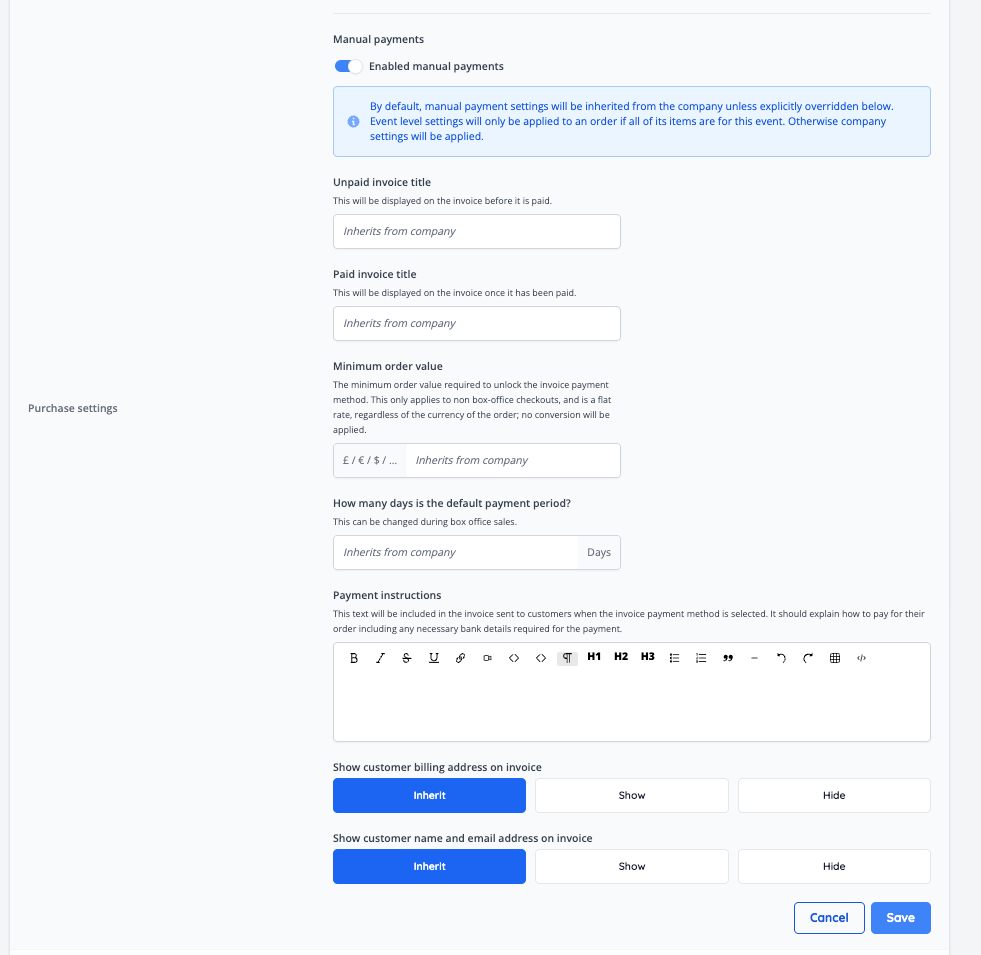
- Invoice emails now include an invoice number and invoice date, as well as a new option within company payment settings to toggle whether customer name and email address should be displayed [NG-2502]
- Added the ability to manually check a payment result for a given order via admin [NG-2007]
- Additional options added to the manual payment settings to allow a minimum order value to be enforces as well as configuration of the tax receipt email which is sent to customers. These options can also be overridden per event [NG-2495]
- Added toggle to display purchase options on event pages by default [NG-1983]
- Improved the process of completing orders that are required to be completed manually via the admin [NG-2593]
- Failed API requests to generate Szamlazz Invoices can now be retried from Admin [NG-2475].
- Box office confirmation emails can now be configured to be disabled by default [NG-2441].
🎨 User Interface (UI/UX)
- Various seating plan related updates [NG-2571]
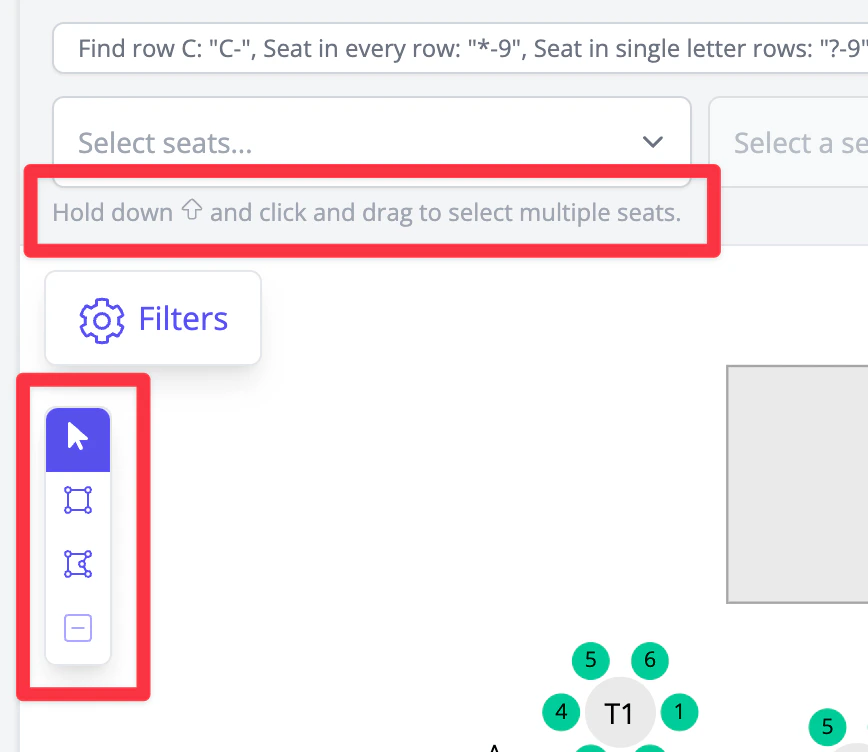
- New selection tools on the admin event seating plan page, including lasso tool
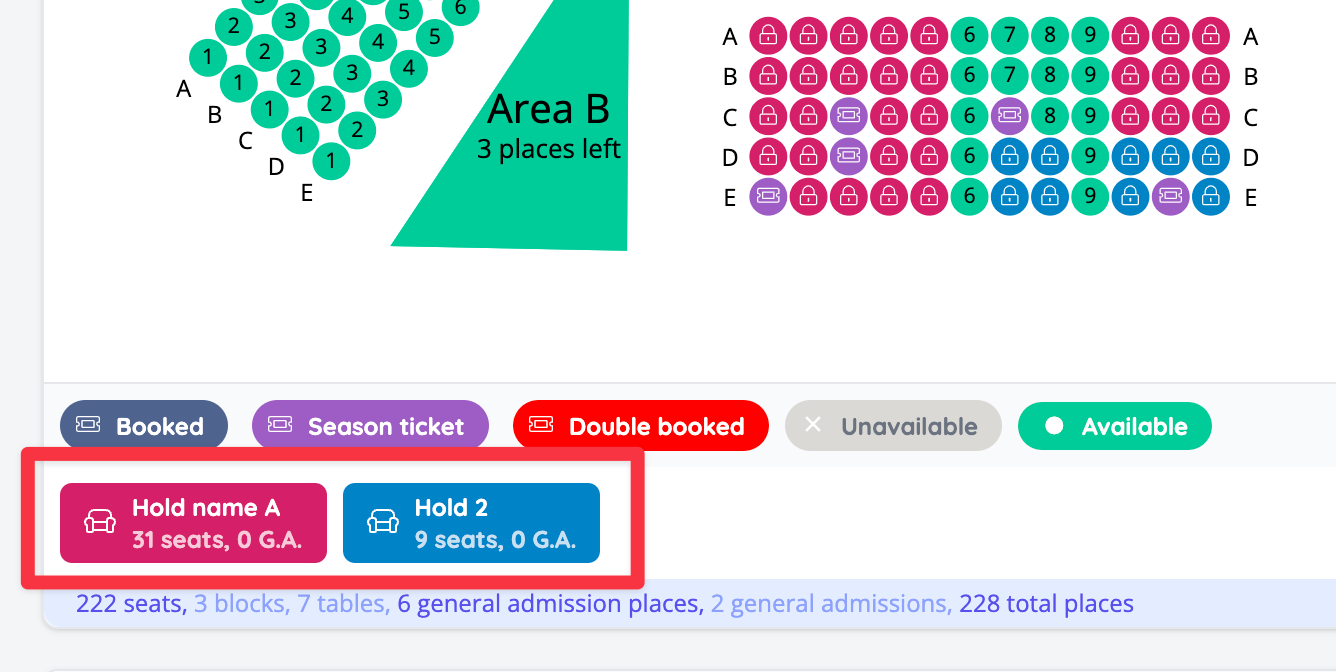
- Display hold information in legend and export
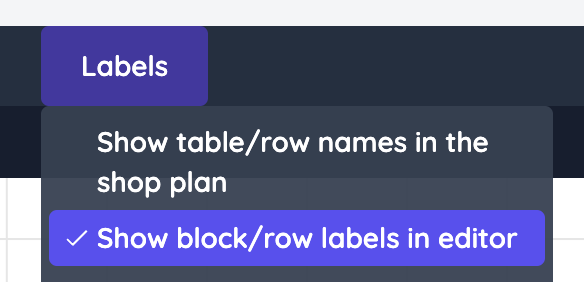
- In seating plan editor block/row labels in edit can be toggled from now, so they won’t get in the way
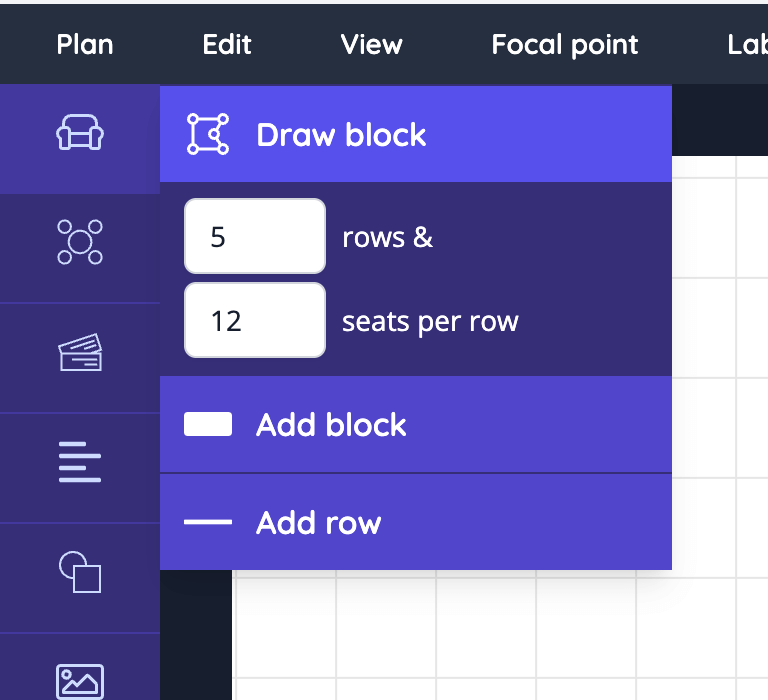
- Added option to draw block of seats with preview
⏱ In Progress
- A new settings have been added to allow Country Classifications to be setup. This will in turn allow conditional tax bands to be configured against sale items [NG-2492].