

Documentation Index
Fetch the complete documentation index at: https://docs.nuwebgroup.com/llms.txt
Use this file to discover all available pages before exploring further.
Below you will find the summary notes for the 17th release of the Nuweb core platform.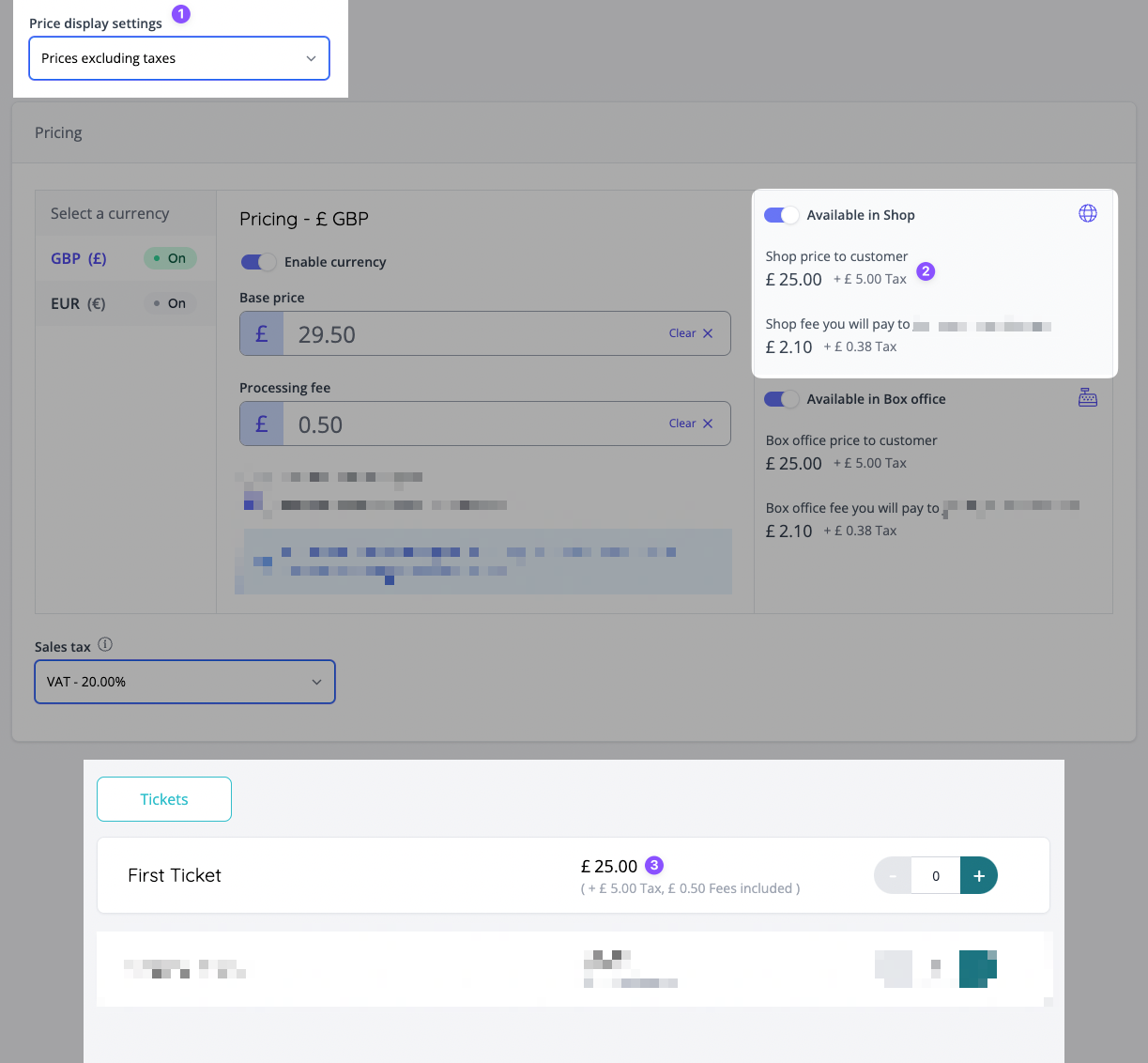
🚀 New Features
- Companies can now decide whether to show prices in the shop inclusive (default) or exclusive of taxes [NG-1986]
- This also provides more detailed access to individual tax breakdowns (proportion of tax on the item price vs the processing/reseller fees).
- To provide greater visibility over this, new tax breakdown reports are available in admin.
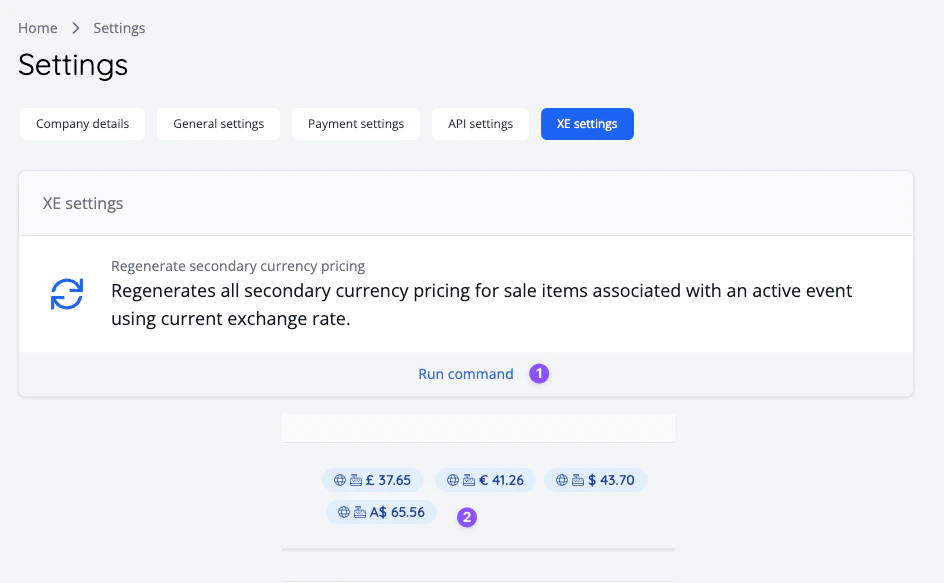
- The system has been integrated with XE, the world’s trusted currency authority, allowing the us to retrieve up-to-date currency exchange rates so that the sale item pricing for secondary currencies can be automatically calculated [NG-1989].
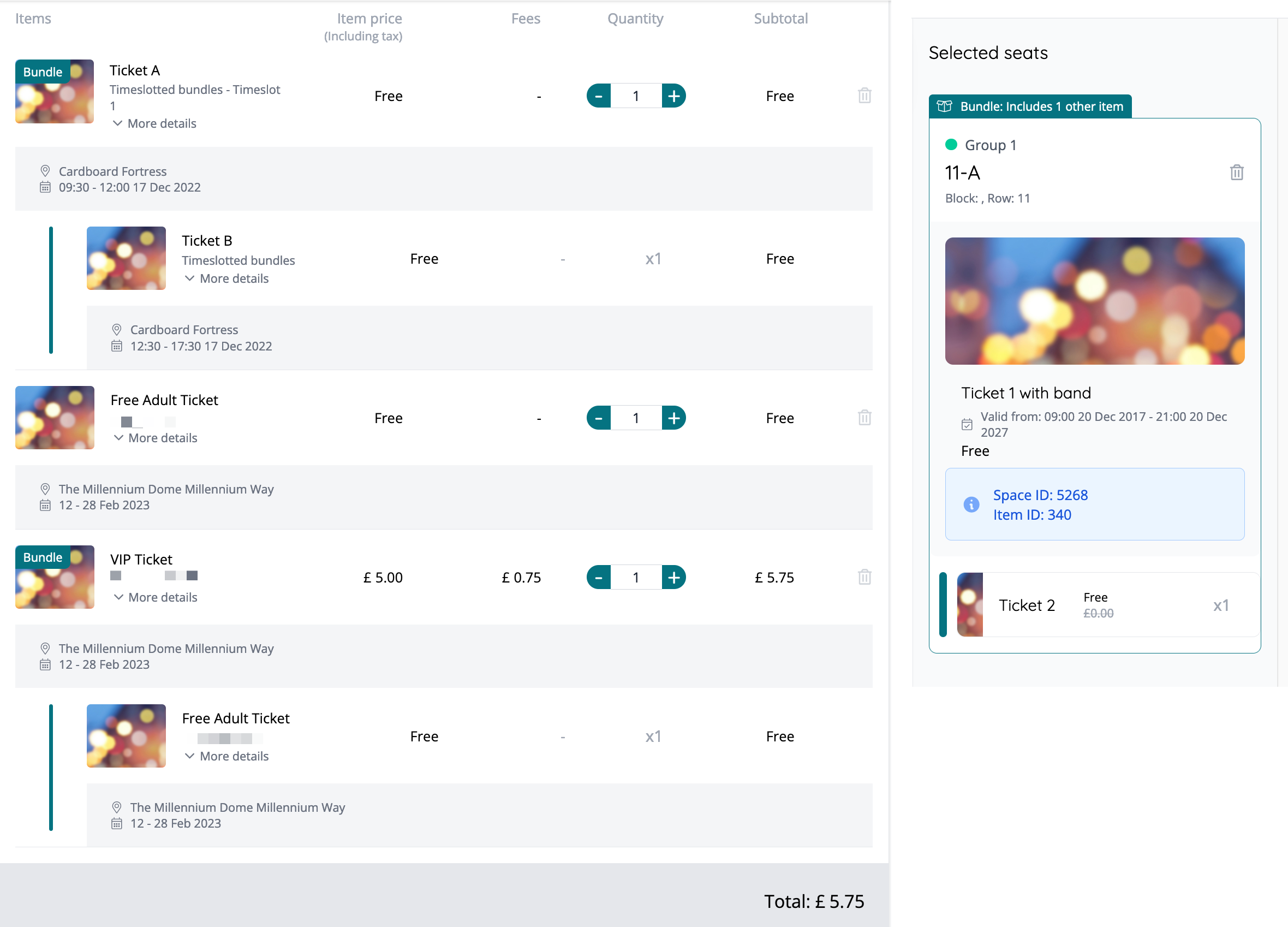
- Product bundles have arrived, allowing event organisers to attach ‘additional’ sale items to a lead sale item, such that when the lead sale item is purchased, the other items are forcefully added to the user’s basket [NG-2124, NG-2028, & NG-1980]
- For this version only tickets, products, and cashless topups can be added to a bundle. Bundles can be lead by a ticket or a product.
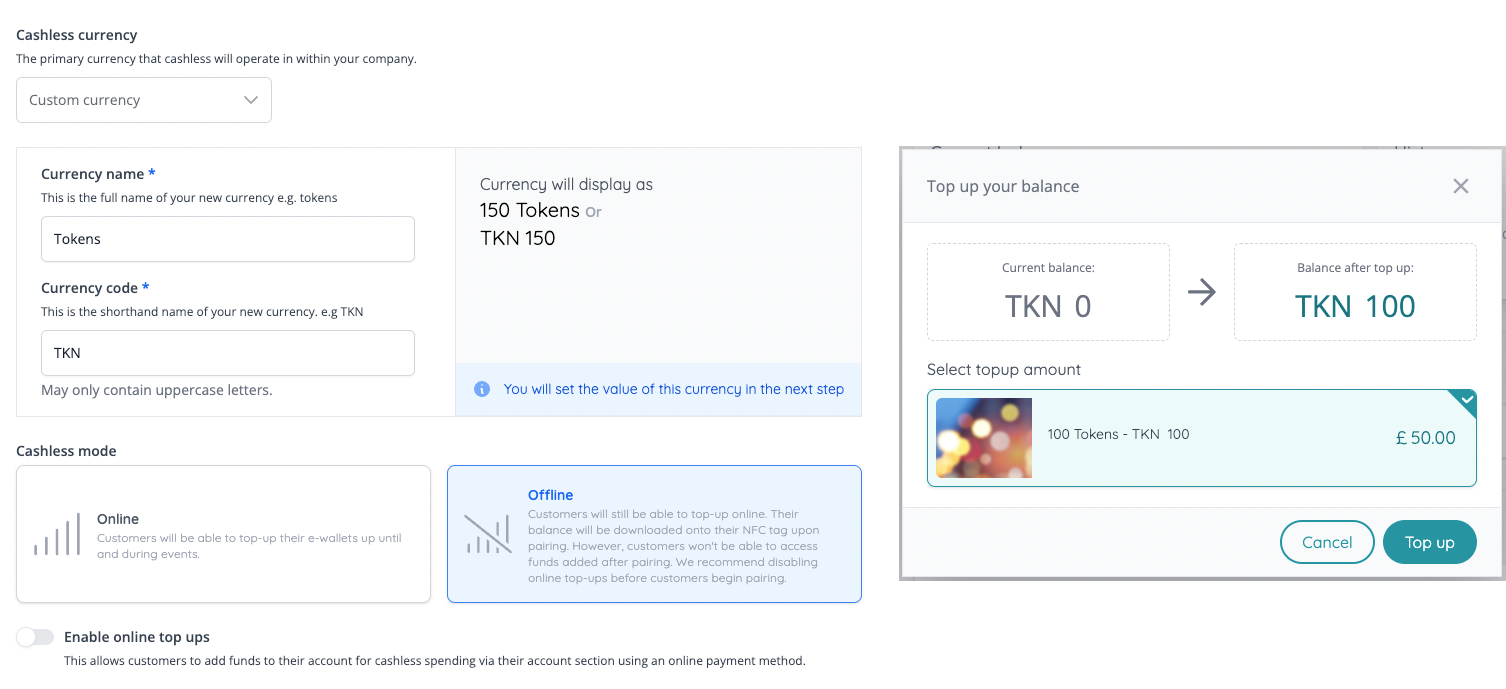
- Cashless version 2 has been launched, which brings features designed to improve the clarity around setting up cashless events, whilst expanding the opportunities for our partners:
- It is now possible to define custom token currencies, for use in cashless wallets and offline NFC wristband wallets [NG-1976 & NG-2027]
- Inspired by the custom token currencies, it’s now possible to create specific topup amounts (“cashless topup sale items”) within the cashless settings, which means customers can only topup in the amounts specified [NG-1977 & NG-1978]
- It is now possible to define the min/max amounts for customer topups when permitting variable topup amounts [NG-1977]
- When configuring cashless, there is a company wide setting for whether cashless should operate online or offline, to avoid users having to select within the mobile app [NG-1972 & NG-1979]
-
Purchases made at cashless shops using a token currency can also attract a reseller fee - this will be stored in the company’s default currency, and only the fixed element of this fee will be considered [NG-2315].
- In order to provide this functionality the ability to provide fee bands for cashless products has now been removed.
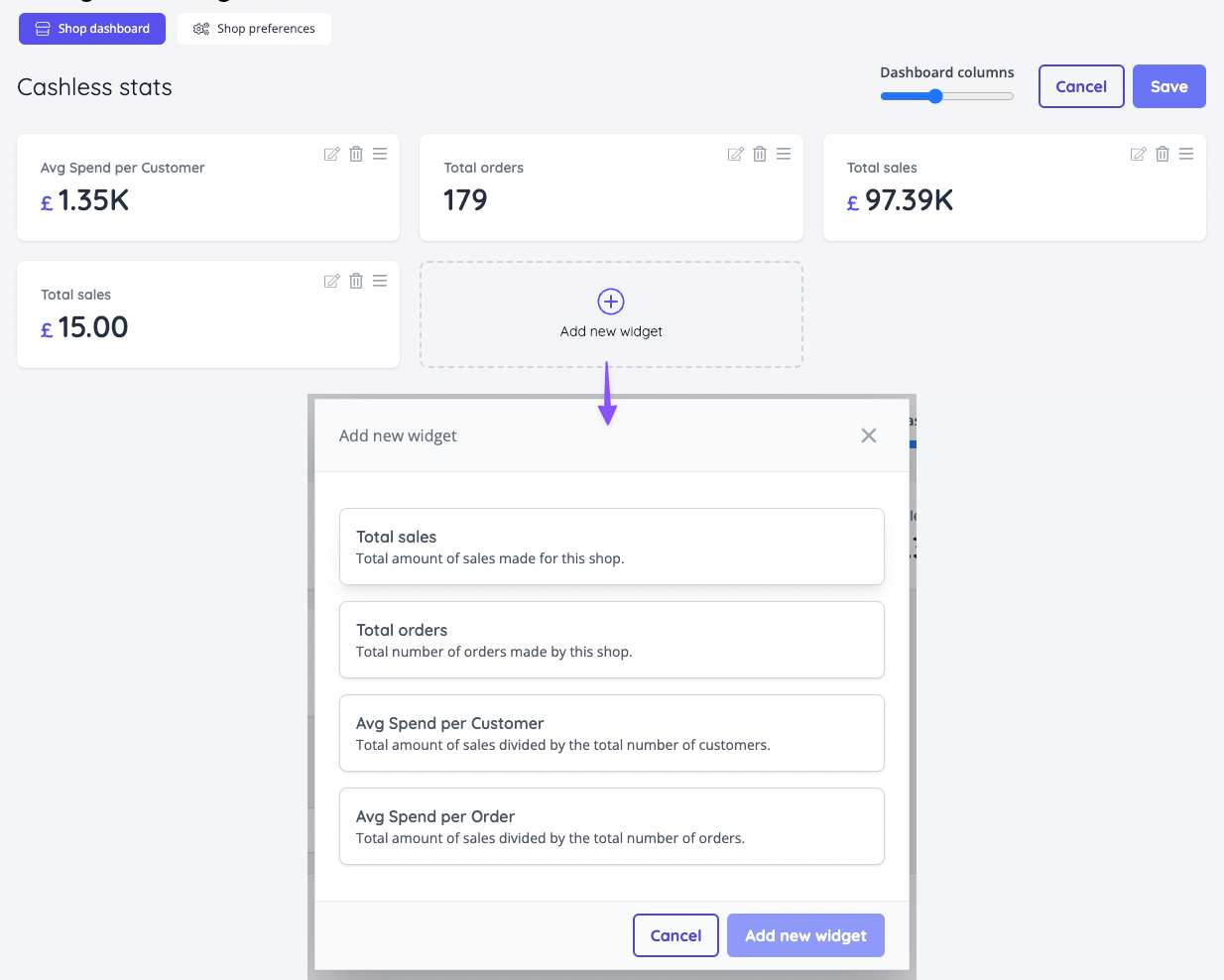
- Added a range of customisable widgets to the cashless shop dashboards, allowing you to select the information you care about the most, for display on a real-time dashboard [NG-2029]
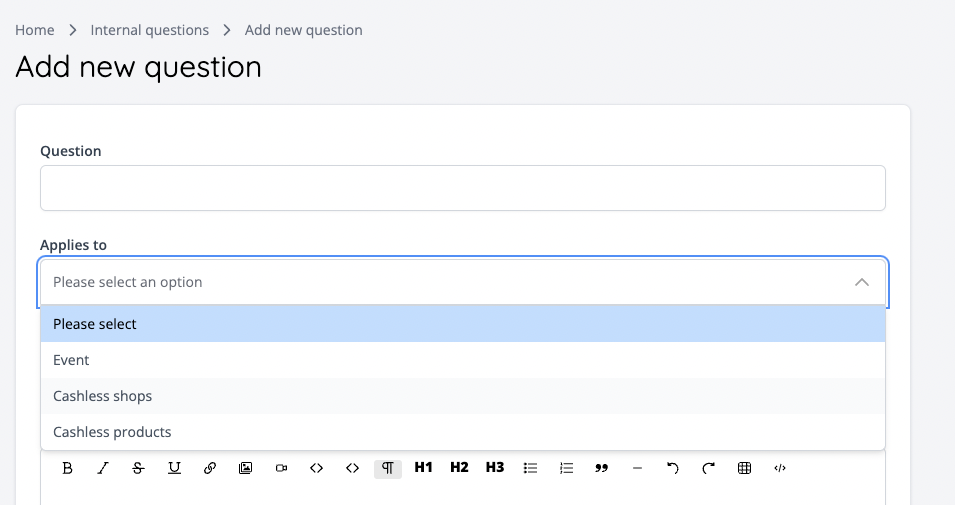
- Internal questions may now be configured to capture additional information against Cashless shops and Cashless products. These fields are also now available within the Attendance and Shop Sales report. [NG-1974 & NG-753]
- Internal questions can now be configured as optional where previously they were always mandatory [NG-1974]
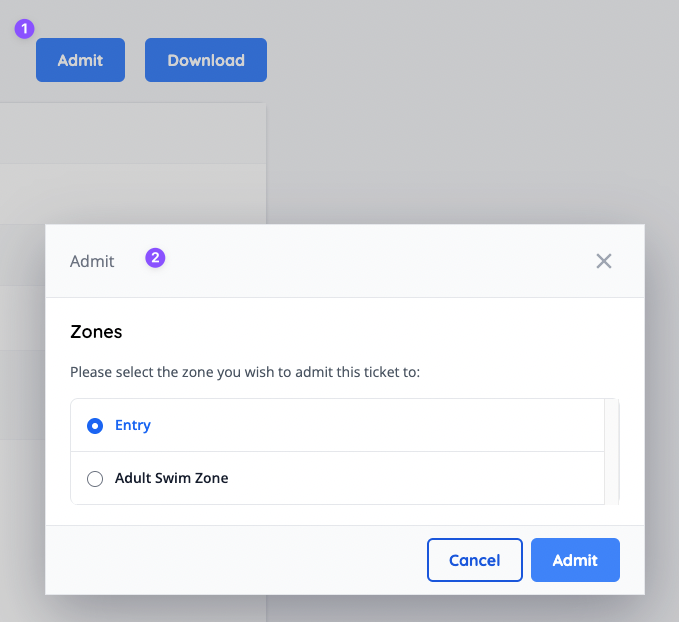
- Ability added to admit a ticket to a zone via the order item detail screen within admin [NG-2026]
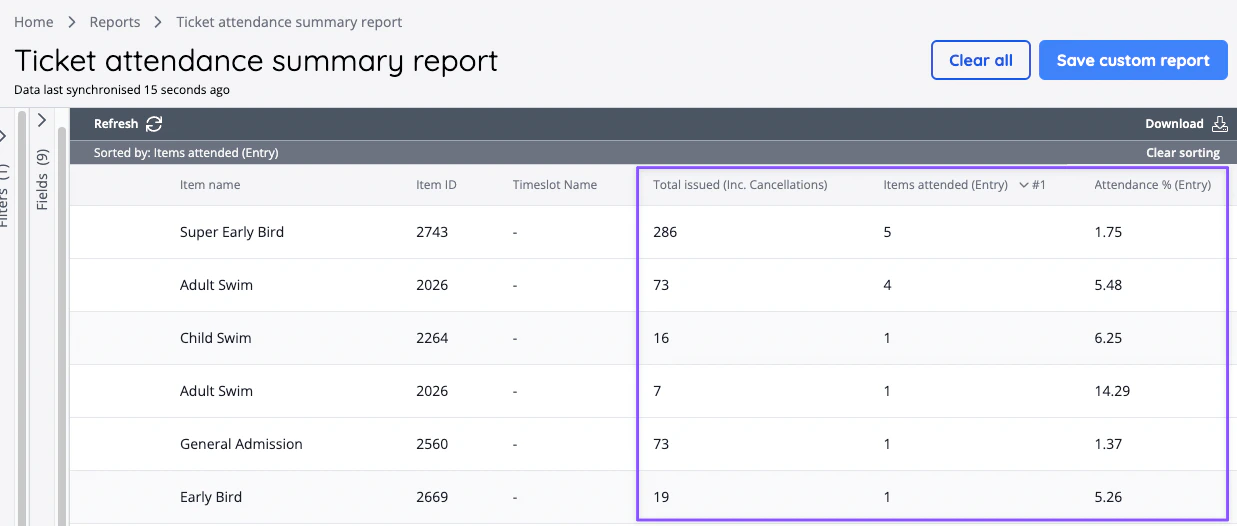
- A new “Attendance summary reports” report category has been added, and includes “Event”, “Ticket” and “Timeslot” attendance summaries with counts and percentages [NG-2003]
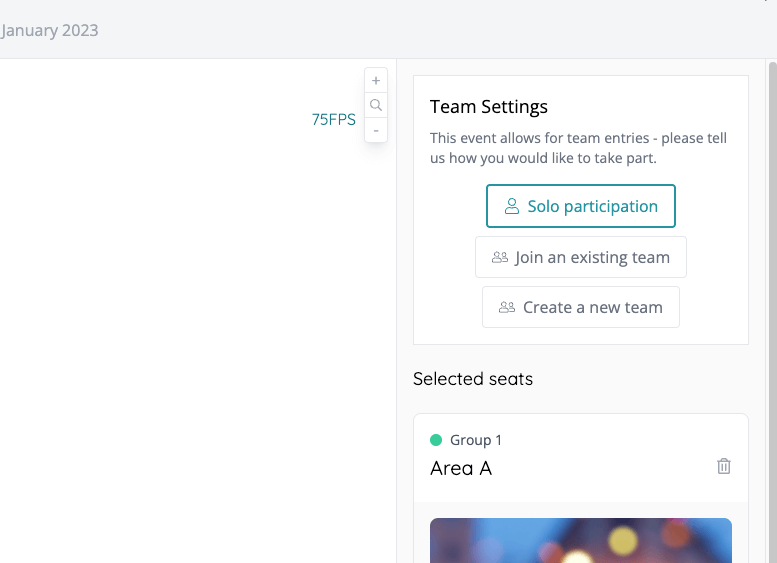
- Added the ability to enable teams functionality for reserved seating events, allowing customers to create or join existing teams [NG-2009]
🔌 Integrations
- Integrated with the Tap payment gateway [NG-1135]
- Integrated with Adyen payment gateway [NG-2006]
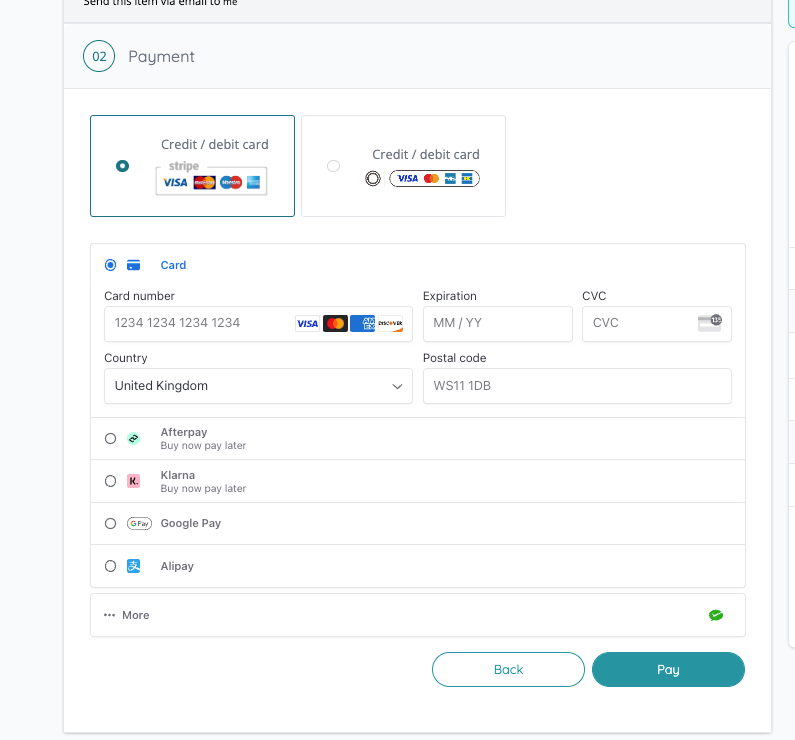
- Improved the UI for Stripe payments [NG-2271]
- Added integration support for an extensive list of alternate payment methods (APMs) via Stripe [NG-2271]:
- Affirm (USD)
- Afterpay/Clearpay (AUD/CARD/EUR/GBP/NZD/USD)
- Alipay (AUD/CAD/CNY/EUR/GBP/HKD/JPY/MYR/NZD/USD)
- Bancontact (EUR)
- EPS (EUR)
- FPX (MYR)
- GiroPay (EUR)
- GrabPay (MYR/SGD)
- iDEAL (EUR)
- Klarna (EUR/GBP/USD)
- p24 (PLN)
- SOFORT (EUR)
- WeChat Pay (AUD/CAD/EUR/GBP/HKD/JPY/SGD/USD)
- SimplePay: Conditionally request invoice (billing) details based on our Billing Address data capture [NG-2408]
✨ Enhancements
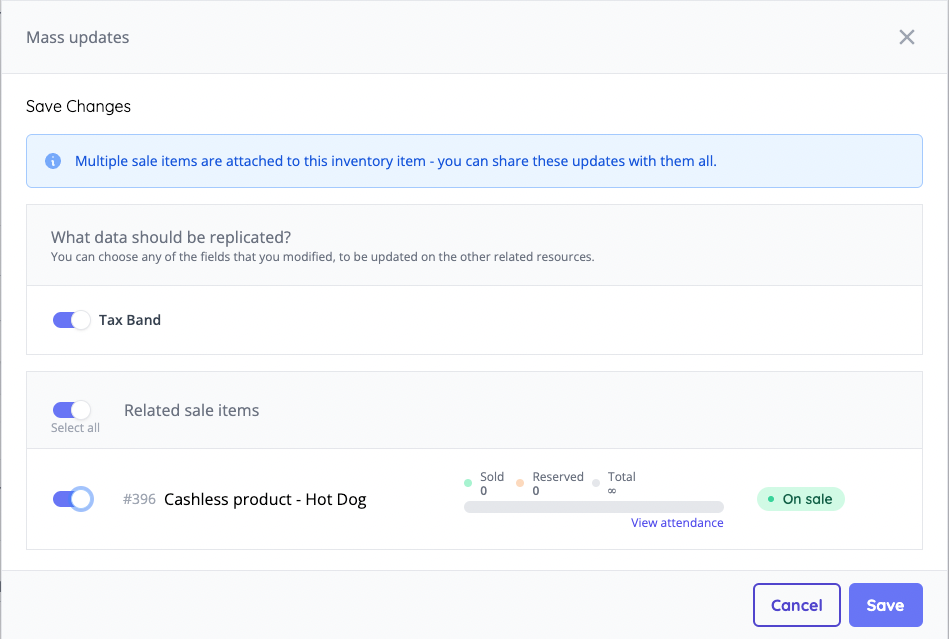
- Added mass update functionality to cashless products to allow easier updates of items that are shared across multiple stores [NG-1990]
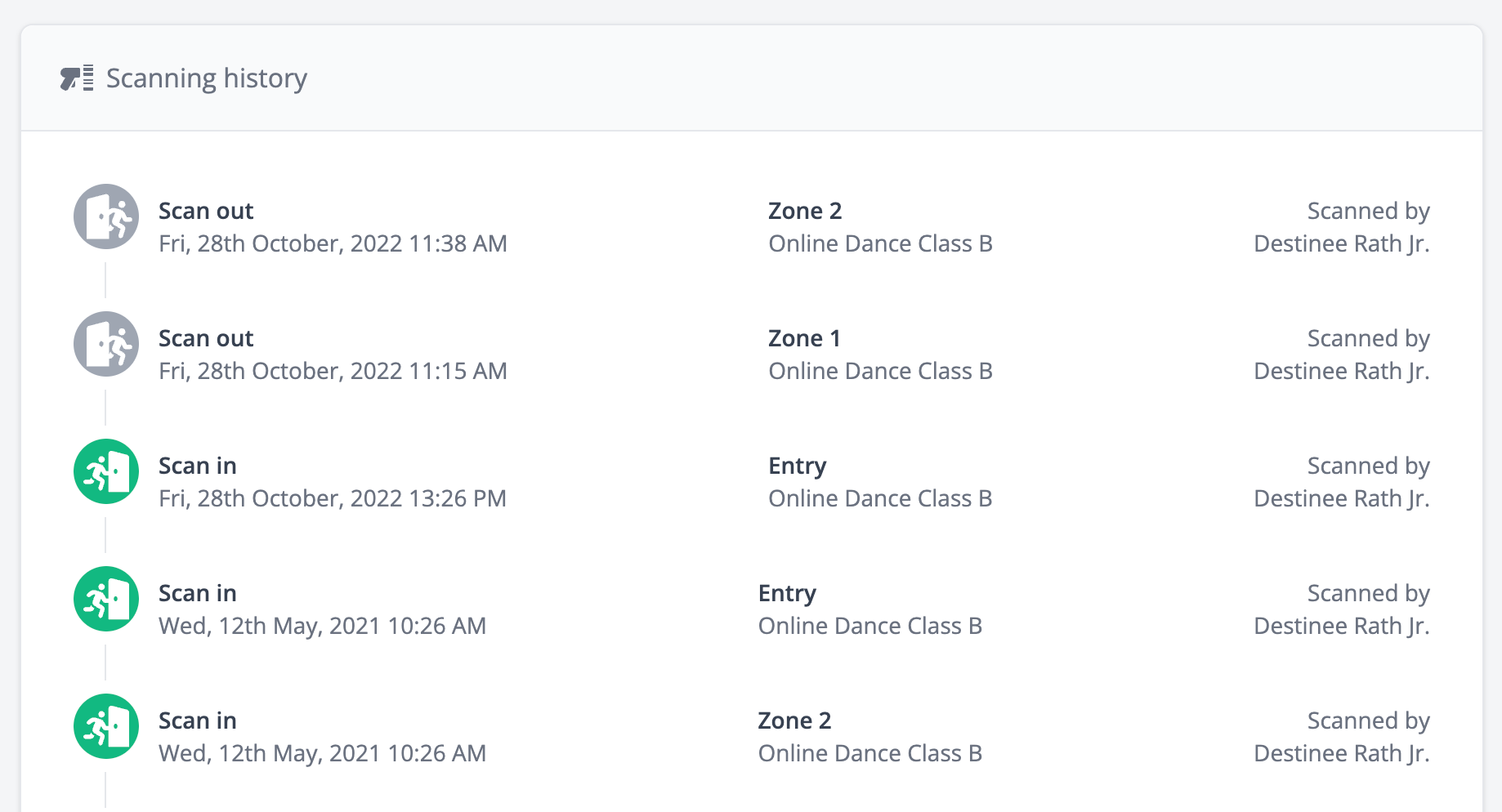
- Added scanning status on order item page and updated scanning history block [NG-2004]
- Added an indicator to the top nav where an access code is enabled [NG-2141]
- Added the ability to include a password column within the user data import [NG-2177]
- Added ‘total issued’ columns for deferred payment items (i.e. guest list signups) [NG-2146]
- Added the download button to attendee emails sent via the event dashboard
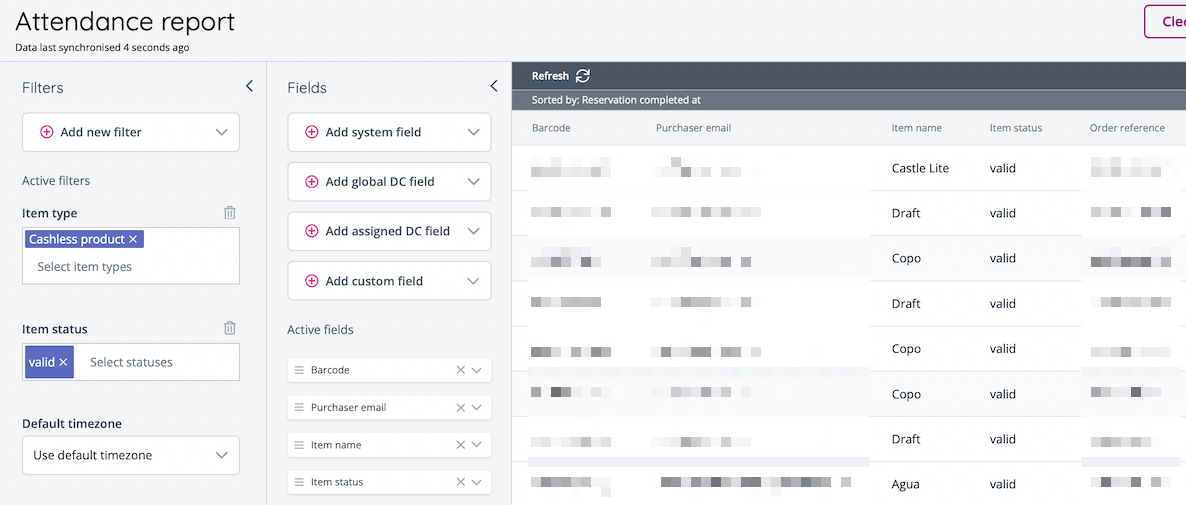
- Added a new attendance report to view Cashless product purchases [NG-2181]
- Added the ability to search by event ID in the “Events” report filter [NG-2250]
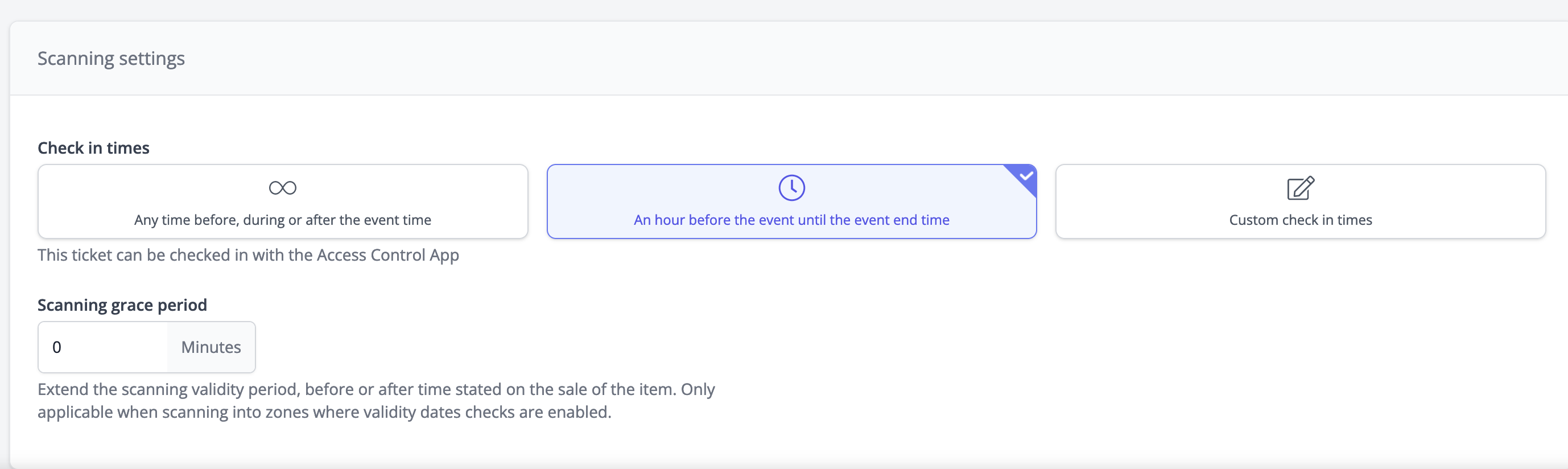
- Simplified setting validity dates/check in times on sale items [NG-2034]
- Order reports now include “Order completion date”, “Order refund date” and “Transaction date” filters [NG-2180]
- Attendance reports now include an “Order status” filter [NG-2168]
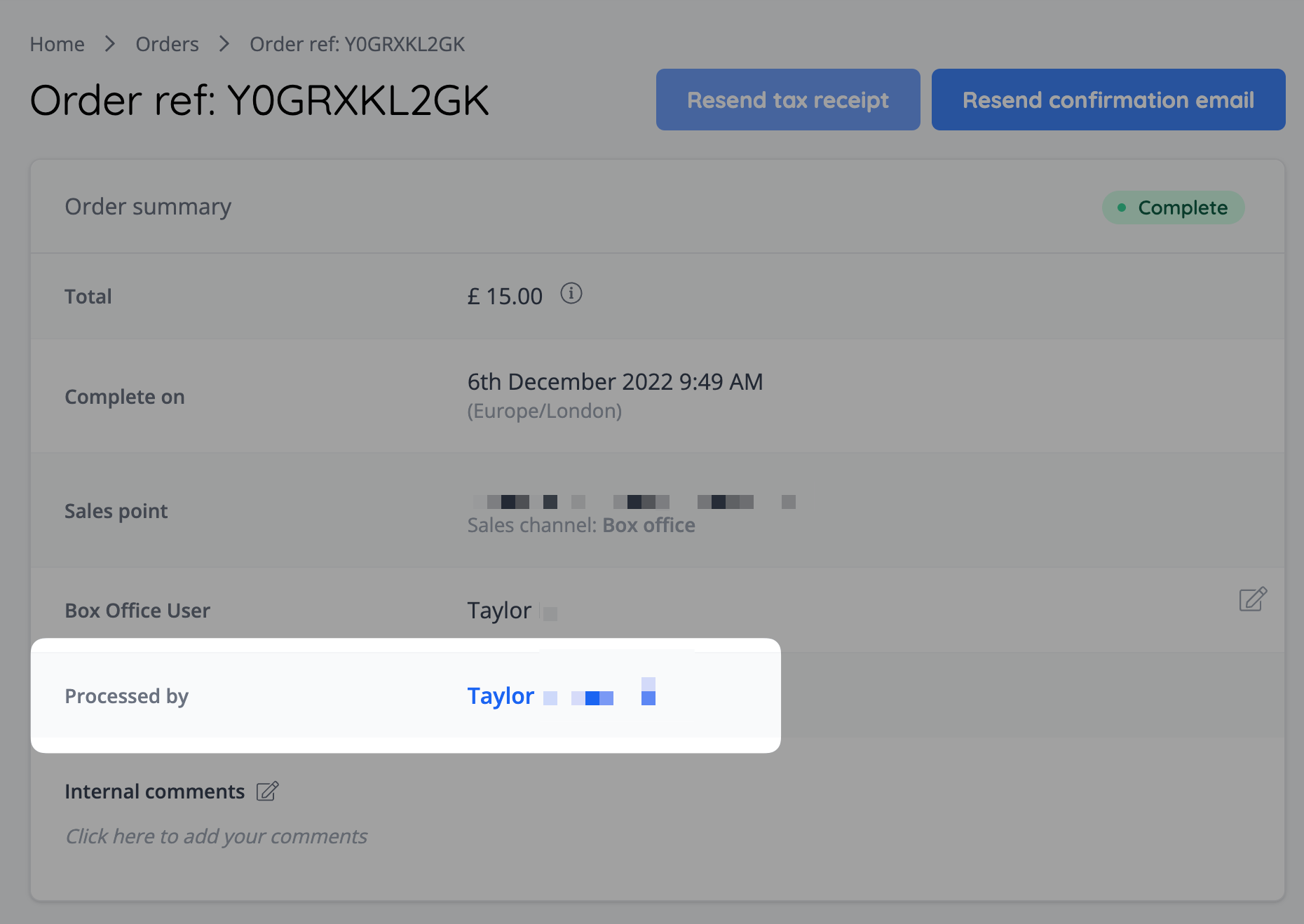
- Add “processed by” to order detail page, order report & attendance report [NG-2280]
- Updated our validation messages for sale item pricing, to make them less robotic and far more human friendly/understandable [NG-1543]
- Updated the “Sold out” and “Off sale” badges query logic on event listings to cater to more scenarios so that they display more accurately [NG-832]
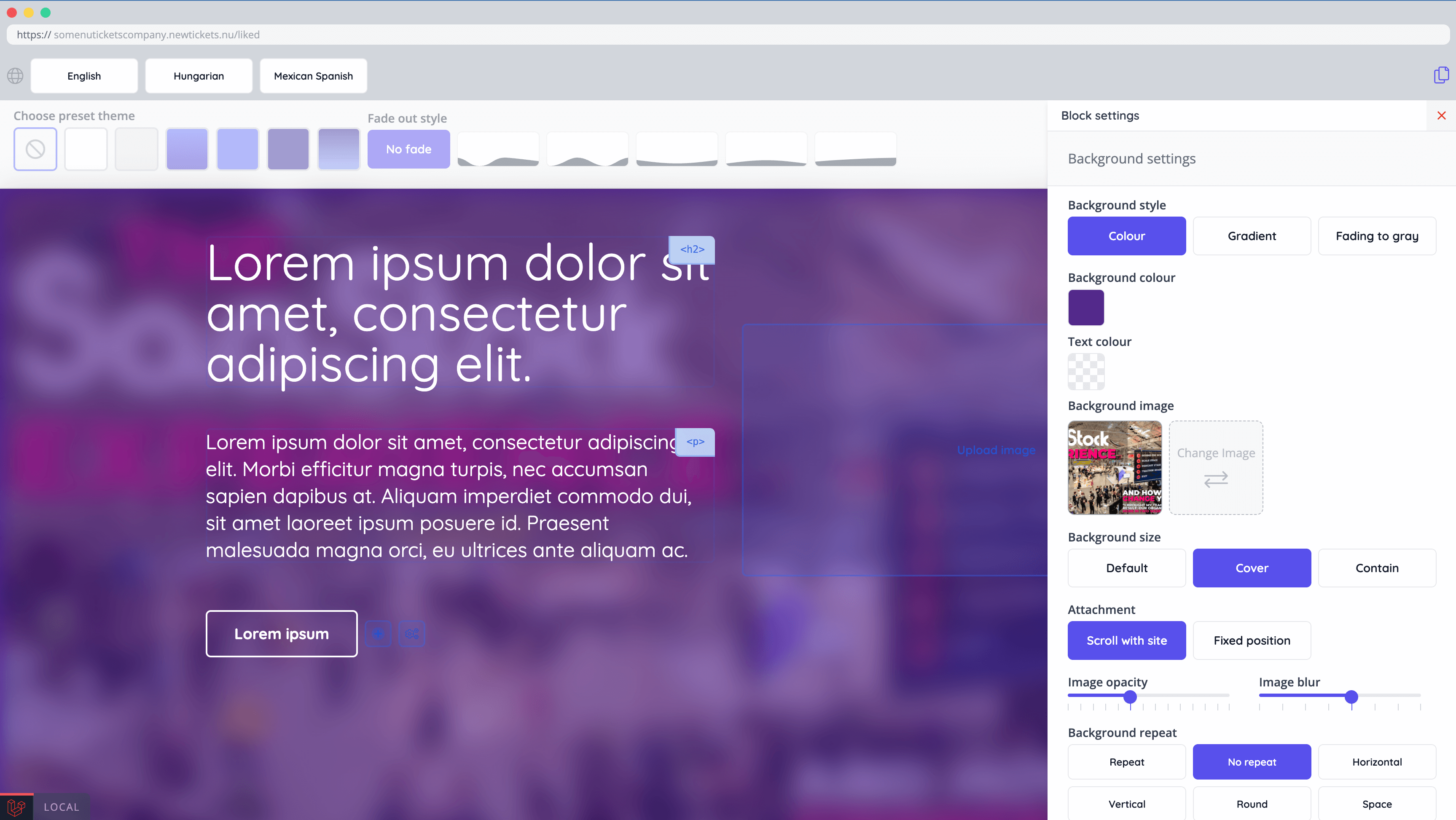
- Updated template block settings UI, added full screen mode in editor, added blur background image settings and mobile padding settings [NG-2010]
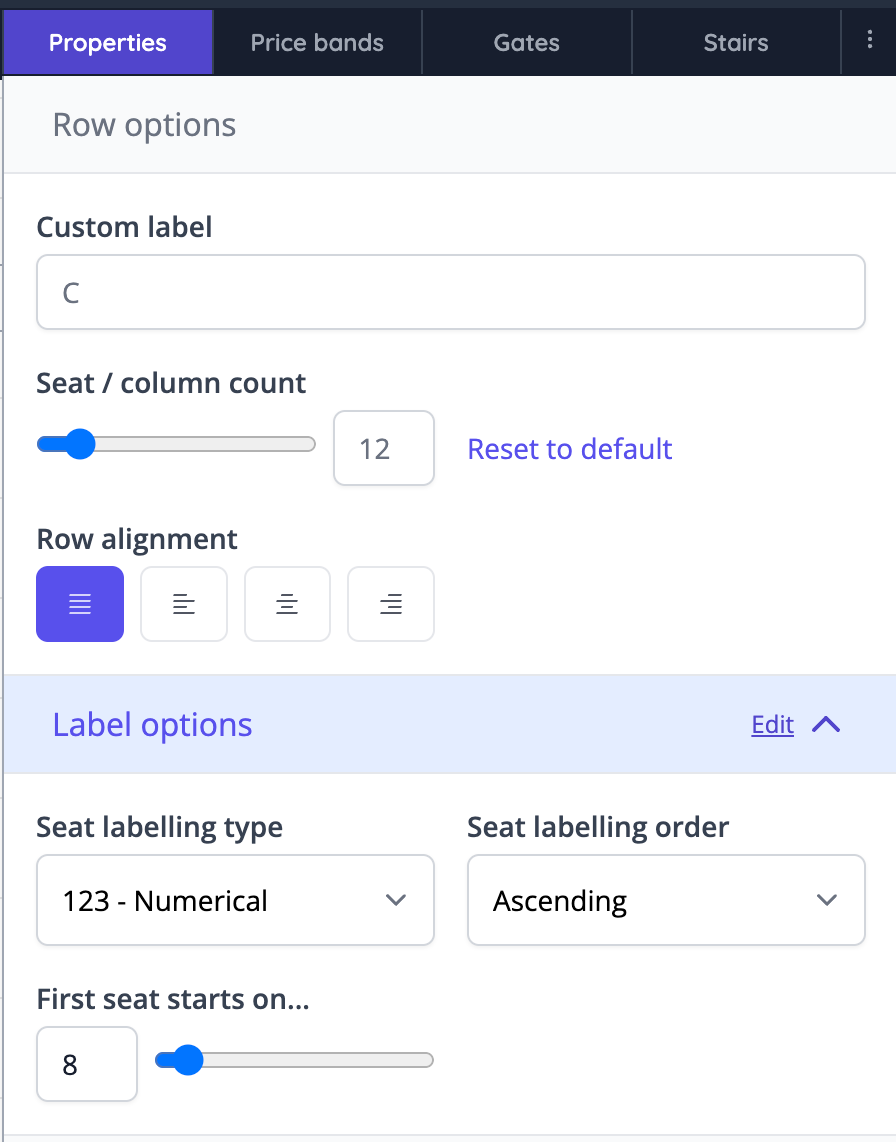
- Seating plan updates [NG-2012]
- Seat label settings added to row settings
- Updated column count UI
- Autosaving now will only save if the plan was changed
- Updated settings UI
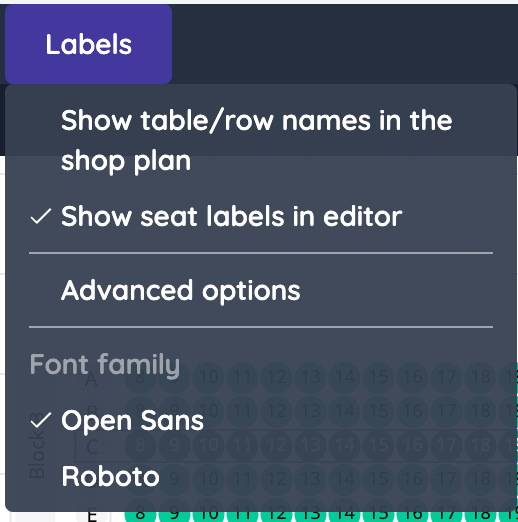
- Font styles added to seating plans and event media (supporting Hungarian special characters) [NG-2127]
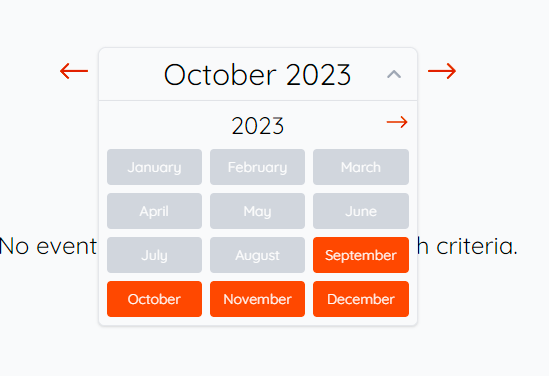
- Calendar paginations UI improved [NG-2015]
- Add “Unavailable” legend to filters list on seating plan [NG-2102]
- New fields added to admin register pages: compani website alias & timezone settings [NG-2170]
- Fast checkout & box office checkout received animations to make it feel more responsive [NG-2103]
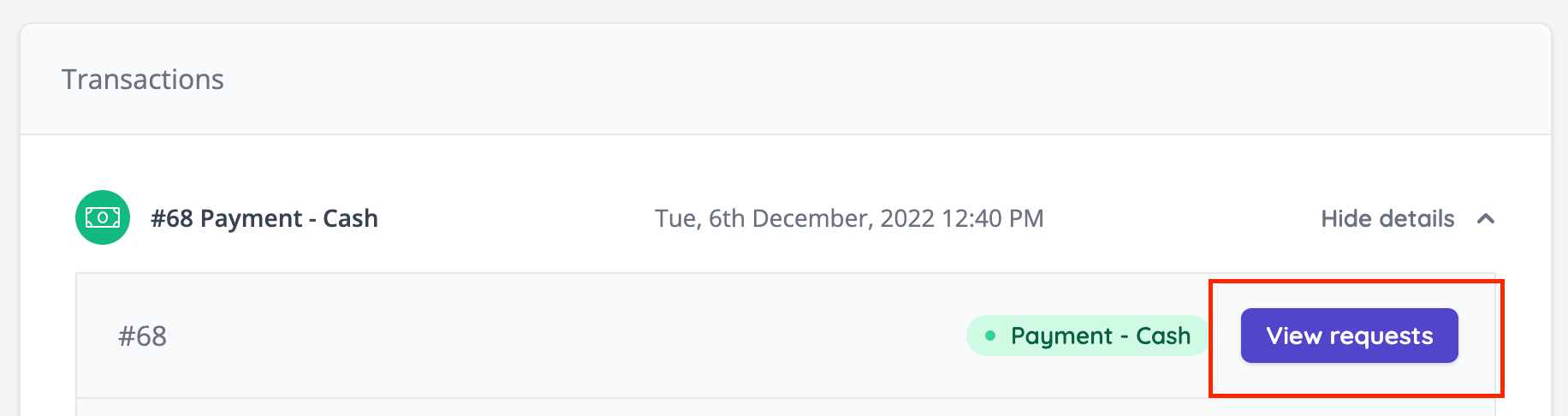
- Added payment tracker request tracker to admin / order page [NG-2312]
🧹 Housekeeping
- Fixed an issue with “Every ticket on every event” data capture which, if enabled, would present the user with a blank step in the checkout when no items of type “Ticket” exist in their basket [NG-1931]
- Hidden the season ticket schedule sales stats for events that are not yet in a schedule [NG-1909]
- Adjusted our background process for recalculating all company fees so that these requests cannot overlap, resulting in mixed outcomes [NG-1988]
- Automatically repair & merge duplicated data capture selection / multi-choice options when saving the question [NG-1861]
- Improved the publish behaviour when copying & repeating events [NG-1859]:
- Users who are not authorised to publish events will have their events become draft events, requiring a manual approval request
- Users who can publish events have the choice for the new events to be draft or published.
- Added tighter validation rules to percentage based discount codes, preventing discounts greater than 100% being created [NG-2126]
- Fixed an issue in reports so sorting by “Seating Plan Space” now appears correctly for numeric seat numbers [NG-1600]
- Developed an internal tool to allow customer personal information to be anonymised for a chosen company [NG-2178]
- Fixed an issue where minimum spend eligibility settings on discount codes would return an error when removed [NG-2214]
- Fixed an issue where, in some cases, cashless product purchases were not included in the attendance report when filtering by cashless product item types [NG-2181]
- Fixed an issue where when copying an event with a range of charity donations, the variants of these donations were not copied to the new event [NG-2152]
- Improved the validation of sale items being added to basket for seated events, to prevent accidentally adding an item to basket when it requires a seating plan space to be selected [NG-2247]
- Middle endian dates fixes to show month for events [NG-2238]
- Fixed an issue where an access codes “event count” was displayed as
nullon the event dashboard [NG-2281]. - Fixed an issue with event copying where mandatory data capture questions were not marked as mandatory on the new event [NG-2243]
- Fixed inconsistent handling of ”+” symbols in reports across exports, scheduled reports, headers & formulas [NG-2154]
- Fixed an issue with access codes whereby if an access code was explicitly disabled by a user, it was still being validated at checkout, causing some items to appear to be rejected from purchase despite being visible in the shop [NG-2322]
- Fixed an issue where timeslot From prices displayed in the shop would include box office prices [NG-2148]
- Improved performance in the my account section of the shop primarily for customers who are part of larger orders [NG-1947]
- Hide deleted data capture questions/fields from reports which do not have any associated responses [NG-2262]
- Fixed an issue with a missing error message when customers entered duplicate team names, resulting in the page refreshing [NG-2323]
- Fixed an issue where a 0 amount BXGY discount is accepted and added to the basket, where the target sale item is not discount attractive [NG-2420]
- Fixed a 404 that was thrown when deleting a parent sale item, from a child item page [NG-2442]
- Fixed an issue where links added in event media weren’t clickable [NG-2104]
- Fixed an issue in event media, when automatic line breaks weren’t correctly added to the PDF [NG-2145]
- Shop image options for non-ticket sale items are now fixed [NG-2140]
- Fixed an issue when Excluded labels didn’t preview correctly in seating plans while editing [NG-2201]
💻 Technical
- Made some internal changes to reports that ensure consistency across scheduled reports, downloaded reports & admin reports, which addresses some recent intermittent scheduled report failures [NG-2155]
🧑💻 API
Changes to the API have been documented in the changelog on the API documentation homepage.Below you will find the summary notes for the 16th release of the Nuweb core platform.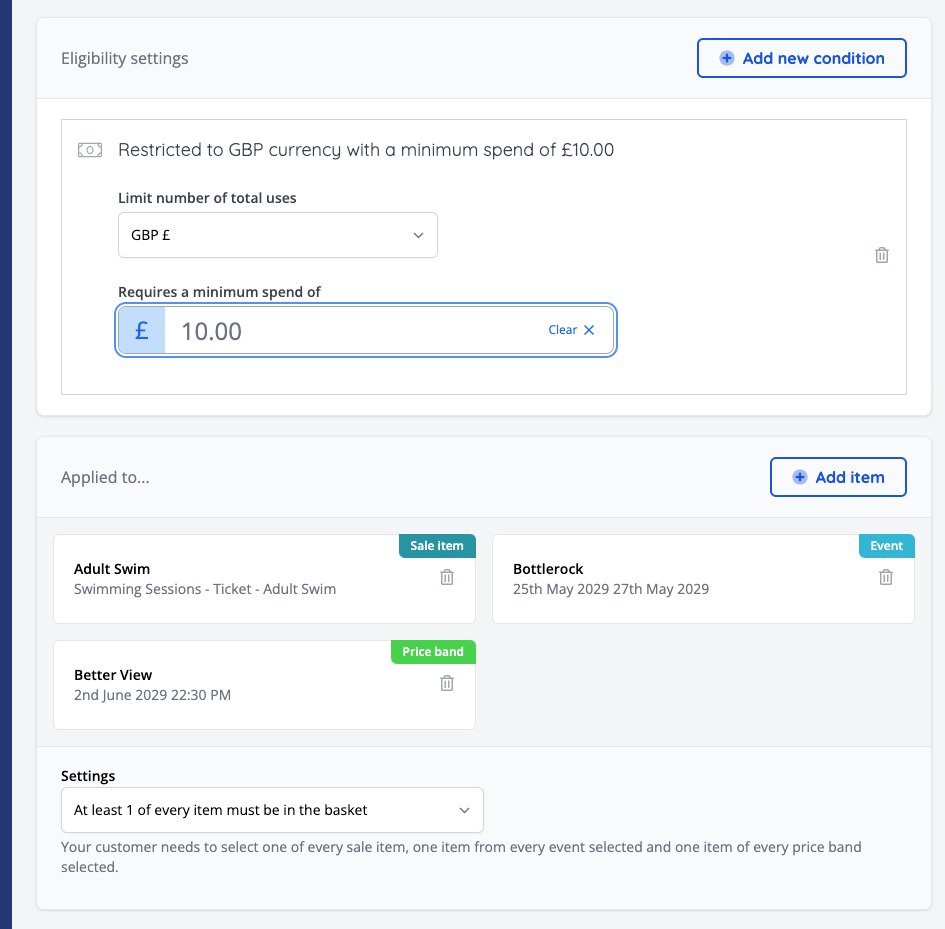

🚀 New Features
- Discount codes can now be assigned to events and/or price bands, alongside sale items, allowing for more generic discounts that cover an event or event schedule (NG-1473).
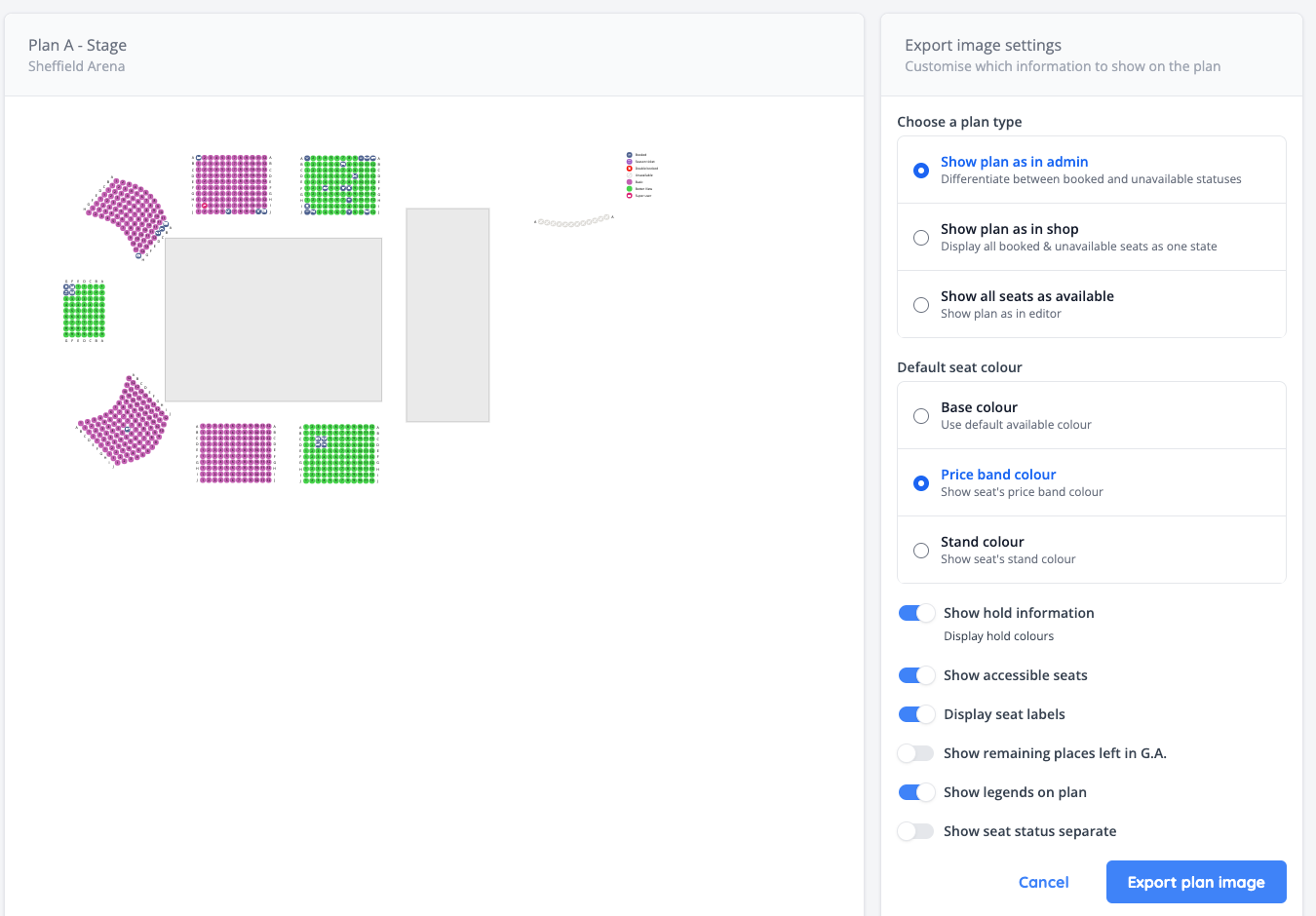
- Added the ability to export a seating plan as an image with customisable features, like showing stands, seat labels etc (NG-1504)
- Added a new “Purchase Price” sales report, showing sales stats for items at set price points (NG-1482)
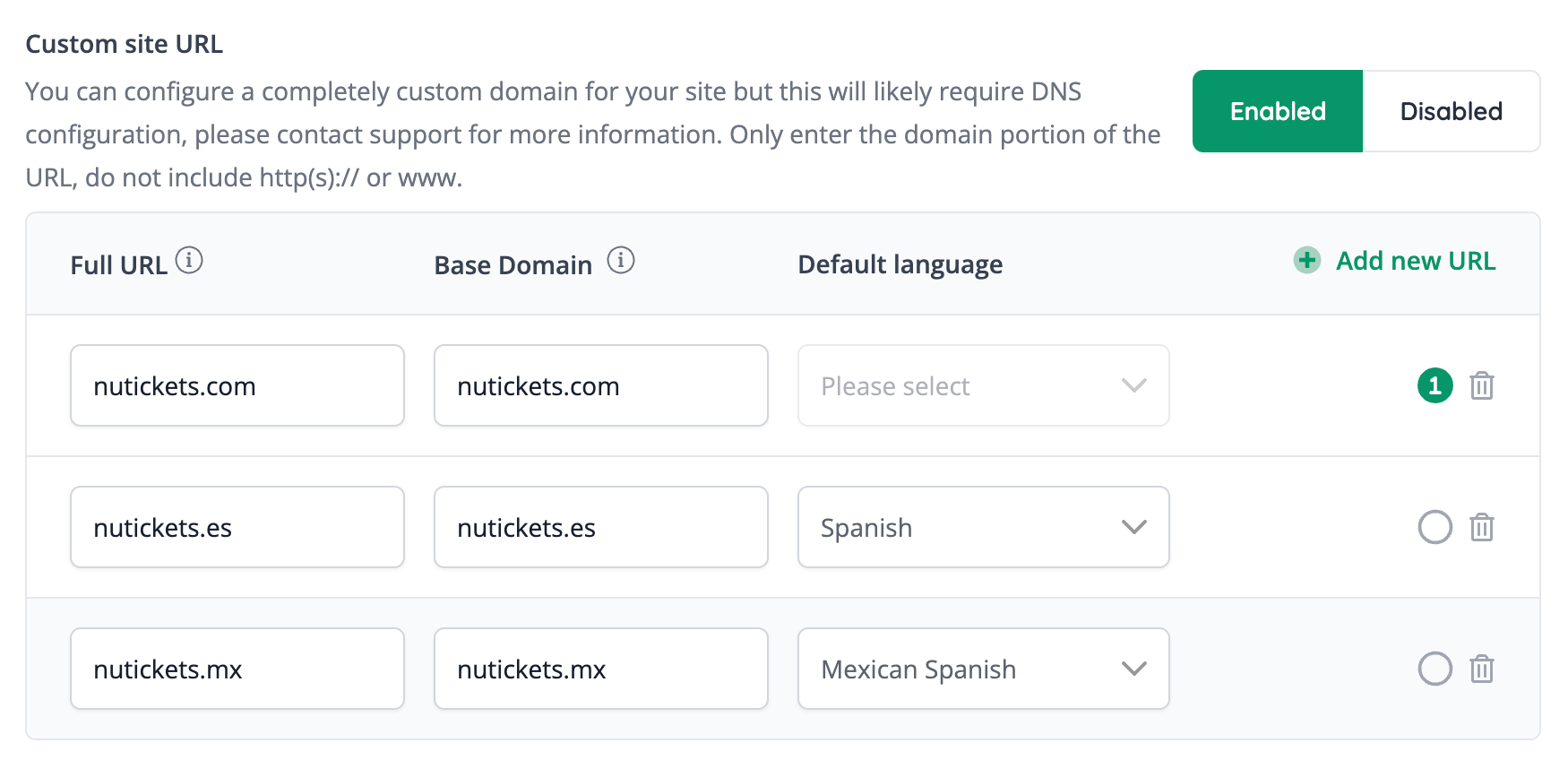
- Custom domains can now be assigned a default language. When this is configured, and a user changes their language to one that has a specific custom domain associated with it, they will be redirected to the more appropriate domain (NG-1728)
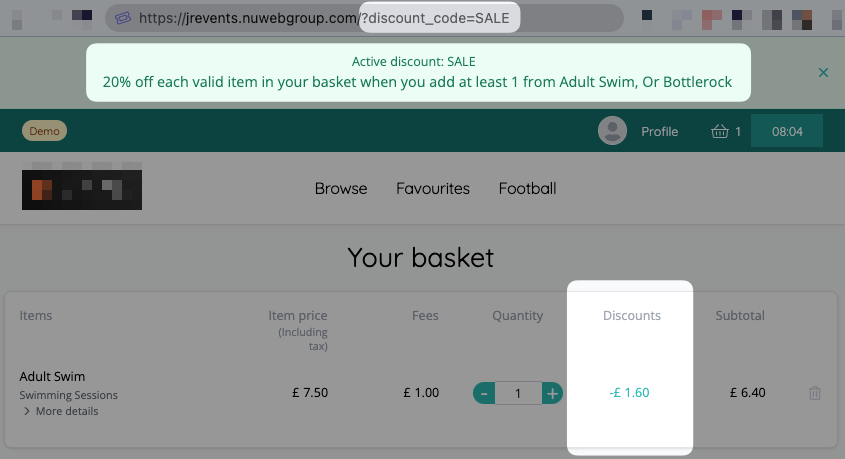
- Added the ability to apply discount codes via URL (NG-1470)
- Added a new discount code report, which can be used to easily export all discount codes (excluding child discount codes) and their settings (NG-1477)
- Added a new discount code import, which can be used to import new discount codes or update existing discount codes. The export from the new discount code report outlined above can be used for this (NG-1477).
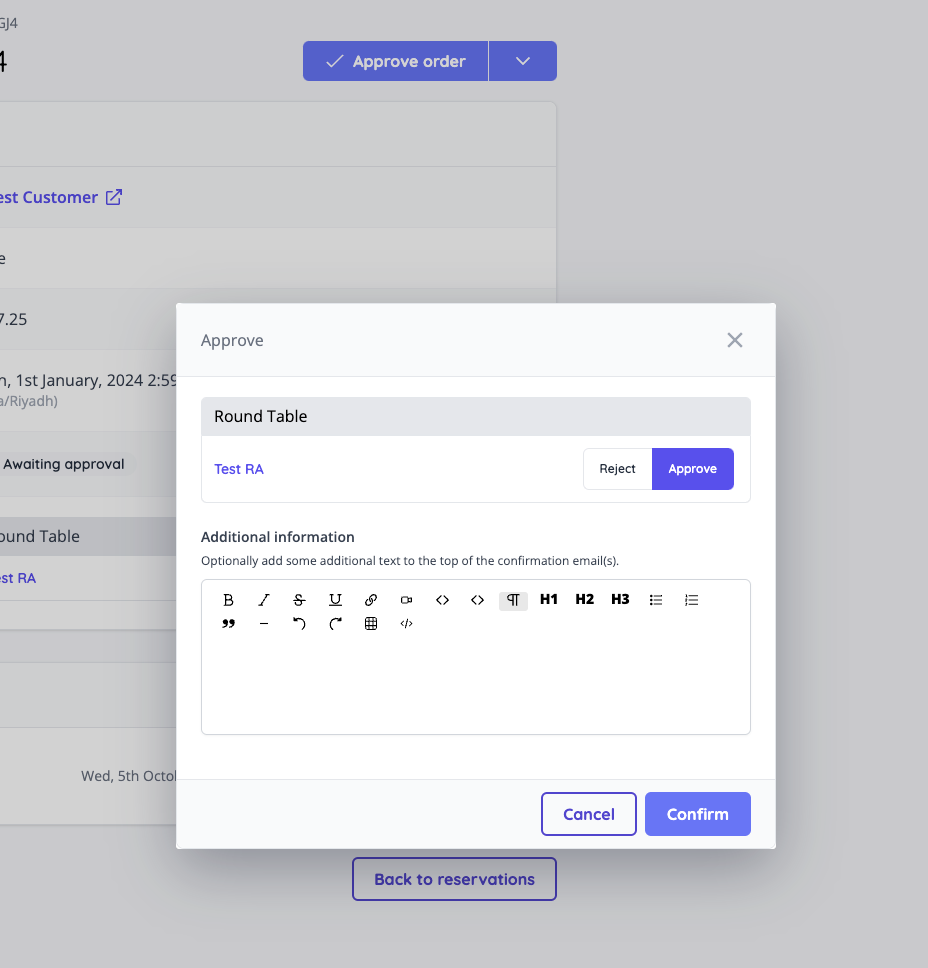
- Added a new feature flag which changes the behaviour of item approvals, allowing organisers to request payment after approval. This allows organisers to set tickets, products, and season tickets to require approval, alongside guest lists (NG-1474)
- Added reseller suspend/unsuspend functionality which blocks relevant access to the hub & admin (NG-1479)
🔌 Integrations
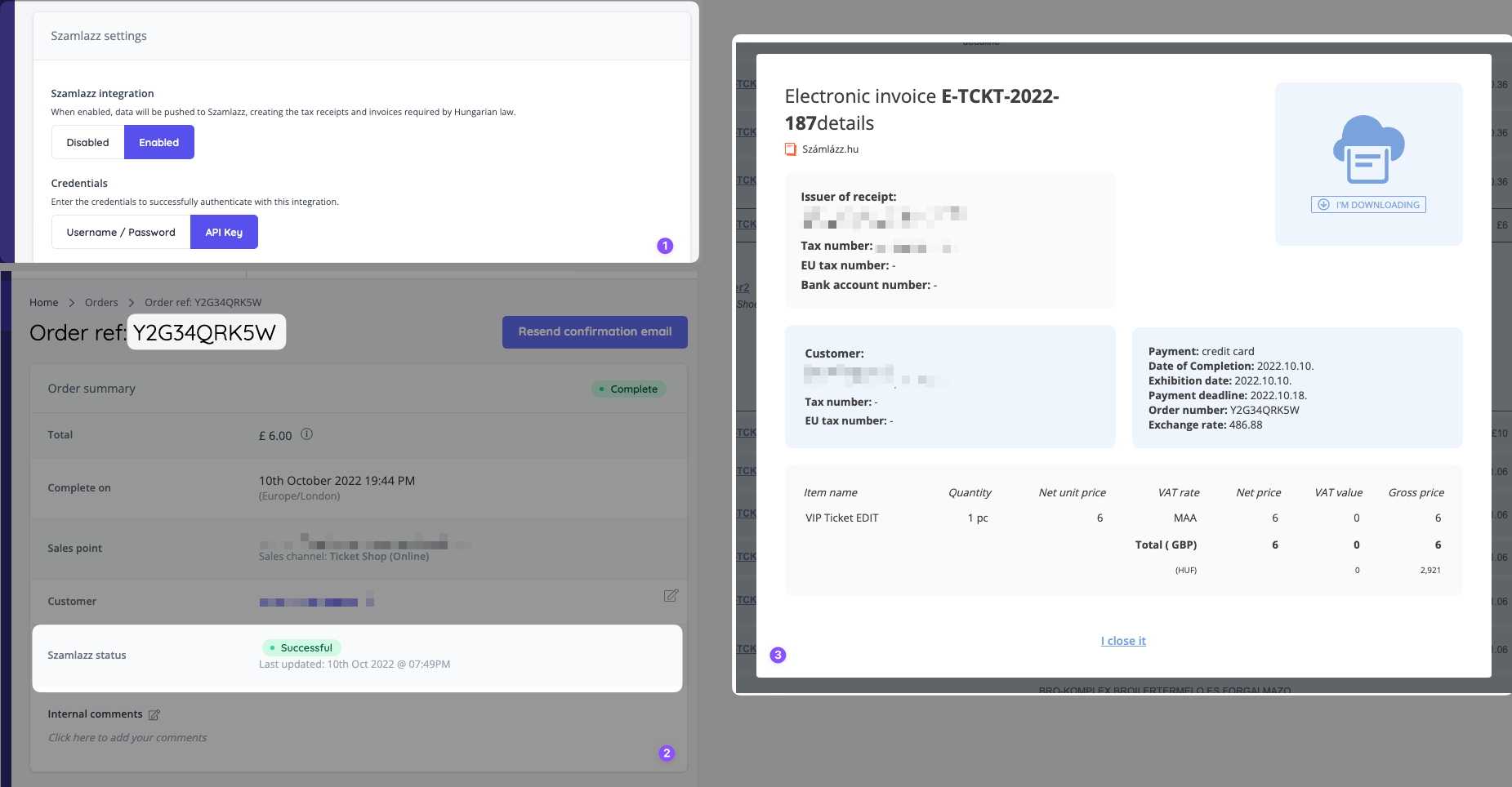
- The system has been integrated with Szamlazz, a cloud-based billing service for creating invoices that comply with Hungarian law. When enabled, invoices and receipts are seamlessly generated, amended, cancelled and re-issued in the background via the Szamlazz API (NG-1483).
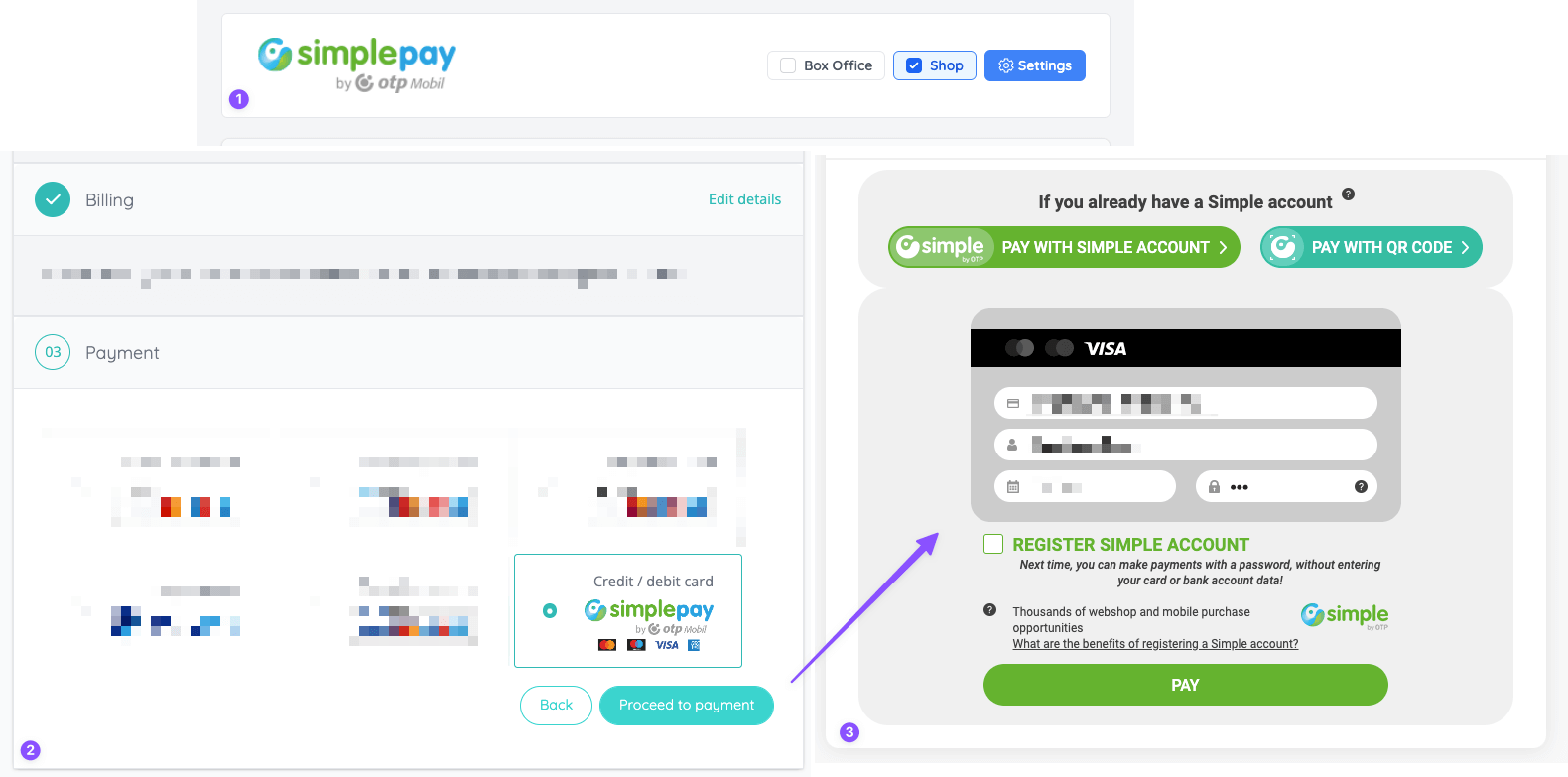
- Added support for SimplePay payments (NG-1488)
- Updated the PayTabs payment gateway integration to use the “Sale” flow, to support a wider range of payment methods (NG-1487)
- Added support for Misr SMS (NG-1475)
✨ Enhancements
- Revamped the UX of email attendees feature & added the ability to send emails based on ticket types purchased [NG-1478] [NG-1726]
- Added a feature flag for access codes. This will be auto-enabled for any companies (or parents of companies) that have previously used this feature (NG-1471)
- Relaxed the validation requirements when creating companies, such that a company can be created without any fees (NG-1518).
- Updated the copy event behaviour, such that any seat restrictions (unavailable status, restricted status, or holds) will be copied to the new event (NG-774)
- New ‘Slider’ option for article blocks (NG-1500)
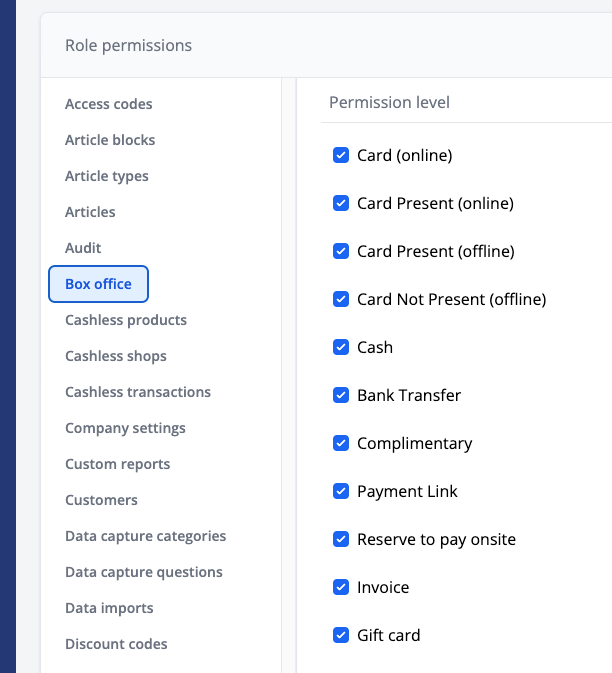
- Added new Box Office role permissions, allowing you to control which payment methods box office users have access to (NG-1481).
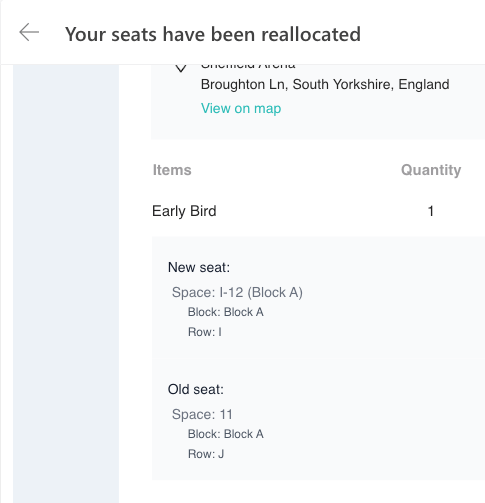
- Add the old seat information to the seat reallocation email which is triggered when moving a customers seat from Admin (NG-1429)
- Added the ability to animate button text for template blocks and menu item buttons (NG-1499)
- New and improved day of month selection when generating monthly repeat events (NG-699)
- Added a feature flag “Can edit billing details”, which when enabled, allows the company billing details to be amended from within the company settings in Admin (NG-1480).
- Added a feature flag “Attach PDF to tax receipt email”. When enabled, a PDF will be attached to the tax receipt email with the same contents as the email itself (i.e. a breakdown of the tax information for the order) (NG-1480).
- Added the NFC Tag ID to transaction reports + cashless transactions report, for any cashless transactions (NG-1873)
- Added an option to import & export all template blocks on pages and and articles to easily copy the entire content of a page to another page, article or company (NG-1619)
- Added “View more dates” link to event page modal for easier navigation between repeated events (NG-1721)
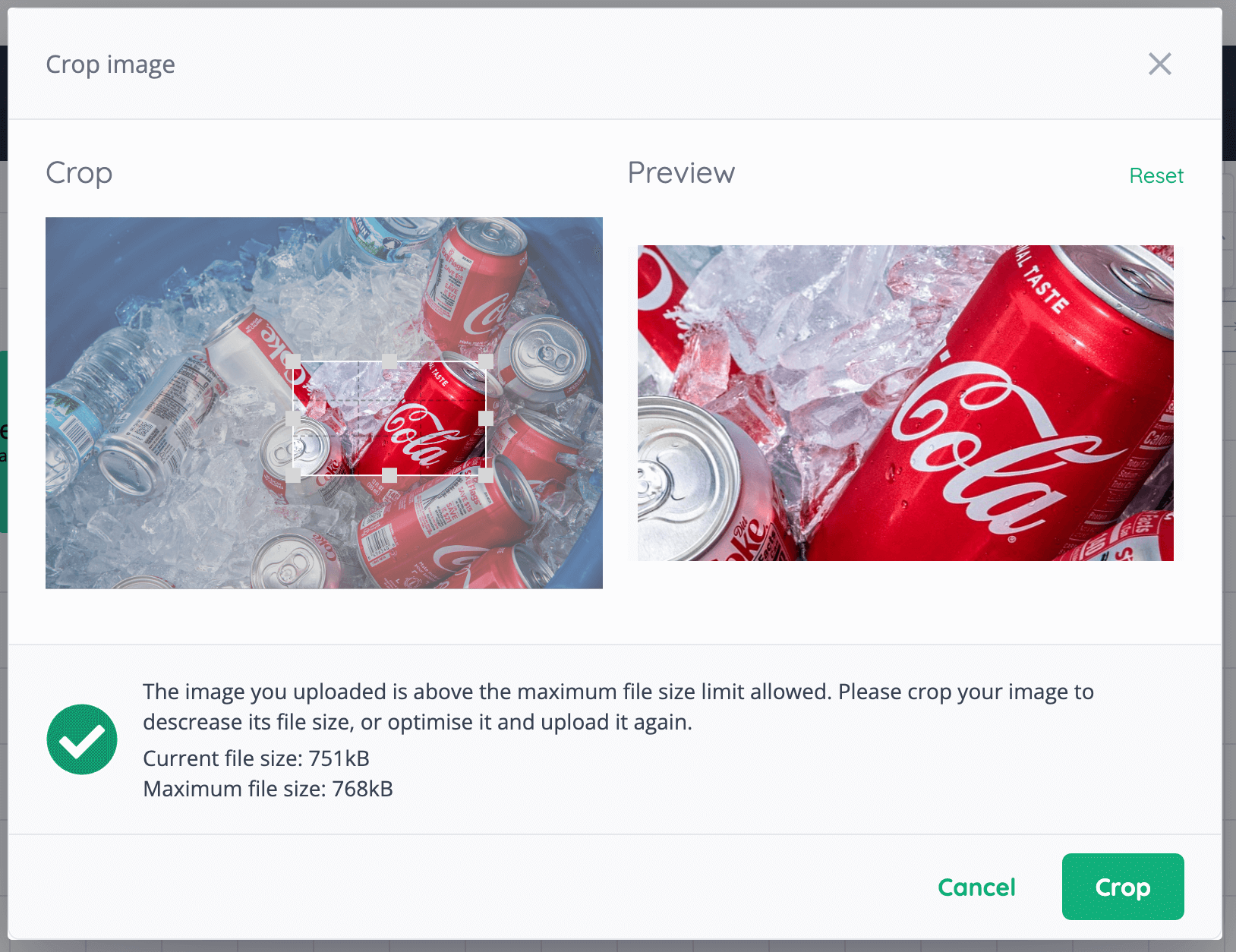
- Added new features to our image uploads (NG-1847):
- Cropping is now supported in places where multiple image uploads are allowed.
- Images exceeding the maximum allowed file size now will have the option to be cropped to reduce their size
- Added an option to reset cropping.
- Uploaded images will stay in their original file format and won’t be converted into png
- Added option to copy all text from one language to another in template blocks (NG-1647)
- Added custom report descriptions to Reports page (NG-1588)
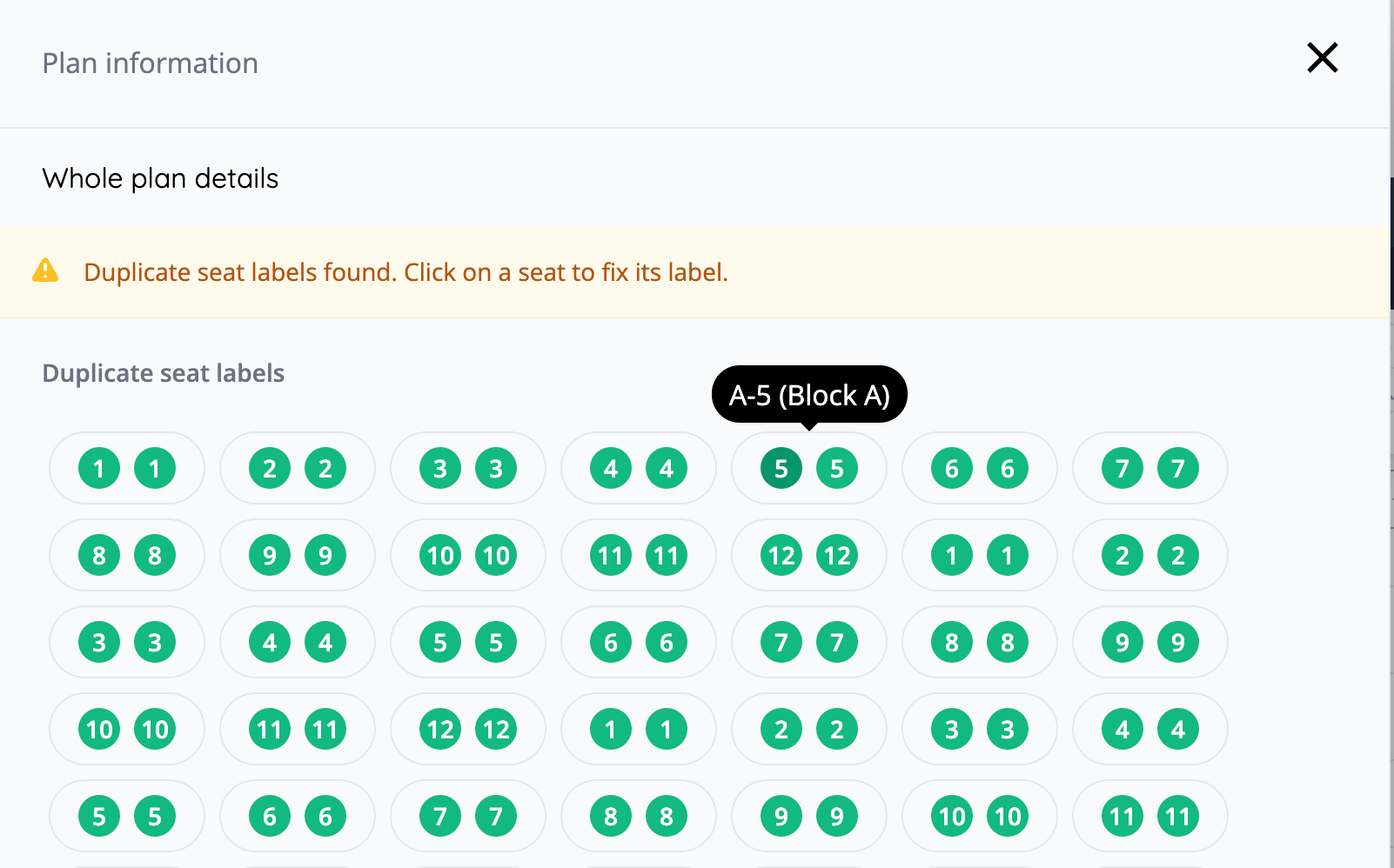
- Check for duplicate seat labels in seating plans (NG-1912)
- Template block & theme updates (NG-1647)
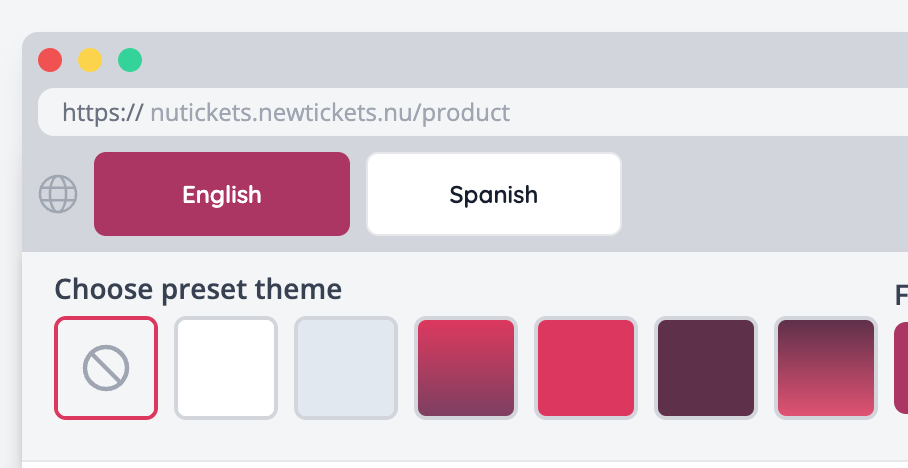
- Added quick theme selection to template blocks
- Added new column settings to list template blocks
-
Added new template blocks:
- List with shortcuts
- Quotes with pagination
- Full page video
- Mobile optimisations added to template blocks
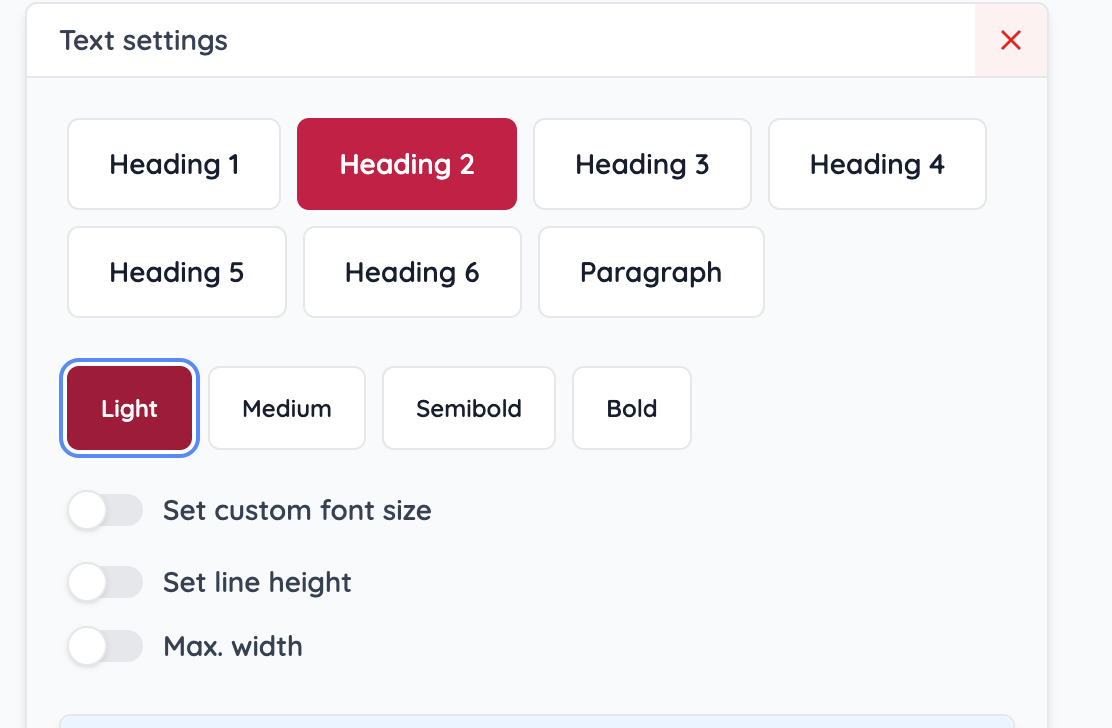
- Added font weight settings to texts to template blocks
- Added dropdown menu style options to Theme settings
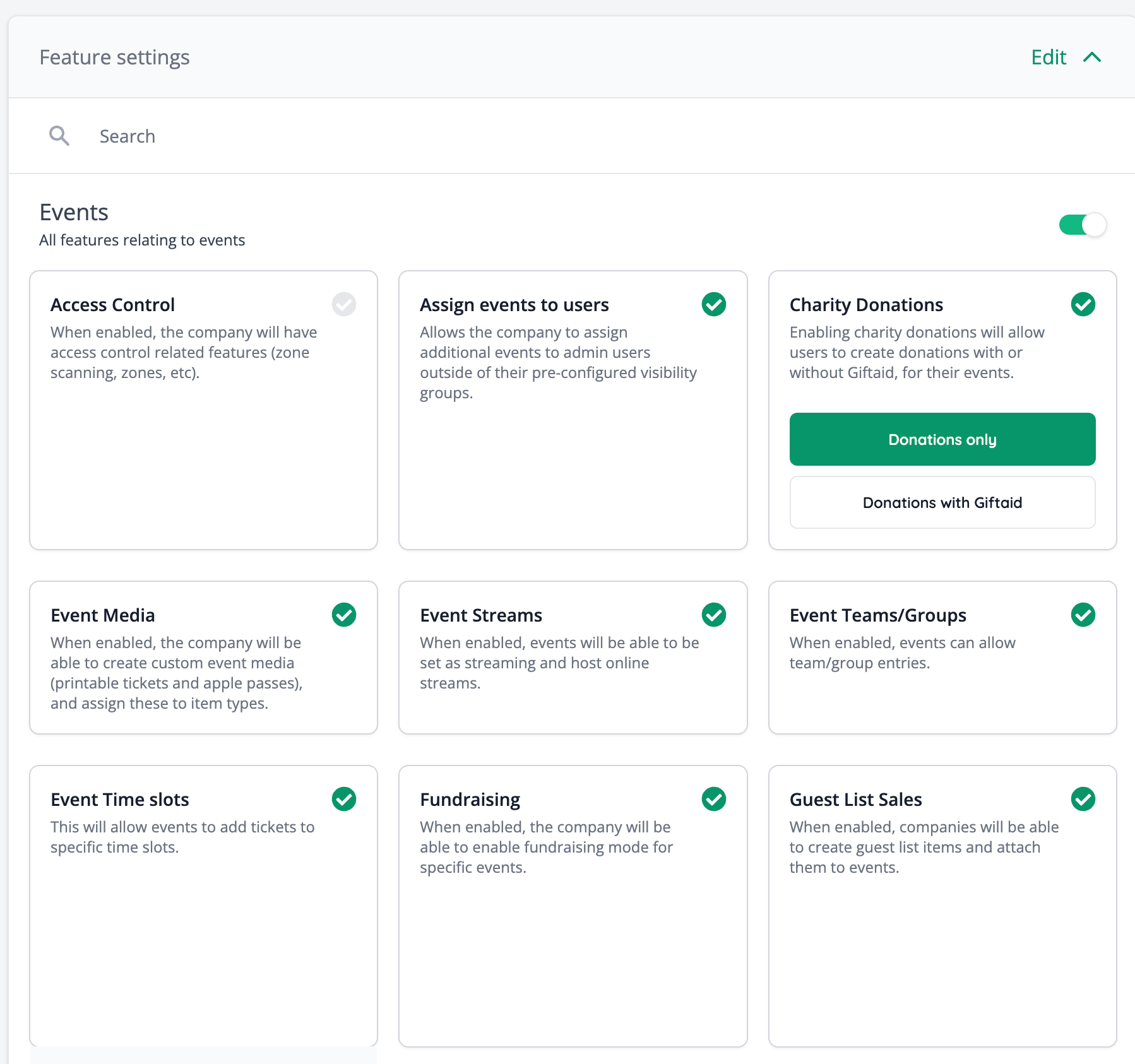
- Created a new design for feature selection in hub for companies (NG-1886)
🎨 User Interface (UI/UX)
- Updated the access code eligibility settings UI to match the new UI for discount codes (NG-1207)
- Moved the sales channel toggles in the sale item form to the pricing section, making it easier to understand the fees and availability of the item being created/edited (NG-1493)
🧹 Housekeeping
- Fixed issue where event media options were being cut off the bottom of the screen for sale items (NG-1453)
- Fixed issue where percentage donation fees contained many decimal places (NG-1105)
- Fixed an issue where the cashless shop top-up modal was always displaying GBP for the custom amount input (NG-1451)
- Event data capture question now has a ‘full name’ label instead of just ‘name’ (NG-1466)
- Customer ‘Origin’ now hidden for child companies (NG-1492)
- SVGs are now unavailable when uploading images to fix issues with their formatting (NG-1452)
- Removed the ‘add new product’ button from the addons section where a company does not have the product sales feature (NG-968)
- Fixed an issue with Apple Pass generation, where inheriting an event’s page header resulted in an image that was too big for the Apple Pass to display (NG-1512)
- Fixed currency options being cut off on first step of adding a usage fee group (NG-1521)
- Fixed an issue where duplicate tags could be created via the event dashboard using a variation of an existing tags case i.e. muSic, musiC, Music (NG-1449)
- Embedded video fixes including ability to edit/delete and responsive design (NG-1044)
- Fixed an issue with the secondary grouping on sales reports not saving to custom reports (NG-1539)
- Fixed an issue when generating seating plan availability, when attempting to rebook via admin, to an event which has sales channel restrictions on the sale items (NG-1532).
- Fixed issue where the article dashboard was not displaying company default images (NG-1768)
- Treat refunds as negative values in custom report formulas when the “Use negative values for refunds” filter is on (NG-1839)
- Fixed a cosmetic issue where the selected timezone was not used in any generated report titles involving dates (NG-1832)
- Fixed an issue with seating plan forced re-syncing where it would sometimes put seats back on display as ‘for sale’, when reserved using payment links, invoices, or reserved to pay on site (NG-1850).
- Fixed icons not appearing for drop-downs in event search page (NG-1709)
- More explicit messaging in add to apple wallet modal that the barcode is not a ticket and can only be used with an iPhone (NG-1633)
- Explanation text for each field in when setting up Mailchimp Data Capture integration (NG-1702)
- Ensure that discount usage counts do not include expired orders (NG-1723)
- Fixed issue when editing cashless shop settings where the previously selected users weren’t selected (NG-1814)
- Fixed an issue when dates weren’t translated in calendars and time slot related pages (NG-1506)
- Template block & theme updates (NG-1647)
- Fixed issues with Video slideshows looping
- Fixed issues on adding template blocks to articles
- Fixed an issue when zone opening dates weren’t showing right in admin (NG-1711)
- Fixed an issue when adding a new venue and the map preview didn’t display correctly (NG-1689)
- Fixed an issue where assigning a sale item can cause duplicated (identical) prices for that sale item to be created alongside (NG-1730)
- Fixed an issue where timeslots could not be paused (NG-1764).
- Improved performance & resolved a 500 server error on the Orders API (NG-1856)
- Fixed an issue where the currency ID was ignored on multi currency events, when generating event statistics (NG-1894)
💻 Technical
- Implement incoming API logs to track all request and API response data in realtime (NG-1812)
🧑💻 API
Changes to the API have been documented in the changelog on the API documentation homepage.Below you will find the summary notes for the 15th release of the Nuweb core platform.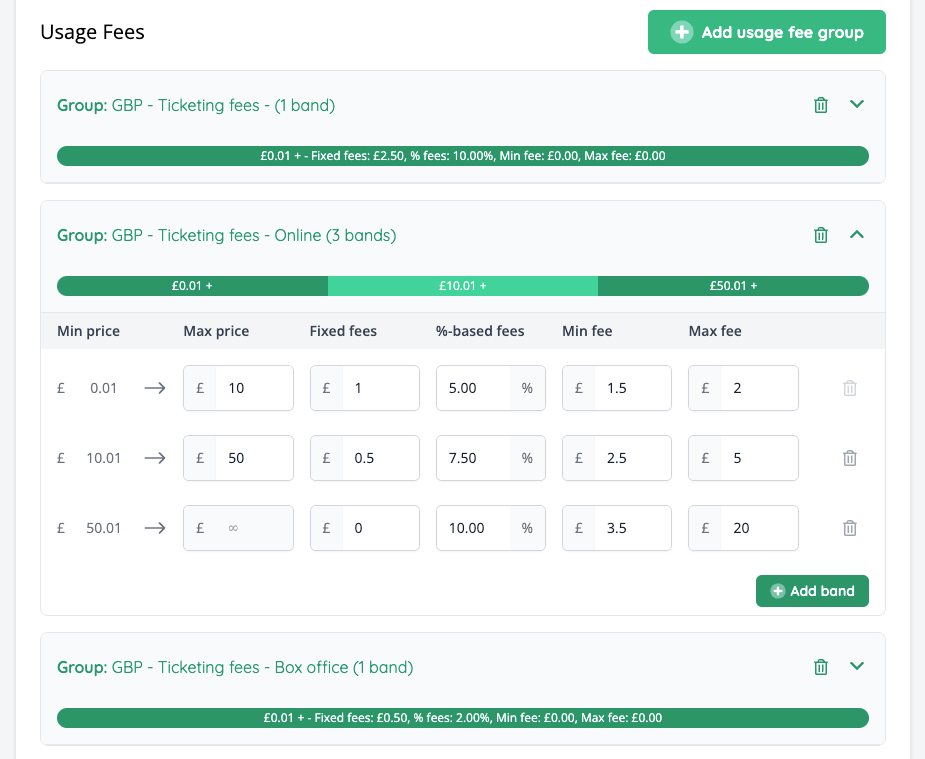
🚀 New Features
- Reseller fees can now be defined based on the base price of the sale item along with the sales channel that is in use (NG-1124, NG-1154, NG-1152)
- Fees can be defined per sales channel (box office, ticket shop, or global)
- The price range can go from 1 to infinity, and multiple range bands can be added for a single fee group
- Added a new “Sale Item Group” data importer (NG-1111 / !2347)
- Payment Gateways can now be enabled in specific sales channels (box office / shop) so that customers and staff have access to different gateway integrations during checkout (NG-1126 / !2400)
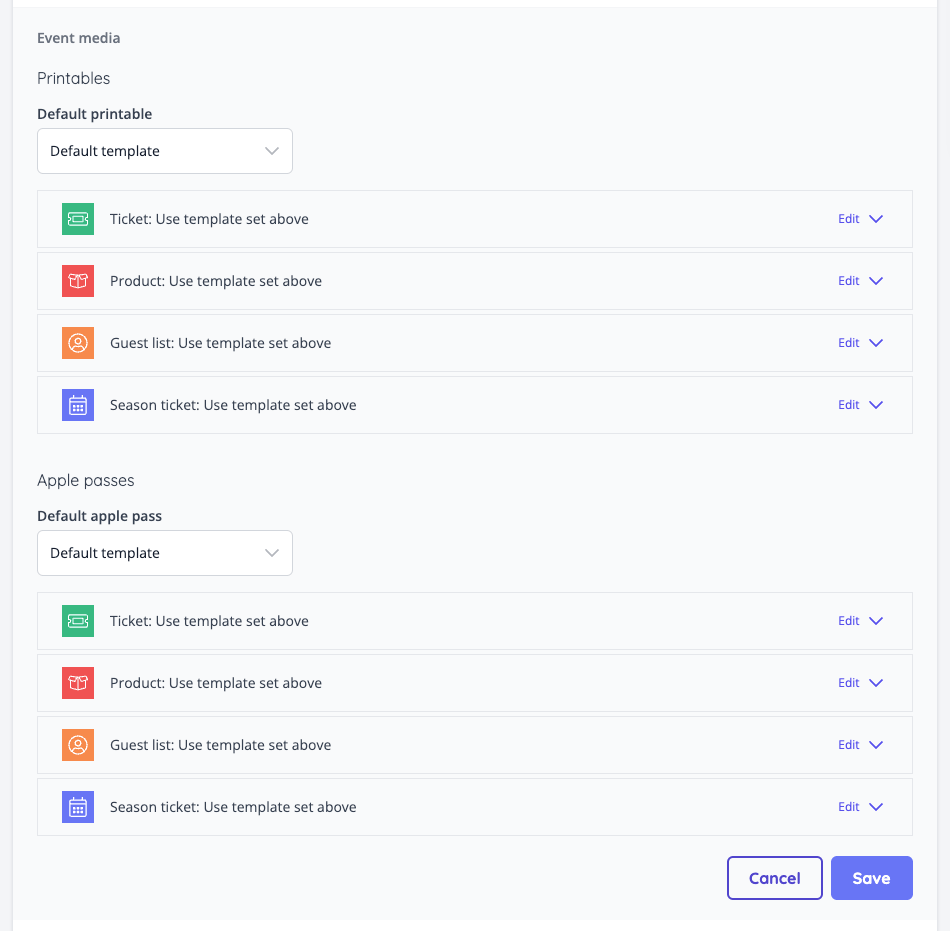
- Additional event media assignment options:
- Events: allowing all sale items at the event to have a default event media, which may differ from the company default (NG-1128 / !2406)
- Sale items: allowing individual sale items to have bespoke event media, which may be different from the event default (NG-1129 / !2408)
- Added a new company setting to Hub which allows configuring notification emails for when an event is created (NG-1227 / !2409).
- Added a fallback language field for resellers in Hub, used as the default language for notification emails. (NG-1227 / !2409).
- Added new ticket data to event media: “Order item ID”. This number could be used for sequential numbering on tickets (NG-1185)
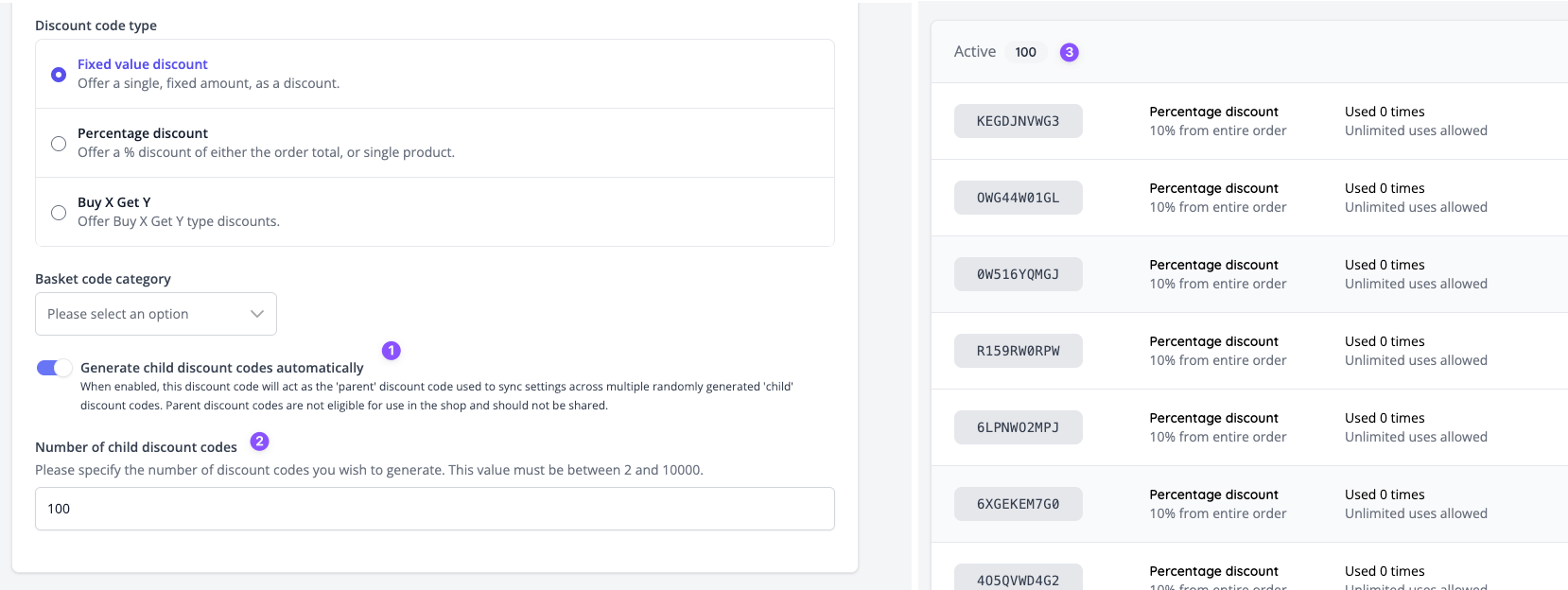
- Added the ability to auto-generate n discount codes (up to 10,000). These “child” discount codes can be controlled via the edit screen of the “parent” discount code, where the codes can be copied, disabled or deleted (NG-1217 / !2419).
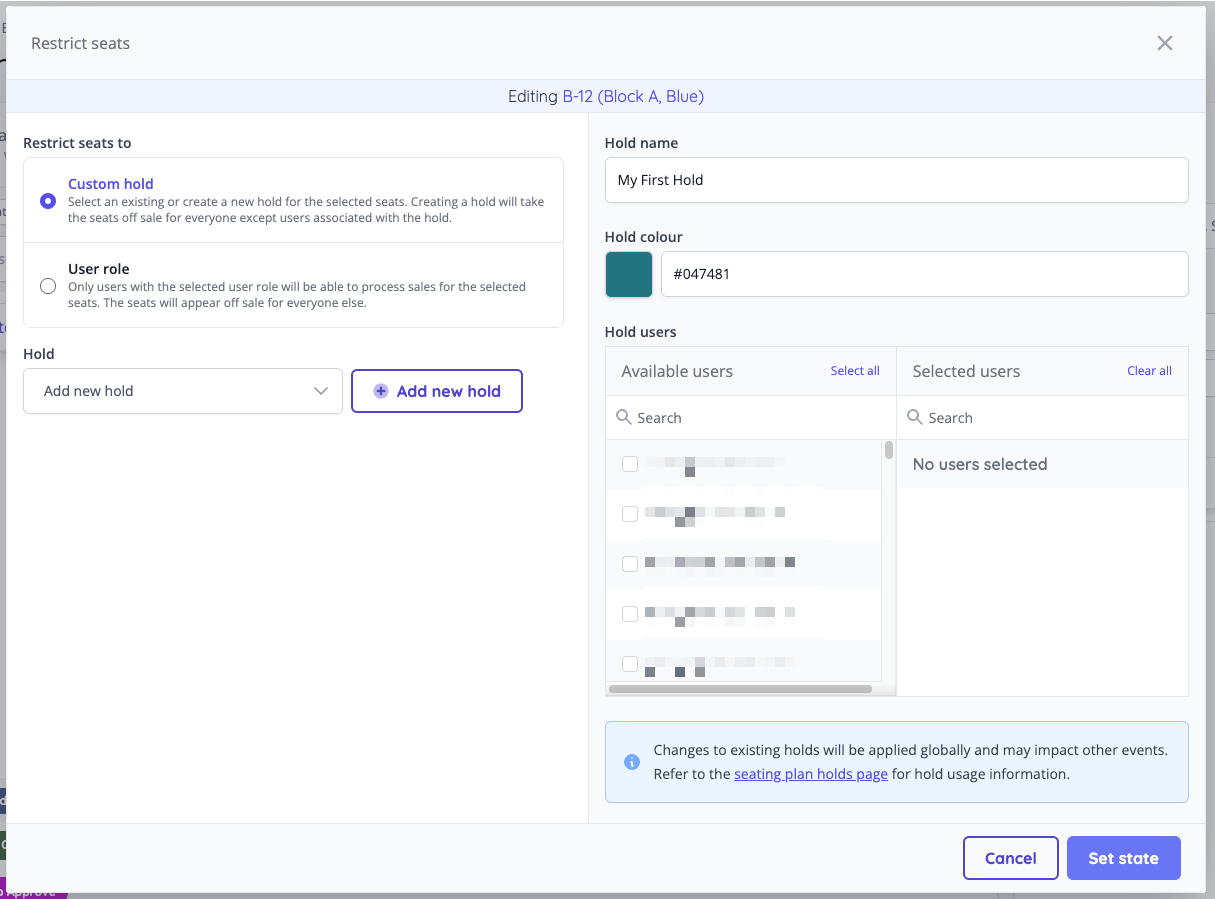
- Introduced seating plan holds which allow greater control over the seats that third-parties and/or box office users can sell. Holds can be created & managed on-the-go via the manage event seating plan page (NG-1130)
- New features added to seating plans: (NG-1106)
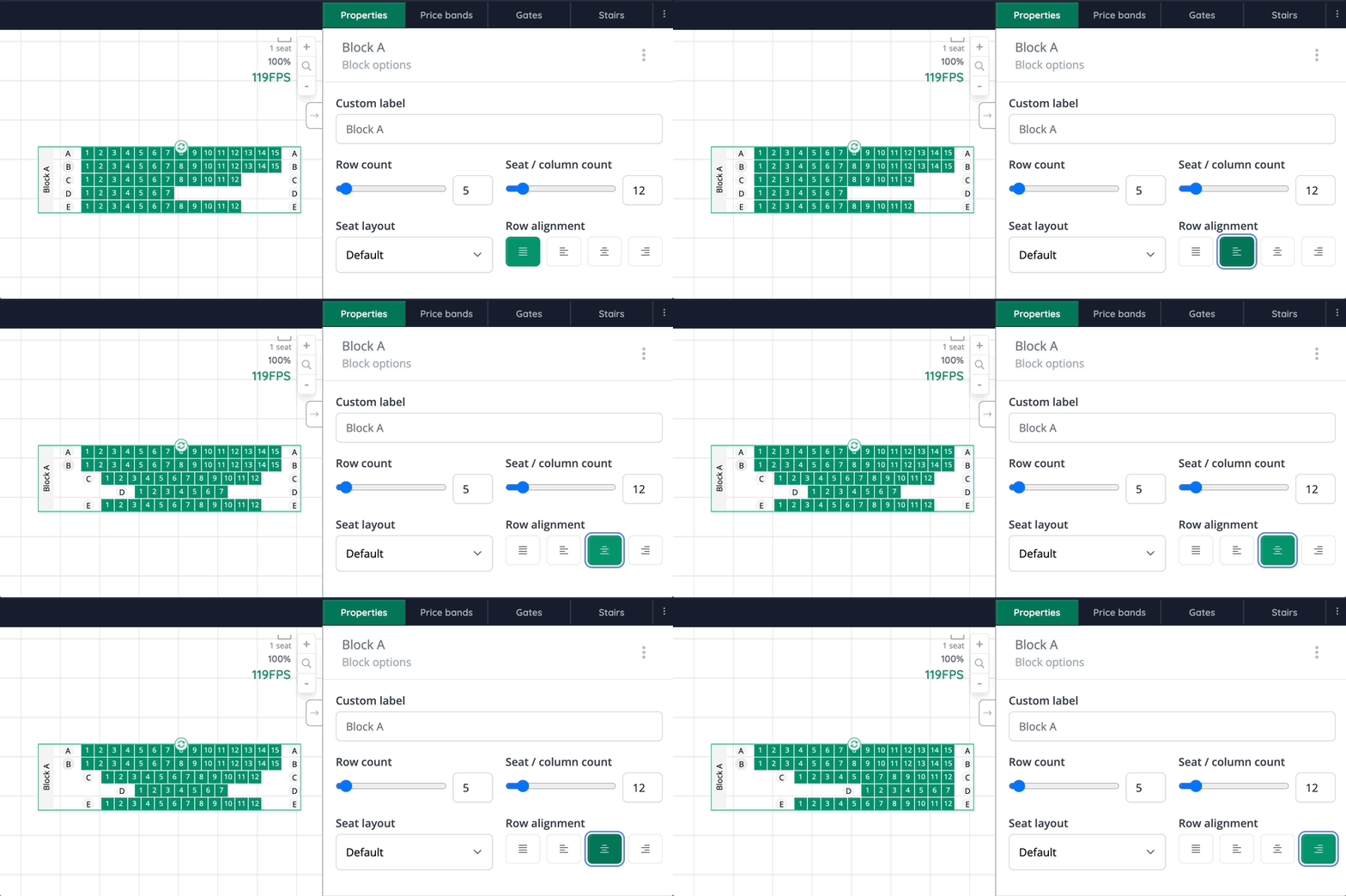
- Added row alignment options for allocated blocks. If the block’s rows are not equal in length, you can align them to the left, right or center them
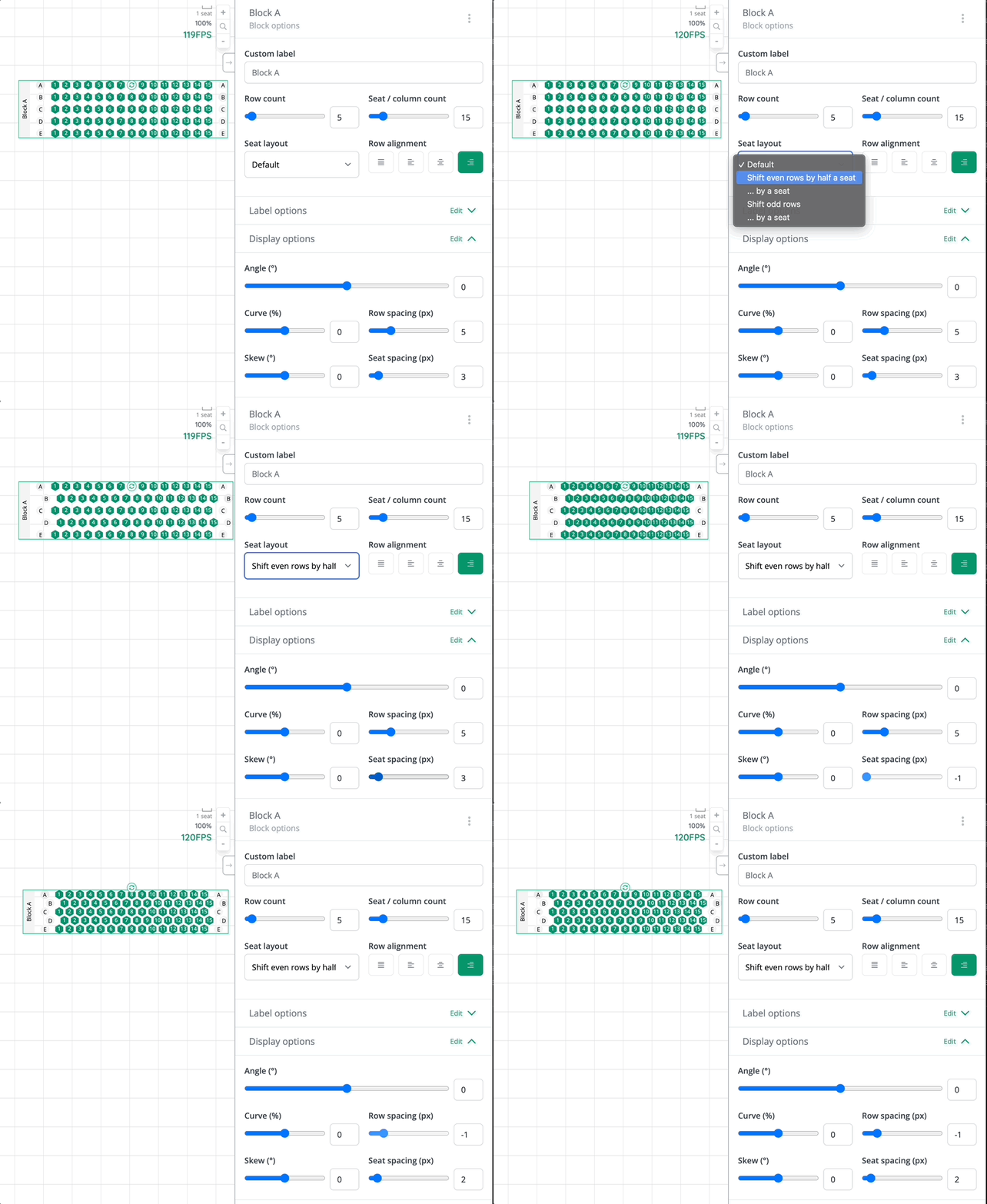
- Added seat layout options for allocated blocks. You can shift every second row’s seats by a half or a number of seats
- Added ability to add a single row
- Label offset for blocks, rows, seats and tables now display the actual labels it represents, not just numbers
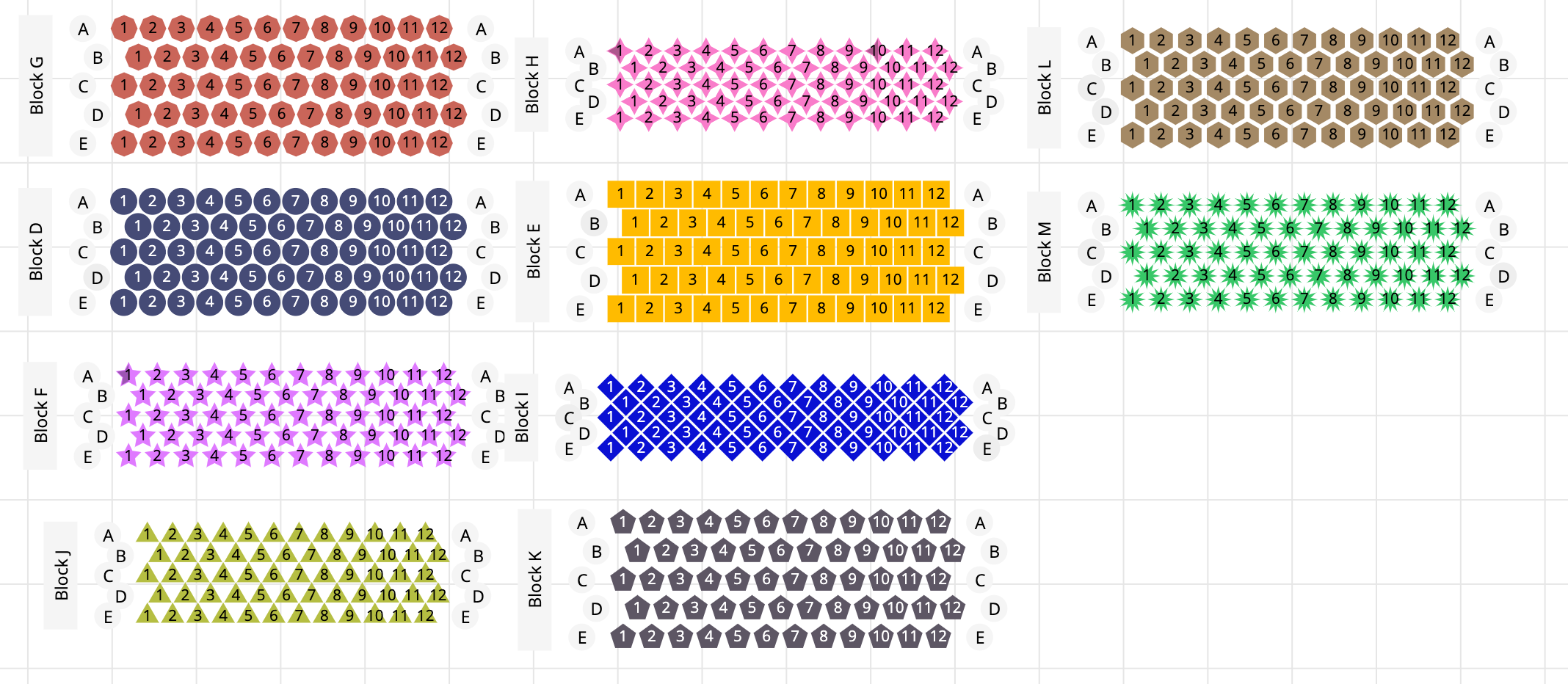
- New shapes added to price bands: Pentagon, hexagon, octagon, 4 pointed star, 12 pointed star
- New options for rows added:
- Top / left offset added for fine adjustments of row positioning
- Customisable row seat count added
-
Hidden and deleted seats have been differentiated:
- Hidden seats get their labels calculated and are visible on the plan in the editor always. Hidden seats can always be enabled to appear on the plan, and the seating plan doesn’t need to be resynced.
- Deleted seats have their labels skipped and only visible if you check “Show deleted seats” under the View menu
- When saving a seating plan, which is already attached to an event, modal will open with instructions about re-syncing and a link to open the listing page with all events using it
- Now you can delete unused price bands, by opening the Plan information modal and delete your price band from there
✨ Enhancements
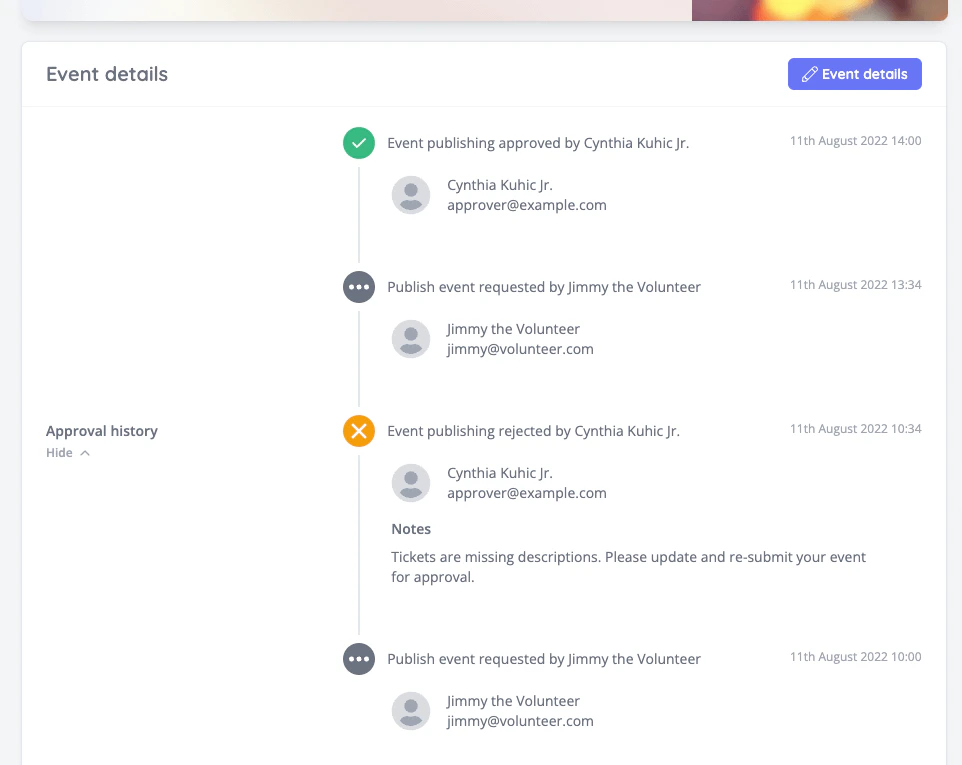
- Added a timeline of approval history to the event details block (NG-1165)
- Displayed item and fee totals before discounts within the checkout process (!2349)
- Added images to the Event data importer (NG-1151 / !2348)
- Fixed issues with scheduled reports when the associated custom report was deleted (NP-1159 / !2352)
- Added the ability to set light, regular and heavy font weights for heading shop fonts (NG-1168)
- Added the ability to set button font styles for shop fonts (NG-1162)
- Added button to also edit meta title after editing/saving event title (NG-1116)
- Added secondary payment method grouping to the existing Sales Reports (NG-1038 / !2364)
- Added a warning when updating existing data capture questions if any responses exist for the question / the question options (NG-1115 / !2355)
- Added a “Cashless Shop” data importer, allowing you to import shops in bulk (NG-1228 / !2393)
- Added a “Cashless Sale Item” data importer, allowing you to import cashless products in bulk (NG-1228 / !2393)
- When creating users during cashless shop creation process, the newly created user is pre-selected. (NG-1008)
- Added a payment method multi-select filter to all sales reports (NG-1132)
- Add the option to customise the basket size limit, with a hard cap of 300 (NG-1137)
- Added created & approved by filters to the admin event index page (NG-1131)
- Include event purchase notifications in the list of settings that can be bulk applied across an entire schedule of events (NG-1012)
- Grid colour in the seating plan editor now depends on the plan’s background colour (NG-1106)
- Show remaining quantities for general admissions on the event’s manage seating plan page (NG-1106)
- Added “Edit venue” link to event dashboard heading (NG-1106)
- If a data capture question has already got responses, the form in admin have added instructions about editing the question (NG-1150)
- Add “Does this require approval” setting to guest list creation (NG-1053)
🎨 User Interface (UI/UX)
- Updated the values in the order summary shown during checkout to more accurately represent the breakdown of costs (NG-1065)
- Updated the discount code eligibility settings UI to make these easier to understand (NG-745)
- Improved the article menu block, making it behave more like the event page sub-menu (NG-988)
- Improved the onboard messaging across the platform offering more guidance during initial setup (NG-1166)
- Combined both top and main navigation items into one mobile menu for easier navigation on smaller screens (NG-1226)
- Updated the existing Users data import, which now accepts a list of Shop Names, Shop ID’s or Shop External ID’s allowing users to be assigned to the given Shops. (NG-1228 / !2393)
- Updated the existing Users data import, which now UPDATES users if a matching user by e-mail address is found. Previously, this would only create new users, and throw a validation exception if users already existed (NG-1228 / !2393)
- Updated seating plan page in admin to look more closely to the event media page (NG-1106)
🧹 Housekeeping
- Fixed search issues in the shop, where entities with accented characters were not being returned in the search results (NG-1214 / !2375)
- Fixed an issue where users set event data capture questions to either “Every event in this schedule” or “On specific items across the schedule” for events that do not belong to a schedule. (NG-1245 / !2385)
- Fixed an issue where admin users with permission could not move the dates of seated tickets to spaces that are restricted to admin users (NG-1230 / !2386)
- Fixed an issue with translated values incorrectly displaying if no translation exists for the user’s current locale when loading reports (NG-1229 / !2391)
- Fixed an issue where items with the ‘show description’ toggle set to true did not display as such when assigned to a seating plan (NG-1113)Fixed an issue where empty meta fields were not displayed neatly in event dashboard (NG-1336)
- Enforced stricter email validation for guest checkouts, to prevent fake/incomplete emails being used (NG-1260)
- Fixed an issue where reseller fees displayed a penny rounding issues in the sale item form in some situations (NG-1351)
- Fixed an issue where in some circumstances you couldn’t refund tickets that had been 100% discounts (NG-1104)
- Fixed a rare occurring payment issue where it was possible for a customer to pay for an outdated payment intent (NG-1246)
- Many measures have been put in place (& documented here) to prevent a variety of possible/hypothetical payment related issues for all of our third-party payment gateway integrations
- Fixed an issue where custom branding colours were difficult to select in non-English languages (NG-1373)
- Fixed an issue when embedding more than one instance of our shop on an external site (NG-1017)
- Fixed an issue when the Copy event button didn’t appear on the admin event listing page (NG-1268)
- Fixed an issue when importing the template block on the event page didn’t import the content of the block (NG-1204)
💻 Technical
- Some housekeeping was performed on the guest list creation/edit pages (NG-1171, NG-1207)
- Updated the default value for
attracts_discountto avoid cashless products (particularly top-ups) from being discount attractive (NG-1362)- This fix also updates existing cashless products/top-ups to force this value to be false.
🧑💻 API
Changes to the API have been documented in the changelog on the API documentation homepage.Below you will find the summary notes for the 14th release of the Nuweb core platform.
🚀 New Features
- Added a new sales report which compares sales figures across box office users (NP-2821)
- Added the ability to assign permissions directly to admin users without needing to create a role (NP-2811)
- Added various data importer’s, allowing you to easily import large sets of data from other systems via a CSV file. The new data importers are (NP-2589):
- A users data importer, allowing you to import Admin users from other systems, and easily assign them to Roles and Visibility Groups
- A venues data importer
- A tags data importer
- A data capture questions data importer
- An events data importer
- A sale items data importer
- Reseller permitted, company feature flags, allowing resellers to set their ‘permitted’ features that can be enabled on companies (!2243 / NP-2900).
- Added the ability to customise both the restricted badge and restricted popover information displayed in the items selector on an event detail page, and various parts of the checkout at the sale item level in Admin (!2248 / NP-2844)
- Added new feature settings toggle in Hub to disallow companies from creating sale items from existing items (except season tickets) (!2255 / NP-2890)
- Added the ‘animations’ setting to list items within the CMS. These allow you to configure how you want each item to animate into view once the block gets scrolled to. (NP-2842)
- Added ‘animations’ setting to header blocks within the CMS. Titles, descriptions and images within these blocks can be animated individually. (NP-2891)
🔌 Integrations
- Added official support for over-the-phone payments in box office via Stripe MOTO (NP-1711)
- Added the ability to specify an order reference prefix for Barclays ePDQ transactions (NP-2947)
✨ Enhancements
- Added audit log entries on any stock changes that were caused by admin users (!2170 / NP-2512)
- Added links to view the audit log entries on the sale item capacity bars
- Added account manager filter for hub sales reports (NP-2757)
- Added divider template blocks (!2188)
- Added warning message to the share event modal clarifying access codes do not work on draft events (!2189)
- Added a new ‘status’ filter to the seating plan space report, showing whether a seat is marked as available, unavailable, or restricted (!2196 / NP-2863)
- Added a new ‘balance’ field to the customer import, to allow setting up a customer’s cashless wallet (!2201 / NP-2862)
- Added a new ‘wallet adjustments’ report to allow adding credit to customer cashless wallets (!2201 / NP-2862)
- Added a ‘test event media’ button when designing event media, allowing for a sample PDF to be generated, without needing any existing orders (!2190 / NP-2651)
- Added list-block template block and new fade options (!2219)
- Added the ability to set cancellation fees per order item when refunding orders (!2228 / NP-2533)
- Refund confirmation emails and any order reports have also been updated to include this information
- Added address fields and customer notes to the existing customer data import (NP-2859)
- Added a custom ‘zoom level’ field when creating/editing venues, which will impact the map display on the event listing page (!2222 / NP-2875).
- Added new feature flag to hide instant checkout from box office (NP-2824)
- Users now pick and choose visibility groups to assign to events when creating events instead of automatically assigning all of them (NP-2813)
- Added new company setting to show customer billing address on invoice payments (NP-2819)
- Added pagination to the venues index page
Show complimentary as zerofilter on transactions reports will now also affect all monetary values (NP-2818)- Added the ability to trigger a ‘test’ email in hub to verify custom ‘from email addresses’ are working correctly. (NP-2941)
🎨 User Interface (UI/UX)
- Overhaul of editing companies in hub. More concise organisation of available fields/toggles as well as grouping of features (NP-2856)
- Display a warning when creating a discount code for items that cannot be discounted (NP-2626)
🧹 Housekeeping
- Correctly presented zero minimum values for variable priced sale items as invalid (!2176)
- Added ‘Sorted by:’ bar to the Reporting UI to more easily understand a reports ordering (!2179)
- Fixed an issue where events containing only guest list items did not pre-select the guest list tab of the items modal (!2174)
- Added a warning message to clarify processing or reseller fees are included in refunded totals (!2182)
- Removed resellers from breadcrumbs in Hub if the user does not have access to resellers (!2181)
- Removed the non functional account manager filter on hub reports (NP-2757)
-
Re-added visibility permissions for “
thingcreated by them” - Fixed “Hide items with no sales” filter not applying correctly on the sale items sales report (NP-2833)
- Fixed currency symbol and decimal places that were incorrect on checkout success page after a cashless top-up (NP-2906)
- PNGs with unsupported transparency settings will now be fixed and displayed correctly on event media (NP-2820)
- Fixed front-end validation for internal data capture questions (NP-2832)
- Fixed charities not displaying as off-sale when all variants were marked as off-sale (!2233 / NP-2733)
- Fixed a bug where admin users were appearing multiple times in the customers section & customer report (NP-2883)
- Admin dashboard recent stats now take into account the user’s visibility groups (NP-2815)
- Fixed an issue where partial strings were created as new tags on the event dashboard (!2262)
- Fixed an issue where a customers wallet balance did appear correctly in Admin (!2264)
- Fixed an issue with cashless cash-outs, where some of the top-ups were handled offline, which previously meant the cash-out form would not accept the requested amount (!2268 / NP-2953 + NP-2940)
- Fixed invalid validation rules that permitted ‘free’ donation items to be created, when a variable price is used (!2271 / NP-2901)
- Fixed an issue when viewing scheduled event calendars, where the settings button would not appear where the current page had no events listed (!2267 / NP-2952)
- Sped up password reset & verify your account emails (NP-2941)
- Fix bug where super users could no longer edit company user emails after accessing their company (NP-2823)
💻 Technical
- Drastically improved the efficiency of the hub translation manager to provide better performance for translators (NP-2888)
🧑💻API
Changes to the API have been documented in the changelog on the API documentation homepage.Below you will find the summary notes for the 13th release of the Nuweb core platform.
🚀 New Features
- Data capture questions can now be assigned to events across a schedule or an inventory item (NP-2652)
- Added a new Admin Users Report for an overview on user permissions, last login dates & VGs (NP-2726)
- Cashless products can now be purchased, along with topups and cashouts, via the cashless API, setting the foundations for the new cashless mobile app.
- Added support for math operations when creating custom report headers (NP-2751)
🔌 Integrations
- Added support for Authorize.Net payment gateway (NP-2712)
- Added support for Barclays ePDQ payment gateway (NP-2733)
✨ Enhancements
- Contact blocks are now automatically added to events if organiser details are provided when creating new events.
- Also went back to add contact blocks to previously created events
- Customers index now has a ‘cashless only’ filter to show only the customers that have made a cashless purchase (!2027 / NP-2522)
- Users index now has a ‘shops’ filter to allow filtering of users based on shops the user is explicitly assigned to (!2028 / NP-2515)
- The list of abilities on the role create/edit page no longer includes roles for features that aren’t active on the company account, or that the managing user doesn’t have access to, themselves (!2026 / NP-2513)
- Embed modal options are now present on Pages and the Event listing page (NP-2706)
- New contact list template for listing and event pages (NP-2700)
- New draggable/carousel quote list for listing and event pages (NP-2701)
- New draggable/carousel image list for listing and event pages (NP-2704)
- Added customer fees to ticket event media (NP-2657)
- Event dashboard stats now also include stats for season ticket sales on other events within the same schedule (NP-2655)
- New scan type added to Event Media, allowing you to use Type Code 32 Barcode’s for your scannable event tickets. Previously the only option was QR Codes (!2052 / NP-2715)
- New “Disallow Box Office Mode” feature limitation toggle added in Hub, allowing resellers to control company access to box office mode (!2094 / NP-2741)
- New “Order Items” import added in Admin, allowing you to (!2090 / NP-2739):
- Import orders and their associated order items from other systems
- Optionally create new sale items and new timeslots for the given event when importing
- Optionally send order confirmation emails if the order is a complete order
- Optionally send payment links if the order is not a complete order
- Optionally absorb/do not absorb fees when setting up the order/order items
- New “Disallow processing fees” toggle added to hub, allowing resellers to control which companies are able to set processing fees (!2032 / NP-2677)
- New “Disallow reseller fees” toggle added to hub, allowing resellers to control which companies are able to set reseller fees (!2032 / NP-2677)
- Seating plans can now be re-synced (with basic modifications) after items/seats have been added to a user’s basket (!2098 / NP-2576)
- Sales report’s date filter can now be set to
Future, which will reveal events that start in the future. (NP-2588) - Sales reports can now show sale items without any sales by turning setting the
Hide items with no salesfilter toNo(NP-2588) - Reports can now be sorted by multiple columns (NP-2588)
- Some details of seating plans can now be edited & re-synced with events, even when the event(s) have sales (!2098 / NP-2576)
- Shop users can filter their orders and order items by the NFC tag that was used to purchase them at the time (!2113 / NP-2627)
- Admin users can search for orders using the raw NFC tag ID used to make the purchase (!2113 / NP-2627)
- Add the ability to disable global stock (event & cashless) for a company via hub (NP-2755)
- Non seated tickets can be purchased on seated events (NP-2168)
🎨 User Interface (UI/UX)
- In template blocks texts have customisable font sizes & SEO tag options
- Improved accessibility of customer selection in box office checkout (!2024)
- Country codes grouped by codes & not displaying country on selected code (NP-2676)
- Improve the box office printing UX by automatically opening the print dialogue when printing from the order success screen (NP-2603)
- New teams UI throughout user accounts (NP-2608)
🧹 Housekeeping
- Fixed dynamic maps zoom level (NP-2613)
- Fixed popovers displaying event links on map markers on event pages (NP-2613)
- Fixed meta fields input not updating until a page refresh on the event dashboard (NP-2594)
- Fixed time slots not reloading until full page refresh after updating event dates on the event dashboard (NP-2633)
- Fixed an issue when uploading big images without set aspect ratios (NP-2703)
- Scheduling reports for midnight (00:00) the next day will now trigger at mightnight instead of skipping the first night (NP-2623)
- Fixed an issue with the form builder where disabling questions would not remove them from the form (NP-2697)
- Fixed issue where scheduled reports page might not load if an invalid timezone is detected (!2066)
- Fixed an issue with filtering company dropdown results in Hub (!2037)
- Fixed an issue where pricing and sales channels would unnecessarily appear in mass-updates modal for sale items (!2029)
- Fixed ‘other amount’ automatically autofocusing when selected in top up modal (NP-2674)
- Tidied UI of purchased items and orders cards in shop account (NP-2674)
- Added cashless balance to iframe header (NP-2674)
- Fixed issue where users could create new tags through the event dashboard (NP-2753)
- Fixed locales displaying in validation error messages for translatable fields (!2022)
- Super users are now able to add restricted seats to their basket (NP-2636)
- Fixed an issue where invalid event approval emails could be stored
- Fixed an issue with guest logins to child companies (with global login enabled) was overwriting the name of the account owner, in some situations (NP-2795)
- Corrected some inconsistencies between the seating plan utilisation reports & the sales reports (NP-2758, !6524)
- Warning and button to swap user to correct currency for cashless (NP-2799)
- Fix issue with sale item status not updating in the UI after changing the event status (!2152 / NP-2626)
🧑💻 API
Changes to the API have been documented in the changelog on the API documentation homepage.Below you will find the summary notes for the 12th release of the Nuweb core platform.
🚀 New Features
Cashless & eWallets (Alpha)This release introduces the core cashless + eWallets functionality to admin + shop, providing functionality to:- Enable/disable on a per-company basis, and allow companies to configure basic cashless settings (NP-2501 / !1861)
- Provide customers with the ability to top-up their eWallets via My Account (NP-2500 / !1875)
- Allow the creation and management of cashless shops within admin (NP-2502 / !1885)
- Create and manage products within cashless shops (users can do this within their own stores to which they are assigned) (NP-2503 / !1902)
- View/manage cashless wallets within admin (NP-2504 / !1910)
- Give customers the ability to self administer cashing out from their wallets, within their ‘my account’ section of the shop (NP-2505 / !1912)
- Added the ability to manage articles and article types with customisable article templates, SEO settings and more. Article types allow categorising articles based on context, examples of such might be blog posts, support guides, case studies etc.
- Added the ability to create author profiles for existing admin users which can be displayed on any article pages for articles they have authored.
- Expanded event listings to allow for other, non-event blocks, to be attached to listing pages, specifically:
- Article blocks: list articles by tag & type, pin highlighted articles or hand-select which articles to display on the listing page
- Template blocks: choose & customise a template from our UI library including marketing banners, heading blocks, feature lists, pricing tables, forms etc.
- Event pages now also support template blocks, allowing greater freedom on presentation & marketing of individual events
- Improved the listing page management UX now that there is a greater use-case for creating lots of unique pages
- Added the ability to customise the ‘top bar’ menu (NP-2571)
- Added the ability to add grand-child menu items (for all menu types) which enables categorisation of links within a dropdown menu (NP-2571)
- Added a form builder to Admin which enables the creation of bespoke forms that can be dropped into template blocks and positioned throughout your site (NP-2492):
- Forms support all of the existing data capture question types (text input, number input, checkboxes, selections etc.)
- Added ability to integrate forms with Mailchimp and Salesmate, with scope to expand the integration list in future development
- Added ability to preview forms in the shop, allowing you to easily test and distribute forms for data collection
- Added a brand new fully customisable form responses report with customisable headers, filters, sorting and the ability to download and schedule as standard with all of our reports
- Added the ability to configure notifications for each form response
- Tag can now be organised into tag categories (NP-2485)
- Tag categories can be labelled as
mandatoryto enforce events to be tagged with at least one tag from these categories - Added ability to filter by tag categories in admin event index, admin attendance and admin sales index (NP-2485)
- Added ability to filter by tags in admin event attendance and admin sales index (NP-2485)
- Tag categories can be labelled as
- Added an optional event approval process for organisers where authorised users can approve/reject events before they get published (NP-2546)
✨ Enhancements
-
Timeslot mass updater received two new mass update options:
- The ability to select “all” timeslots within the collective (event/schedule) instead of being forced to select future/historic timeslots (NP-2482 / !1842)
- Sale Items can be mass updated across the entire selection of timeslots, allowing for quick additions of sale items to an event only if the inventory item does not already exist within that timeslot (NP-2484 / !1842)
-
Completed order report now contains transaction external fees
- Alongside this, the other transaction related columns can now be added to order reports without needing to group by transactions. If there are multiple transactions for the order then the values are joined together with a pipe “
|”
- Alongside this, the other transaction related columns can now be added to order reports without needing to group by transactions. If there are multiple transactions for the order then the values are joined together with a pipe “
- Gift Aid is no longer fixed at 20% but instead can be set under company settings (NP-2489)
- Donations report no longer show the Gift Aid columns as £0.00 when Giftaid was not enabled for that donation ( NP-2488)
-
Removed the
Giftaid (exl)column from the donations report as it is now a redundant column. If required, please useGrossinstead. - Added the ability to hide/show price ranges and on-sale/out-of-stock badges on listing pages, where previously they were always on (NP-2527)
- Added regions suggestions to the region input in the address search form when creating venues in Admin to prevent duplicate cities from being created
- Admin events index page now allows filtering by schedule (NP-2577)
- Added new roles field to create users form for both hub and admin (NP-2487)
- Surface permissions for event media in the admin role form (NP-2474)
- Added a feature toggle and permissions to restrict access to the API token management interface (NP-2586)
- More event price display options are now available, allowing greater customisation of which item types should be included in the advertised price range (NP-2563)
- Add ‘API’ sales channel to sales reports (as a filter, value and “total issued via API” columns) (NP-2495)
- Added Charity Capacity to events (NP-2491)
- Allow editing of item type labels in the shop (For example the ‘Charities’ tab could be renamed to ‘Donations’) (NP-2635)
-
Event Media / Seating plan updates:
- Editor has received a new “Layers ” view, where layers can be selected and rearranged
- Text block now can have a background colour, border and paddings on all sides
🎨 User Interface (UI/UX)
- Locale-aware price input has been used in Fundraising setup (!1864)
- Event dates are now shown alongside event name when creating a new event block on a listing page (!1862)
- Select input placeholders are now consistent across the entire platform (!1849)
- Delete buttons are now consistent across the entire platform (!1853)
- Status filter is now activated when viewing attendance as a report (!1855)
- Shop search now smoothly scrolls into view when results are returned (!1867)
- Added warnings to time slot dashboard when time slots overlap or extend past daily event dates (NP-2543)
- Fixed-position submit bar is now used where forms are lengthy and submit buttons could be missed (!1873)
- Languages now appear in the selected user’s language’s and their own languages in the language selection modal in hub / admin (NP-2559 / !1878)
- Added role selection to Create admin user form (NP-2562 / !1881)
- Split Inventory items page into tabs (!1880)
- Added a “none” when assigning categories to discount codes (!NP-2593)
- Charity items’ website field is displayed throughout the checkout process (NP-2566)
- Company feature list has got an updated view, and now can be searched
- While using the search filters, results don’t get hidden by the overlay
- Updated Users, Roles and Invisibility group list pages
🧹 Housekeeping
- Event media and Seating plan builder received some translations (!1860)
- Fix a calculation error with blended reseller fees where fixed fees were being counted once per item rather than once per transaction resulting in less money being distributed to the reseller during split payments (NP-2188 / NP-2466)
- Fees for variable priced items now mirror the same fee structure as fixed price items when blended reseller fees are enabled
- Fixed an issue globally where fallback translations were not loaded if the content was unavailable in both the users current language AND the companies fallback language (NP-2597)
- Fix a ticket sharing display bug where non-transferrable tickets were showing the transfer button despite the action being blocked (NP-2526)
- Corrected event calendar blocks when using the ‘handpicked events’ option to only show the relevant events (NP-2589)
- Fixed a bug preventing rebooking discounted items (NP-2619)
- Fix an issue where ‘pending’ transactions were showing up in sales figures, noticeably when an order contained a pending card payment followed by a successful comp transaction (NP-2524)
💻 Technical
- Added stricter checks around “Guest Customer” being used as a name during checkout, to prevent customers leaving the default value (NP-2471 / !1843)
- Fix: Order index event filter causing filter column to break
- Fix: Disable the ‘online refund’ button for orders that were paid for using offline payment methods
- Fix: Single day time slots that no longer run during an event can be edited again.
- Fix: Cities being duplicated when clicked repeatedly in shop advanced filters.
- Fix: Advanced filter icons disappearing in Safari.
- Fix: Duplicate cities being created from shop users adding new billing addresses
- Fix: Capacity bars now show the ratio of sold to reserved sale items correctly where total capacity is unlimited
- Fix: iCal links not working from certain email clients due to file streaming limitations (NP-1481)
- Fix: Events can now be cancelled using the ‘Change event status’ modal (!1964)
- Copying an event now also copies image blocks with their images (NP-2486)
- Fix: Form fields now retain data on invalid form submission on Create event, and create timeslot (NP-2614)
- Fix: Hiding event times is now hiding them on the calendar view (NP-2611)
Below you will find the summary notes for the 11th release of the Nuweb core platform.
🚀 New Features
- Integrated with Stripe Terminal to enable in-person card payments in the web box office.
- Implemented rebooking orders (move dates) for seated events for both admin users and customers (!1739 / NP-2355):
- Applies the same logic as before, by allowing similarly priced tickets to be rebooked (the price band itself may change, where events have price bands at the same price point).
- For companies that have custom event media enabled, box office users can now select which template they wish to download tickets as, when viewing orders (!1785 / NP-2284).
- Add ability to customise the default images across a company (NP-2365)
- Provided ‘mass scheduling’ functionality for timeslots to be created in-bulk by specifying their interval, duration, and length (!1769 / NP-2376 + NP-2401 + NP-2402).
- Timeslot mass updater to reduce the burden of managing large timeslotted events, allowing for either (a) specific timeslots to be selected for update, or (b) a set of criteria to be provided to update matching timeslots across an event or a schedule (!1748)
- Sale item mass updater now queues the updates to process in the background, preventing timeouts when large numbers of sale items are updated in one go (!1783 / NP-2436)
- Admin users, who have the ‘overselling’ permission, can now also oversell events when rebooking. When this occurs a warning message is shown post-completion, as it does in box office mode (!1754)
- Added new timeslot sales/utilisation reports which provides a better overview of sales and availability within timeslots across schedules (!1760 / NP-2377).
- Locked global data capture questions behind a new permission available in the roles section.
- New company settings toggle allowing you to globally restrict item transfers to the purchaser of the item only.
- Added a new Yes/No marketing preference question type
- Added “Collect payment” button to invoices in Hub, allowing outstanding funds to be transferred from the Compony Stripe Connect Account to the Platform Stripe Connect Account
- Added an email notification when bulk actions fail (e.g. seating plan assignment, mass updating, timeslot creation), to inform users after they’ve left the site (!1779 / NP-2379)
- Added button to scheduled reports, allowing you to manually dispatch scheduled reports.
- New reporting features:
- Added the ability to add a “custom active field”, allowing you to either:
- Add a fixed column value
- Add an empty column (by leaving the value blank)
- Added the ability to change header names
- Added the ability to add a prefix to the values of specific columns
- Added ability to re-order columns
- Added a new “Order validated at” filter to the Attendance Report, allowing you to filter items that were validated on a specific date. A valid item is one which:
- Has responses to all required data capture
- The customer has responses to all required marketing data capture
- The item has no pending/unclaimed item transfers
- If there are no required data capture questions, the item is considered valid at the time the order was completed.
- Added the ability to “prioritise” data capture responses from the purchaser of the order when adding data capture responses, allowing you to override the response of the item holder
- Added a filter to hide phone codes from all phone numbers in the report
- Added various fields to the Attendance Report:
- Item purchaser initial of first name
- Item holder initial of first name
- Item purchaser country
- Item holder country
- Item purchaser ISO alpha-2 country code
- Item holder ISO alpha-2 country code
- Item purchaser ISO alpha-3 country code
- Item holder ISO alpha-3 country code
- Marketing preferences updated at
- Added the ability to conditionally change column values by comparing them with a given value or another column in the report. You can now:
- Compare if a column value is EQUAL TO the given value
- Compare if a column value is NOT EQUAL TO the given value
- Compare if a column value is GREATER THAN the given value
- Compare if a column value is GREATER THAN OR EQUAL TO the given value
- Compare if a column value is LESS THAN the given value
- Compare if a column value is LESS THEN OR EQUAL TO the given value
- Compare if a column value is IN the given set of values
- Compare if a column value is NOT IN the given set of values
- Added the ability to change the date format for all dates across any given report
- Added the ability to add a “custom active field”, allowing you to either:
✨ Enhancements
- Event pass/level timeslots will now be hidden from the item selector modal when all sale items are ‘off sale’ (!1746)
- Scheduled reports that start/end on the same day, and will only execute ‘once’, are now recognised as ‘one off’ reports within the UI (!1768 / NP-2399).
- Added new filter to reports to filter by published status
- Improvements to the social login configuration options:
- Added support to white-label apple sign-in
- Added the ability for resellers to disable social login providers across all companies
- Event data capture questions can now be re-ordered
- Resellers can now set default fees. Any new companies will use these fees unless overridden
- Failed job batches will now send an email to the person who actioned them, advising of the failure (!1788 / NP-2456). This impacts:
- Seating plan assignment
- Sale item mass updates
- Timeslot mass creation + update
- Event scheduling
- Event copying
- Event listing page has new filters. Some of which include the ability to search by: (!1794 / NP-2361)
- Venue
- Seating plan
- Tags
- Event status (draft / published)
- Features enabled, like time slots, teams etc.
- Add the ability to edit payment link email text & online event help text in the order confirmation email via Admin > Website > Text (NP-2421)
- Improved performance of the hub dashboard
🎨 User Interface (UI/UX)
- Vastly improved the UX of the invoices section in Hub:
- Fix some issues with filtering and sorting of the ‘reference’ column
- Added an ‘auto generated’ column & filter to differentiate between gateway generated invoices & manually generated ones
- Added a filter for paid/unpaid invoices
- Added a download button the invoices index
- Added a totals row to invoices
- Added reseller column to the data table
- Updated interfaces under the Companies and Resellers menus: (!1767 / NP-2429)
- Updated listing UI
- Edit form is now separated into cards in a similar structure as the create page is set up
- Updated UI for certain fields on the create / edit pages
- Start fundraising block on the checkout’s success page is highlighted for improved user experience (!1801 / NP-2374)
- Improved Order page in Admin (!1739 / NP-2355):
- Transactions are collapsed for an easier overview
- Added loading progress bar for filters in hub/admin (!1767 / NP-2429)
- Improved capacity indicators for event sale items
- Improved both time slot creation and time slot edit forms
- Added capacity bar to time slot creation form to signal how much of an events time slot allowance has been used
- New time slot dashboard for viewing all time slots within an event
- New modal on event dashboard for overwriting selected time slots
- New ‘edit’ time slot modal to ensure easy configuration of time slot updates
🧹 Housekeeping
- Hide global data capture questions from child companies when viewing the event data capture in admin from a parent company. (!6262 / NP-2380)
- Improved performance of the (non event-media) download page for large orders and fixed a 500 error for very large orders caused by apple wallet QR link generation (HB-84174218)
💻 Technical
- Fix: Season ticket “grants access to x events” miscounting where a season ticket was attached to an event more than once. (!1724 / NP-2344)
- Fix: Ensure that the correct sold/reserved/remaining count is displayed for charity item groups. (!1725)
- Improved the loading speed of seating plan availability, on larger plans, by preventing unnecessary seating plan data from being downloaded (!1739 / NP-2355).
- Fix: When adding new variants to charities, that were originally created on other events, the new variants were not appearing in the shop (!1758 / NP-2430).
- Fix: Data capture question types “all tickets on all events” and “all tickets on this event” showing in the checkout process when marked set to be hidden during the checkout.
- Fix: Unable to submit the Account Details form in the account area of the shop.
- Fix: Correctly show when company users accepted terms / privacy / email opt-in.
- Fix: Performance issues with generating event statistics for events with large numbers of timeslots and sales.
- Fix: Price discrepancies with reseller fees on ticket creation.
- Fix: Text inputs with a defined width extending to the edge of the screen.
Below you will find the summary notes for the 10th release of the Nuweb core platform. This release had a heavy focus on housekeeping and general UI/UX improvements as well as streamlining our processes going forward into the new year.
🚀 New Features
- The admin event dashboard has been redesigned and features brand new event level statistics on sales, attendees and orders as well as:
- New event status block containing status, payment link option and the most important actions.
- Filtering of statistics based on currency and time period.
- New statistics block containing high level statistics for all sale items, timeslots and pricebands.
- New behaviour for when we show either statistics or actions on an event based on its status.
- Option to see the top four selling items within each statistic item group.
- Links to relevant reports for all statistics.
- New actions block.
- Better use of colour on event dashboard with certain item groups being assigned colours that aren’t the primary theme colour.
✨ Enhancements
- Box office users are no longer treated as regular customers during box office checkouts – they will no longer receive confirmation emails or appear in email/customer lists during any attempts to communicate with event attendees such as via the ‘compose new email’ or ‘resend order emails’ features.
- Reporting has been improved both technically to support larger reports as well as from a UX / QoL perspective:
- Added event fields and a customer filter to the scanning reports
- Implemented temporary report generation and results caching for larger reports
- Improved the exporting of reports to handle larger datasets via batch processing
- We also use this new exporting functionality to generate our scheduled reports.
- Improved the inputs for multi-select and single-select filters
- Added a Report Exports page in both Admin and Hub which allows you to:
- See the report export status (whether the export has finished and is available to download or is still exporting)
- See a history of all previous exports, meaning you can easily re-download and previous exports
- Added a report export email to notify users when their export is ready for download, with a link taking them straight to the report export page
- Added an email to notify users if the report failed to export.
- Updated the scheduled email to include a link to download the report, rather than attaching it to the email. This prevents future issues of emails not reaching the end user if the file is too large.
- Redesigned the API docs with a completely new UI and improved documentation with clearer explanations and sample code
- Add: Sale item “additional info” in event media.
- Add: Item “description” in event media
- Add: Ability to delete charity/sale item parents, even when they contain children
- If any of the children are part of reservations/orders, the whole group is taken off sale.
- If any of the children (or parents) are attached to another event, the underlying item isn’t deleted but the sale item itself is.
- Improve breadcrumbs in our wizards across Admin and Hub to improve the flow.
- Added date search to the multi-select sale item search component
- Integrated measures to prevent bots from abusing the company registration form.
- User permissions/roles UI tidied up, as well as paginating the records that are returned when selecting permissions for specific entities rather than loading the entire list of entities which was crashing the browser
- Changes to GTM/Google analytics: we now track the events triggered when first landing on the site, once the user opts-in to analytical cookies
🎨 User Interface (UI/UX)
- Improved the phrasing on the transfer interface when correcting a transfer
- Deployed a number of mobile optimisations covering the following areas:
- My account
- Responsive button / text sizes
- Progress bars
- Admin: event dashboard
- Shop: Browse page
- Shop: My account pages
- Added quick link pinning in admin & hub.
- Replaced the regular event page with a full page buy-now modal when browsing in box office mode.
- The admin event index page now groups events by date
- Release notes links have been added to Hub
- A number of UI tweaks & improvements have been made to the Fundraising pages in the shop.
- Modal headers and footers automatically snap to top and bottom of mobile screens
- Improved statistics shown on hub and admin dashboards to match the new event dashboard feature
- Fixed issue where focus was trapped inside the price-input, preventing the tab key from shifting focus to the next element in the form.
- Improved Breadcrumbs - Cleaner code, more granular breadcrumbs for wizard forms, better mobile breadcrumb UI.
- Improved Icons - Cleaner code, improved consistency with icons across the app.
- Mobile optimisations to the events index page in shop & the admin global search results.
- Admin filters UI improvements - Used the filter-collapse column layout from the reports pages in more commonly used index pages for cleaner UI.
- Accessibility improvements - Added a ‘Skip the main content’ link in the top left of the admin, for easier keyboard navigation.
- Added the ability to add order notes to an order on the success screen of box office checkout.
- Cleaned up the UI for the order summary in shop.
- Improved the UI of the new payment settings cards in admin.
- Fixed a bug where three-column layout event blocks did not render properly on mobile devices - Also improved the slider so it can be used by trackpad users as well as touchscreen devices.
🧹 Housekeeping
- Fix an issue in the scanning reports where on some occasions it was incorrectly aggregating the total scans (in/out)
- Fix a bug with event level ticket limits where it was incorrectly identifying users as having reached the ticket limit
- Fixed an incomplete data capture bug blocking shared ticket downloads where only the purchaser had incomplete data capture
- Fix an issue where the browser back button would block subsequent form submissions
- Fixed discount codes buy x get y formatting
- Fixed infinite loader appearing on assign items modal
- Fixed image upload not uploading properly
- Fixed ‘view’ button on image uploads to work again
- Fixed related events not showing on event page
- Fixed the taxes dropdown showing before a user has enabled currency on event creation
- Fixed tall visibility groups drop down on event dashboard
- Fixed percentage discount input relying on currency restrictions to appear
- Fixed map block not displaying on customise event page
- Fixed top-level edit buttons disappearing on event customise page
- Fix: Ensure that pre-requisites are validated at the ‘whole order’ level, to avoid issues where pre-requisites are not yet in the basket when attempting validation.
- Fix: Overstocking occurring in some edge cases
- It was observed that where a user runs their expiry timer down to the last seconds, it’s possible that an order could both be successful and unsuccessful, resulting in an overstocking of certain item types.
- Fix: Issue with some orders having both live and demo transactions (particularly those with refunds or rebooking entries).
- As part of this all old orders were backfilled to ensure their data is/was correct.
- Fix: Charity donations were not being duplicated properly, when copying/scheduling events. The resulting copied charity was being added to the original event, not the new one.
- Fix: Charity donation variations could not be deleted.
- Fix: Seating plan allocation report was ignoring the status of orders, and showing expired, reserved (unpaid), and refunded orders as occupying spaces.
- Fix: Discount codes couldn’t be used properly in box office mode, where the company settings only permitted ‘box office only’ entry of codes.
- Fix: Discount codes using a currency that is no longer enabled on the company, break the edit form of that discount code.
- Fix: Incorrect ‘event level’ timeslot price ranges, caused by an incorrect cache key being used, which meant the prices at this level were being incorrectly retrieved.
- Fix bug where access codes would sometimes not reveal sale items
- Fix bug where box office users no longer randomly load a basket
- Added prompt to give admin users the choice to skip the waiting room if the shop is currently too busy
- Add default “valid for” setting for how long payment links should live for before expiring
- Fix bug where resending emails for an event would sometimes also send an email to an order item of another event
- Reservations now show seating information
- Clicking view site in the top nav will show a reminder that you’re in box office when applicable
- Fix bug where clicking view site would not let you exit box office if you opened box office in another tab
- Fix validation error message where user could not turn manual payments off if they’ve never entered payment instructions before
- Fix bug where a non-seated ticket could not be added to a event with a seating plan assigned
- Incorrect reset email URL in the password reset email for specific hub users who have admin users registered under the same email address
- Fixing an issue where the company index page could not be viewed in Hub in Firefox.
- Fixing an issue with tickets disappearing in the UI if a pending transfer request was cancelled
- Fixing issues with the customer global search in box office that were 404’ing
- Fixing issues with headers being removed when a report was being saved as a custom report
- Fixing an issue preventing headers from being removed from custom reports
💻 Technical
- Deployed a new UAT environment for early testing of new development work against (anonymised) production-like data.
- Reduced the amount of JavaScript loaded on each page visit by up to 75% in some areas of the system.
- Implemented several improvements to our internal QA and development processes such as automated code compiles, upgraded dependencies, unit test runners, automatic coding standards and more.
- Add: ‘rebooked from ID’ is now tracked on individual order items.
- Queued Job Improvements:
- We now store the company/context details within the queued actions, to ensure that the action remains context aware and ensure better segregation between companies.
- Provides opportunity to store queued tasks for companies, and surface this information in the UI as required (seating plans, event timeslot creation, etc).
- Using the above, we now have a ‘queued job’ page in admin UI which allows all pending jobs to be displayed, and their progress tracked.